7
ENGLISH
Buttons
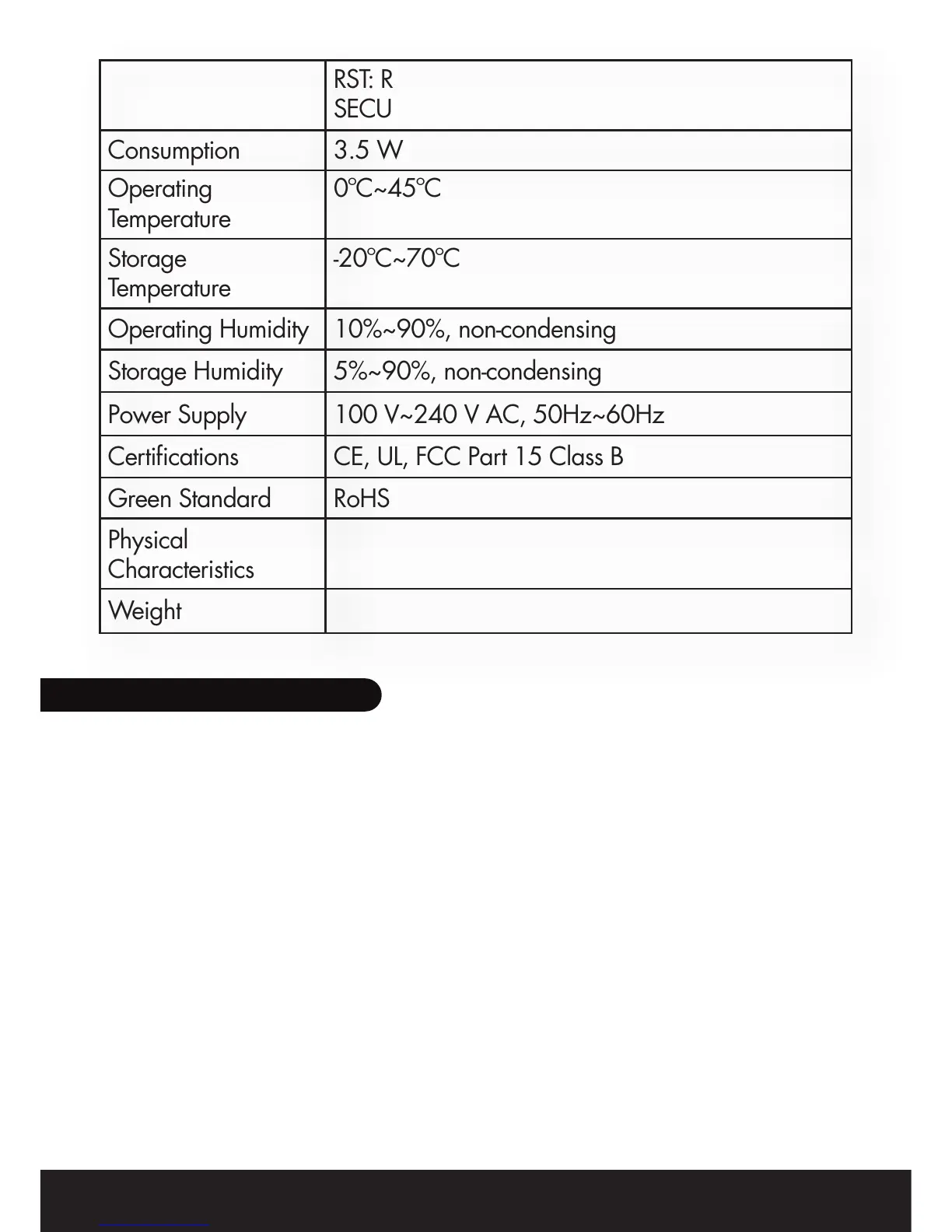
Consumption
Operating
Temperature
Storage
Temperature
Operating Humidity
Storage Humidity
Power Supply
Certifications
Green Standard
Physical
Characteristics
Weight
RST: Restore the default factory settings
SECURITY: Set up network password automatically
3.5 W
0ºC~45ºC
-20ºC~70ºC
10%~90%, non-condensing
5%~90%, non-condensing
100 V~240 V AC, 50Hz~60Hz
CE, UL, FCC Part 15 Class B
RoHS
2. BASIC INSTALLATION
Follow the steps below to properly connect the Power Line Adaptor to your
computer:
1. Power off the PC or Notebook.
2. Connect the provided Ethernet (RJ-45) cable to the Ethernet Power Line
Adaptor’s Ethernet port.
3. Connect the other end of the Ethernet (RJ-45) cable to the computer’s
LAN port.
4. Plug the Ethernet Power Line Adaptor into a wall socket next to the com-
puter.
5. Turn on the computer.
6. Check and confirm that the Power and Ethernet LEDs on the Ethernet
Power Line Adaptor are ON.
Follow the steps below to connect the other one Ethernet Power Line Adaptor
BPL120, L×W×H: 100 mm × 65 mm × 42 mm
BPL121: L×W×H: 132mm×67mm×41mm
BPL120: 127 g BPL121: 223 g


 To Next Page