Part IV: System Preparation, Start-up and Programming continued
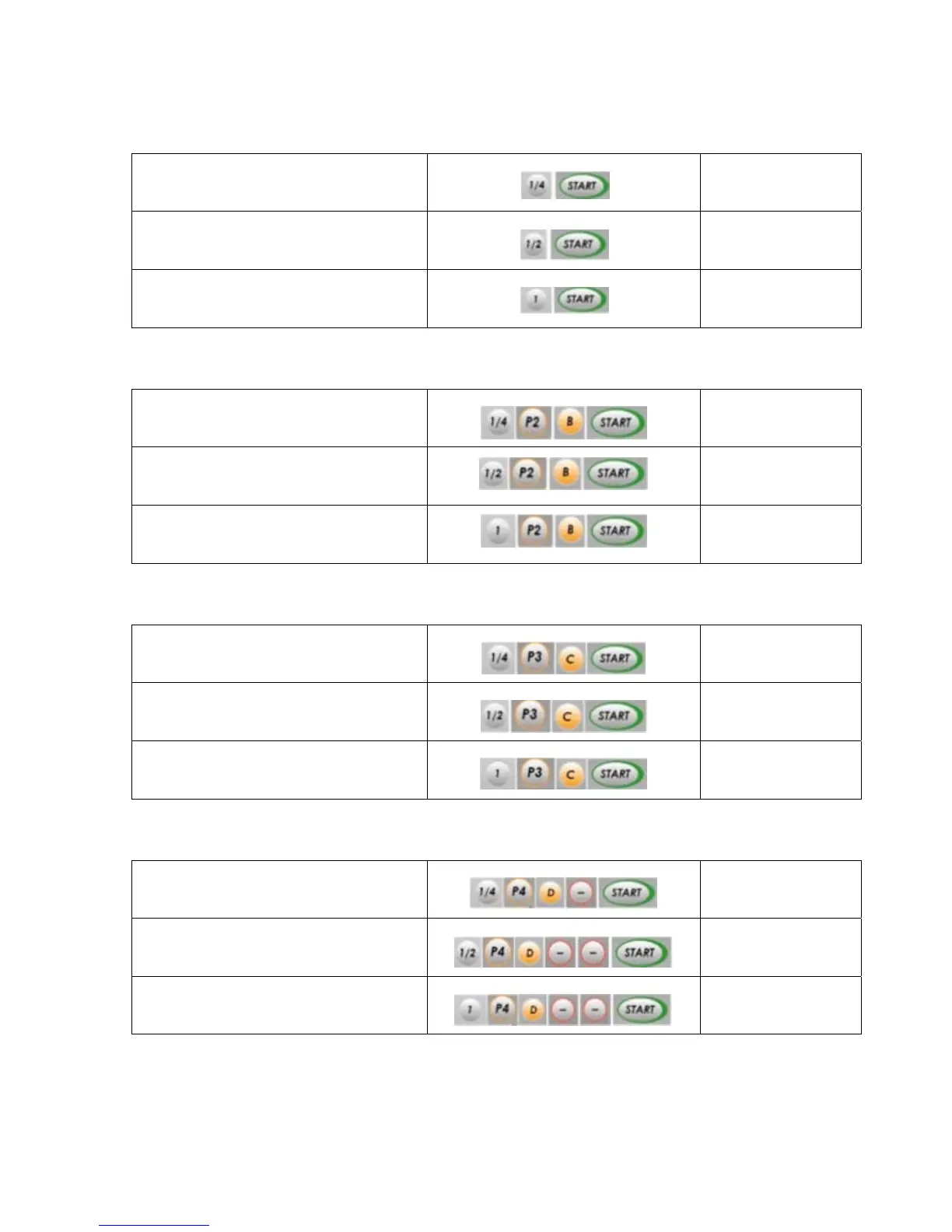
Quick Start Default P1- Hard Bean
Weight - Profile Press in following order Start Time / Max Time**
¼ Pound roast - P1 (default)
8:30 / 10:00
½ Pound roast - P1 (default)
* Also used for system self-clean/dry burn
12:00 / 13:30
1 Pound roast - P1 (default)
18:00 / 20:30
Profile P2 - Hard Bean
¼ Pound roast – P2
9:30 / 10:30
½ Pound roast – P2
13:00 / 14:30
1 Pound roast – P2
20:00 / 22:30
Profile P3 – Soft bean/low grown: example Brazilian
¼ Pound roast – P3
10:00 / 11:00
½ Pound roast – P3
14:00 / 15:30
1 Pound roast – P3
21:30 / 23:30
Profile P4 – Soft bean or espresso blends
¼ Pound roast – P4
10:20 / 11:30
½ Pound roast – P4
14:40 / 16:30
1 Pound roast – P4
22:40 / 24:30
Roasting times will vary according to actual in home voltage. P4 and P5 times shown have been adjusted to
match in home times to 2
nd
crack. See further data in Tips and Maintenance on voltage/ time issues.
* System self clean/dry burn as explained in Tips and Maintenance Section
**Maximum Times denote the maximum allowed roast time per pre-set profile and weight. This feature is
meant to limit possible fire hazard. See further data in Tips and Maintenance.
V3.6


 To Next Page
 Loading...