5
Brewing Instructions
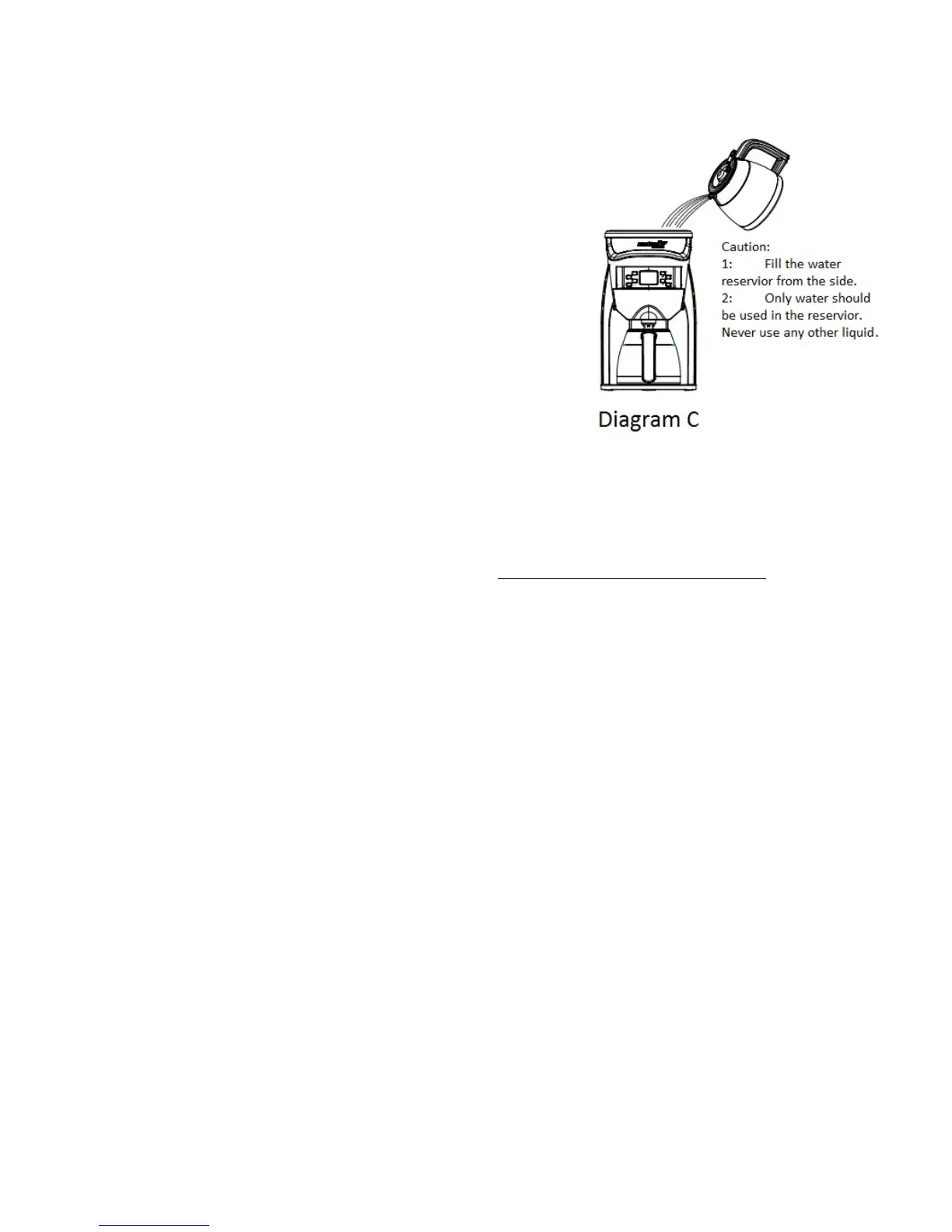
1. Twist and remove the top cover and fill the reservoir with
drinking water, always pouring from the side to avoid getting
display screen wet (see Diagram C). The water level should
not exceed 1.2L / 8 Cup level as indicated on the inside.
The water reservoir has a capacity of 8 Cups or 1.2L. Labeled
marking lines are as shown below:
a. 1.2 L- 8 Cups
b. .9 L - 6 Cups
c. Calibration Fill Line (.6L - 4 Cups) Best used with
Manual Release
Replace and twist the top cover into place.
***Important Note: Do not put coffee or anything other than
water into the reservoir.
***Do not use hot water as it will adversely affect the Power
Controlled Temperature Glide programming.
2. Remove the filter basket, and place ground coffee into the filter. A full pot of brewed coffee in the Brazen
requires up to 16 Tablespoons of ground coffee (60-70 grams or 2 oz). If the Brazen’s gold filter is being used,
finely ground coffee is not recommended as it may clog the filter. A standard drip ground coffee is recommended
for use in the Brazen brewer when using a paper filter. *See SCAA Gold Cup Standards Page 9
3. Place the filter into the filter basket, and slide into place. You will hear a slight clicking when it locks in.
4. Set stainless steel carafe on base.
5. Make sure the program settings are to your liking (see “Programming Your Brazen) and proceed with brewing
using one of three options described below.
6.
On Demand, Automatic Timer and Manual Release
If the brewer is in the power saving sleep cycle you will need to press any button to first wake the brewer up.
a. Brew using On Demand:
1) Press “Start” to brew coffee.
b. Brew using Automatic Timer:
1) Press “Auto.” Start time should be displayed on LED screen.
2) “Auto On” will be displayed, as well as the scheduled brewing time.
3) To turn off the Automatic Timer, press “Auto” again or “On/Off”.
c. Brew using Manual Release:
1) Place either the Brazen carafe, a Chemex, a French press or other open brewing container on the base of
the brewer. If using anything other than the supplied carafe, remove the brew basket and filter.
2) Press “Manual Release”. You are in Manual Release mode as indicated by the lower left “On” flashing.
3) Press “Start.” The Brewer will begin to heat and “Temp” will start flashing and the actual current
temperature of the water in the reservoir will be shown in the display.
4) When the programmed temperature is reached, the system will beep and maintain the brewing
temperature for 10 minutes. Press “Manual Release” to start the flow of water. A timer on the LED
screen will display the elapsed time. Water is released at approximately 150 ml or 5 oz per 15 seconds.


 To Next Page
 Loading...