(EN) Controls
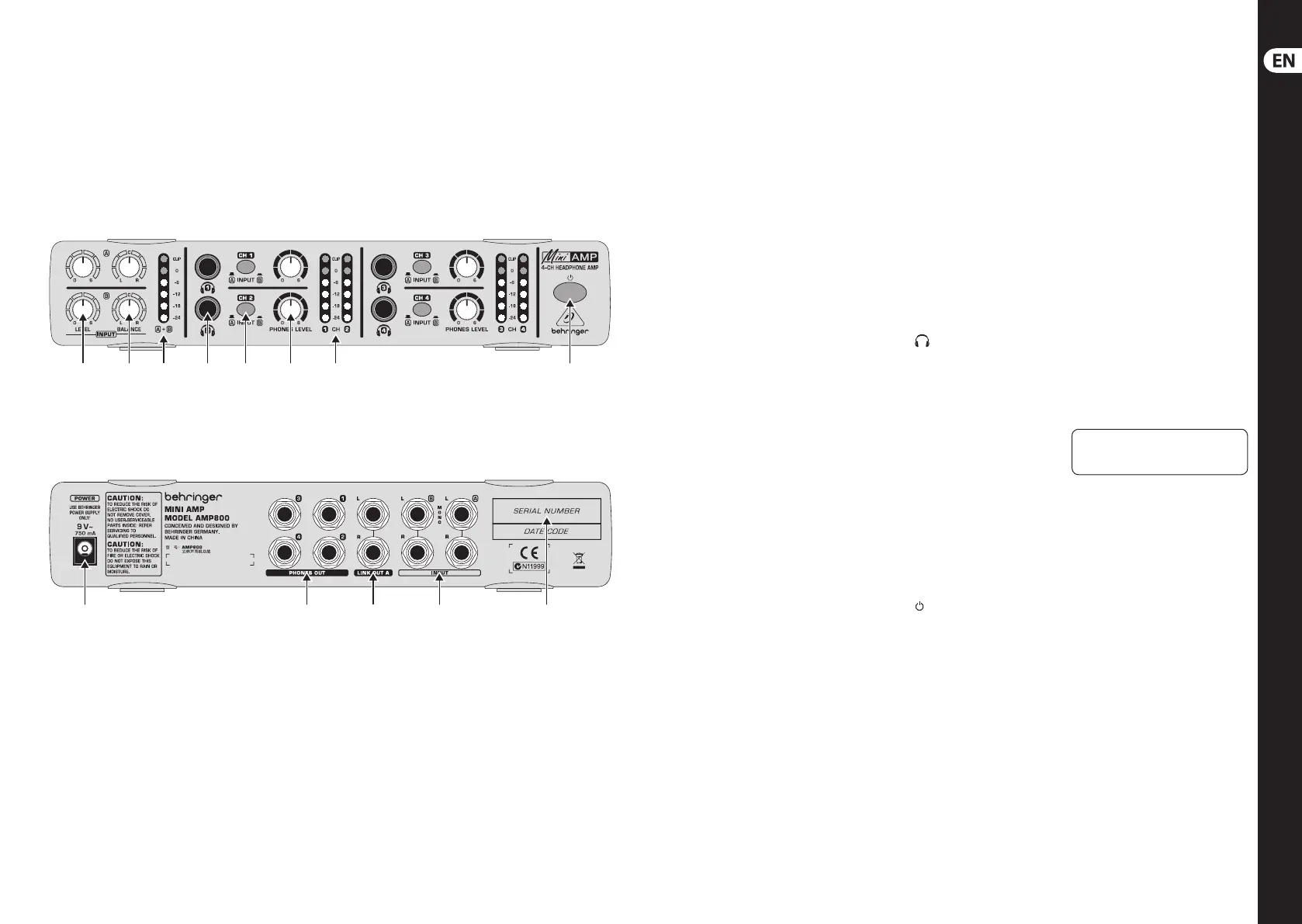
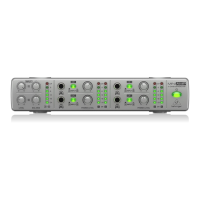
MINIAMP AMP800 Controls
(1) (2) (3) (4) (5) (6) (7) (8)
(9) (10) (11) (12) (13)
8 MINIAMP AMP800 9 Quick Start Guide
(1) LEVEL control: To adjust the input
level of a signal, turn this control
toward 0 (minimum level) or,
alternatively 6 (maximum level).
(2) BALANCE control: To adjust the
stereo image of a signal, turn
this control toward L (left) or,
alternatively R (right).
(3) A + B meter: To monitor the
combined level of both signals
(A and B), usethis meter. An
LED glows next to the value that
identies the combined level
(-24 dB to 0 dB). If the signal is too
strong, the CLIP LED glows. Most of
the time, the optimal level is 0 dB
(a full signal).
(4) (headphone) connector:
To connect a headphone, use this
stereo, ¼"TRS connector.
(5) INPUT button: To select an Input
Channel, push this button.
(6) PHONES LEVEL control: To
adjust the level of a headphone
signal, turn this control toward
0 (minimum volume) or,
alternatively 6 (maximum volume).
(7) CH meter: To monitor the level of
a headphone signal, use this meter.
AnLED glows next tothe value that
identies the headphone volume
(-24dBto 0 dB). If the signal is too
strong, the CLIP LED glows. Most of
the time, theoptimal volume is
0 dB (a full signal).
(8) (power) button: To
turn the AMP800 on and o,
push this button.
(9) POWER connector.
(10) PHONES OUT connectors: For each
Headphone Channel (1, 2, 3, and
4), therear panel includes an
additional headphone connector,
which is a stereo, ¼"TRS connector.
(11) LINK OUT A connectors: If you
need more than the 4 Headphone
Channels that a single AMP800
provides, connect these balanced,
¼" TRS connectors (Left and Right)
to the inputs of another AMP800.
The LINK OUT A connectors
send only the signal of Input
Channel A, without any LEVEL or
BALANCEsettings.
(12) INPUT connectors: For each
Input Channel (A and B), the rear
panel includes 2 balanced, ¼" TRS
connectors (Left and Right).
(13) SERIAL NUMBER.
Check Out behringer.com for
Full Manual








 To Next Page