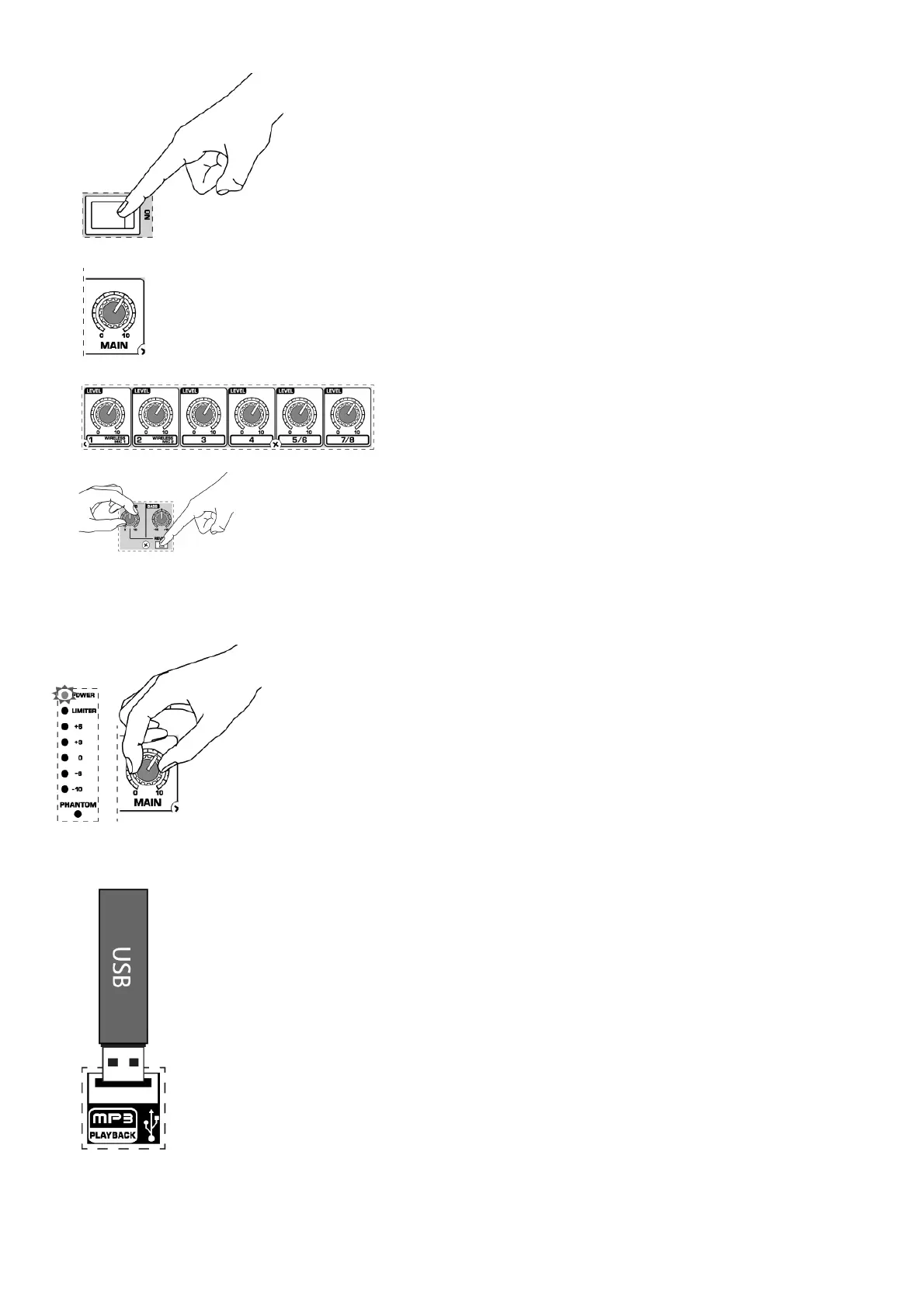
6. Power up all external devices.
7. Power up the unit by pressing the POWER ON switch.
8. Slowly turn the MAIN knob up 1/3 of the way.
9. Control the relative levels of microphones and input sources by adjusting each channel’s Level knob.
10. Add reverb to channels 1-4 by pressing the channel’s REVERB button and adjusting the REVERB knob.
11. Press the CONTOUR button to choose between SPEECH and MUSIC modes.
12. Press the VOP button to activate/ deactivate the voice-over priority feature. When activated, the VOP function dims the stereo channel volumes when
microphone input is detected on channels 1-4.
13. Make final adjustments to the output sound using the MAIN knob. If the VU meter shows the output signal at +6 with the LIMITER LED lighting up
repeatedly, reduce the output by turning the MAIN knob to the left.
MP3 PLAYER, Reproductor MP3, Lecteur MP3, MP3 Player, MP3 Player
1. Insert USB flash drive with MP3 content into the MP3 PLAYER USB jack.
2. Push the CD IN/MP3 PLAYER button on channel 7/8 to select the MP3 PLAYER function.






 To Next Page