1
POWER SOURCE – Connect the included IEC
cable to this socket and into a mains outlet.
18
TREBLE/BASS EQ knobs adjust
hi and low frequencies by ±15 dB
(same for channels 1-8).
2
POWER ON switch turns the power to the unit
on and off.
19
CD IN/MP3 PLAYER button switches
between a stereo signal connected to stereo
channel 7/8 and the onboard MP3 player.
3
USB drive input jack for connecting an
external USB memory device.
20
CD IN L and R stereo inputs for connecting an
external stereo source via RCA cables.
4 MP3 PLAY/PAUSE button 21 Same as inputs on channel 7/8.
5
MP3 PLAYER RANDOM button shuffles
playback of files from USB drive.
22
AUX IN jacks for connecting ¼” mono or
stereo sends from a single sound source.
6
( FWD and RWD buttons for skipping to the
next or previous file.
23
LINE IN jack connects instruments,
sub-mixers, or other line-level sources
(balanced or unbalanced) using cables with
¼” plugs.
7
LIMITER LED and VU METER display the
signal level and when the LIMITER reduces the
signal in the event of a surge.
24
MIC input jack for dynamic or condenser
microphones connected with XLR cables.
8
PHANTOM power button engages 48 V power
for condenser microphones.
25
MON(ITOR) OUT jacks for routing stereo signal
to external powered speakers.
9
CONTOUR button changes the frequency
boost to optimize for speech or music.
26
MAIN OUT(PUT) jacks for connecting the
power amp to speakers using speaker cables
with ¼” plugs.
10
VOP button dims the stereo channels when
there is signal activity on channels 1-4.
27
WIRELESS mic dongle jack for use with
optional wireless microphones.
11
MAIN volume knob controls the overall
volume to the MAIN outputs.
28 Speaker Cables (6100 mm x 2)
12
REVERB knob adjusts the amount of reverb
applied to channels 1-4.
29 Power Cable
13
MONITOR SEND knob adjusts the volume
of the signal routed out the MON left and
right jacks.
30 Mic Cable (6100 mm)
14
REVERB button activates the reverb effect on
channels 1-4 individually.
31 Mic Bag
15
LEVEL knob adjusts the channel volume
(same for channels 1-8).
32 Mic Stand Adapter Bracket
16
MIC/LINE button switches between line level
input and balanced XLR input.
33 Mic Clip
17
OPEN/LOCK latches for attaching/detaching
the powered mixer from the speaker.
34 XM1800S Microphone
EUROPORT EPS500MP3 Getting started
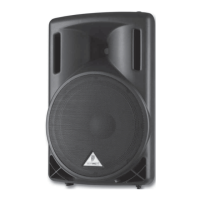
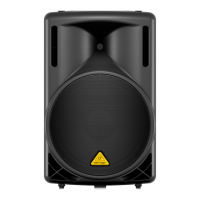
1. Remove the powered mixer and accessories from the storage compartments on the rear of the speakers. The supplied accessories include: 2 speaker
cables (5 m), power cable, microphone cable, 1 XM1800S microphone, mic clip, mic bag, and mixer mic stand adapter bracket.
2. With the power turned off connect the included speaker cables to the inputs on the speakers and to the MAIN OUT jacks on the powered mixer.
3. Connect the included XM1800S microphone via the included mic cable to an XLR input on the powered mixer.
4. Connect all other microphones, line levels, and stereo sources to the powered mixer. (FR)
5. Set your channel LEVEL knobs to the 9 o’clock position and the MAIN volume knob to “0”.






 To Next Page