2 U-CONTROL UMX610/UMX490 User Manual
Thank you
Thank you for showing your condence in BEHRINGER products by purchasing the
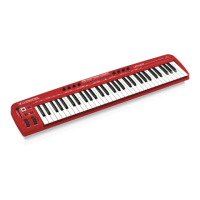
UMX. The UMX is an extremely exible master keyboard with a controller unit
that can be used for a wide array of applications. Whether you need independent
control of computer rack synthesizers, General MIDI sound modules or eects
devices, or want to use the UMX for conveniently operating sequencing software
or computer plug-ins—the UMX oers you tremendous ease of use and allows
you to realize your ideas intuitively.
Table of Contents
Thank you .......................................................................2
Important Safety Instructions ...................................... 3
Legal Disclaimer ............................................................. 3
Limited Warranty ........................................................... 3
1. Before you get Started .............................................. 5
1.1 Shipment ................................................................................ 5
1.2 Initial operation and power supply .............................. 5
1.3 Online registration ............................................................. 5
1.4 System requirements ........................................................ 6
2. Introduction to MIDI ................................................. 6
2.1 MIDI control for beginners .............................................. 6
2.2 USB mode and stand-alone operation ....................... 7
3. Control Elements and Connections ......................... 7
4. Operation ................................................................... 8
4.1 Play mode .............................................................................. 8
4.2 Assign mode ....................................................................... 9
5. Specications ........................................................... 13
6. Appendix .................................................................. 14










 To Next Page