EasyManua.ls Logo

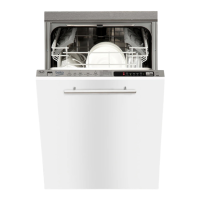
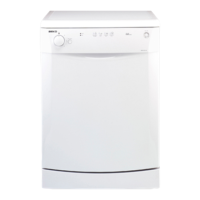
Beko DW600 - User Manual

Beko DW600
20 pages
Print Icon
To Next Page IconTo Next Page
Loading...
Question and Answer IconNeed help?

Do you have a question about the Beko DW600 and is the answer not in the manual?

Summary

Installation Step 1: Panel Preparation

Step 1 a: Cutting Panel

Illustrates cutting a panel for installation.

Step 1 b: Cutting Panel

Depicts cutting a panel with scissors.

Step 1 c: Cutting Panel

Shows cutting a panel with scissors.

Step 1 d: Attaching Panel

Illustrates attaching a panel to the unit.

Step 1 e: Attaching Panel

Shows attaching a panel to the unit.

Step 2 a: Height Adjustment (820-870 mm)

Instruction for height adjustment for 820-870mm range.

Step 2 b: Height Adjustment (870-920 mm)

Instruction for height adjustment for 870-920mm range.

Installation Step 4: Securing Unit

Installation Step 5: Attaching Sliding Mechanism

Step 5 a: Mounting Slider

Illustrates mounting a sliding mechanism part.

Step 5 b: Mounting Slider

Shows mounting a sliding mechanism part.

Installation Step 6: Attaching Sliding Mechanism

Installation Step 7: Attaching Sliding Mechanism

Step 7 a: Fixing Slider

Illustrates fixing a sliding mechanism part.

Step 7 b: Fixing Slider

Shows fixing a sliding mechanism part.

Installation Step 8: Inserting Unit

Installation Step 9: Inserting Unit

Installation Step 10: Securing Unit

Installation Step 11: Adjusting Unit Position

Step 11 a: Adjusting Height

Illustrates adjusting the unit's height.

Step 11 b: Adjusting Height

Shows adjusting the unit's height.

Installation Step 12: Final Adjustments

Step 12 m: Securing Components

Shows securing components with screws.

Water and Drainage Connections

Step 13 a: Inlet Hose Connection

Illustrates connecting the water inlet hose.

Step 13 b: Drain Hose Connection

Shows connecting the drain hose.

Step 13 c: Electrical Connection

Depicts making the electrical connection.

Installation Step 14: Securing Under Countertop

Installation Step 15: Attaching Front Panel

Summary

Installation Step 1: Panel Preparation

Step 1 a: Cutting Panel

Illustrates cutting a panel for installation.

Step 1 b: Cutting Panel

Depicts cutting a panel with scissors.

Step 1 c: Cutting Panel

Shows cutting a panel with scissors.

Step 1 d: Attaching Panel

Illustrates attaching a panel to the unit.

Step 1 e: Attaching Panel

Shows attaching a panel to the unit.

Step 2 a: Height Adjustment (820-870 mm)

Instruction for height adjustment for 820-870mm range.

Step 2 b: Height Adjustment (870-920 mm)

Instruction for height adjustment for 870-920mm range.

Installation Step 4: Securing Unit

Installation Step 5: Attaching Sliding Mechanism

Step 5 a: Mounting Slider

Illustrates mounting a sliding mechanism part.

Step 5 b: Mounting Slider

Shows mounting a sliding mechanism part.

Installation Step 6: Attaching Sliding Mechanism

Installation Step 7: Attaching Sliding Mechanism

Step 7 a: Fixing Slider

Illustrates fixing a sliding mechanism part.

Step 7 b: Fixing Slider

Shows fixing a sliding mechanism part.

Installation Step 8: Inserting Unit

Installation Step 9: Inserting Unit

Installation Step 10: Securing Unit

Installation Step 11: Adjusting Unit Position

Step 11 a: Adjusting Height

Illustrates adjusting the unit's height.

Step 11 b: Adjusting Height

Shows adjusting the unit's height.

Installation Step 12: Final Adjustments

Step 12 m: Securing Components

Shows securing components with screws.

Water and Drainage Connections

Step 13 a: Inlet Hose Connection

Illustrates connecting the water inlet hose.

Step 13 b: Drain Hose Connection

Shows connecting the drain hose.

Step 13 c: Electrical Connection

Depicts making the electrical connection.

Installation Step 14: Securing Under Countertop

Installation Step 15: Attaching Front Panel

Beko DW600 Specifications

General IconGeneral
BrandBeko
ModelDW600
CategoryDishwasher
LanguageEnglish

Related product manuals