EasyManua.ls Logo

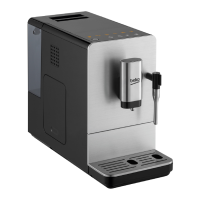
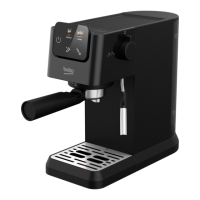
Beko EM 8194 O - User Manual

Beko EM 8194 O
21 pages
Print Icon
To Next Page IconTo Next Page
Loading...
User Manual
EN
Fully Automatic
Espresso Machine
EM 8194 O
01M-8911361200-3222-17

Other manuals for Beko EM 8194 O

Questions and Answers

  • N
    Noah JohnsonAug 20, 2025
    How to fix a Beko EM 8194 O that does not work?
    • G
      grahamwilliamAug 20, 2025
      If your Beko Coffee Maker isn't working, make sure it's properly plugged into the mains and the switch is on. Also, check the cable and the plug for any issues.
  • K
    kelly94Aug 22, 2025
    Why does the descaling indicator keep flashing on my Beko Coffee Maker?
    • J
      Jennifer HamiltonAug 22, 2025
      If the descaling indicator keeps flashing on your Beko Coffee Maker even after descaling, be patient and wait for the process to finish. The machine will automatically shut off; do not switch it off manually.
  • A
    Amanda BarrAug 25, 2025
    How to make Beko Coffee Maker coffee hotter?
    • S
      Sherri AndersonAug 25, 2025
      If the coffee from your Beko Coffee Maker is not hot enough, rinse the coffee cup at least 3 times before making the coffee.
  • T
    tbaileyAug 26, 2025
    What to do if the touch buttons on my Beko EM 8194 O are not sensitive?
    • M
      Matthew SullivanAug 26, 2025
      If the touch buttons on your Beko Coffee Maker are not sensitive, press the lower bottom part of the icon of the touch button from the front direction of the appliance.
  • L
    Larry RamosAug 28, 2025
    Why does my Beko Coffee Maker take so long to warm up?
    • K
      Kelsey MitchellAug 28, 2025
      If your Beko Coffee Maker takes too long to warm up, it might be due to excessive scale build-up. Descale the appliance to resolve this issue.
  • T
    Tonya HughesAug 30, 2025
    How to fix no milk foam from Beko Coffee Maker?
    • R
      Ryan SanchezAug 30, 2025
      If no milk foam is coming out of your Beko Coffee Maker, clean the automatic milk frother and make sure it is correctly assembled or installed.
  • D
    davisdanielleAug 31, 2025
    What to do if coffee is delivered too slowly from my Beko EM 8194 O?
    • M
      megan39Sep 1, 2025
      If coffee is delivered too slowly or a drop at a time from your Beko Coffee Maker, the coffee powder might be too fine, blocking the water flow. Adjust the coffee fineness to a bigger dot during grinder operation.
  • L
    Laura RobinsonSep 2, 2025
    Why is the internal drip tray filled with water in my Beko EM 8194 O Coffee Maker?
    • K
      Kenneth RyanSep 2, 2025
      If the internal drip tray of your Beko Coffee Maker is filled with a lot of water, it could be because the coffee powder is too fine, blocking the water from coming out. Adjust the coffee fineness to a bigger dot during grinder operation.
  • C
    Charles SmithSep 4, 2025
    What to do if the 'lack of bean' indicator flashes on my Beko EM 8194 O when there are still beans?
    • D
      Derrick JohnsonSep 4, 2025
      If the lack of bean indicator flashes on your Beko Coffee Maker, but there are still coffee beans inside the container, the internal coffee powder outlet may be blocked. Follow the steps in Cleaning the coffee powder outlet.
  • B
    Briana MaciasSep 6, 2025
    Why is the milk froth of poor quality from my Beko Coffee Maker?
    • E
      Erika BarronSep 6, 2025
      If the milk froth from your Beko Coffee Maker is of poor quality, the type of milk used might not be suitable for frothing. Semi-skimmed or full-fat cow’s milk gives good results.

Summary

Explanation of Symbols

Explanation of Symbols

Explains symbols used throughout the user manual for clarity and safety.

Important Safety and Environment Instructions

Electric and Thermal Dangers

Details risks of electric shock, burning, and scalding, with precautions.

Basic Safety and Handling Precautions

Provides essential safety guidelines for handling the appliance and its parts.

Usage, Compliance, and Disposal Information

Covers intended use, liability, WEEE/RoHS compliance, and package disposal.

Appliance Components and Technical Data

Component Identification

Lists and illustrates the various parts of the coffee machine.

Technical Specifications

Provides power supply, power rating, and other technical operational data.

Display and Control Panel

Control Panel Indicators and Buttons

Explains the function of each button and indicator light on the control panel.

Preparation and Installation

Initial Setup and Placement

Guides through unpacking, sticker removal, and proper appliance placement.

Filling the Water Tank

Step-by-step instructions for filling the water tank correctly.

Operation of the Coffee Machine

Grinding Adjustment and Bean Filling

Instructions for adjusting grind fineness and filling the bean container.

Preparing Coffee and Frothy Milk

Steps for brewing coffee and frothing milk for beverages.

Volume Adjustment and Factory Reset

How to save coffee volume and reset to default factory settings.

Hot Water Dispensing and Mode Selection

Dispensing hot water and choosing operating modes (ECO, Speed).

Cleaning the Appliance

General Cleaning Procedures

Details steps for cleaning the exterior and removable parts of the machine.

Self-Cleaning and System Functions

Explains self-cleaning, emptying the system, and manual rinsing procedures.

Cancelling Auto-Clean Mode

Procedures to cancel the automatic cleaning operation.

Troubleshooting Common Issues

Troubleshooting Guide

Lists common problems, their causes, and recommended solutions.

Beko EM 8194 O Specifications

General IconGeneral
BrandBeko
ModelEM 8194 O
CategoryCoffee Maker
LanguageEnglish

Related product manuals