16 AFTER SALES SUPPORT
support@tdcusainc.com 1800 599 8898
MODEL: 22096-21 PRODUCT CODE: 44964 05/2021
AFTER SALES SUPPORT 17
1800 599 8898 support@tdcusainc.com
MODEL: 22096-21 PRODUCT CODE: 44964 05/2021
USA USA
USAUSA
M
G
1
M
M
M
N
Fig. 17
G
2
G
2
G
1
Assembly Instructions
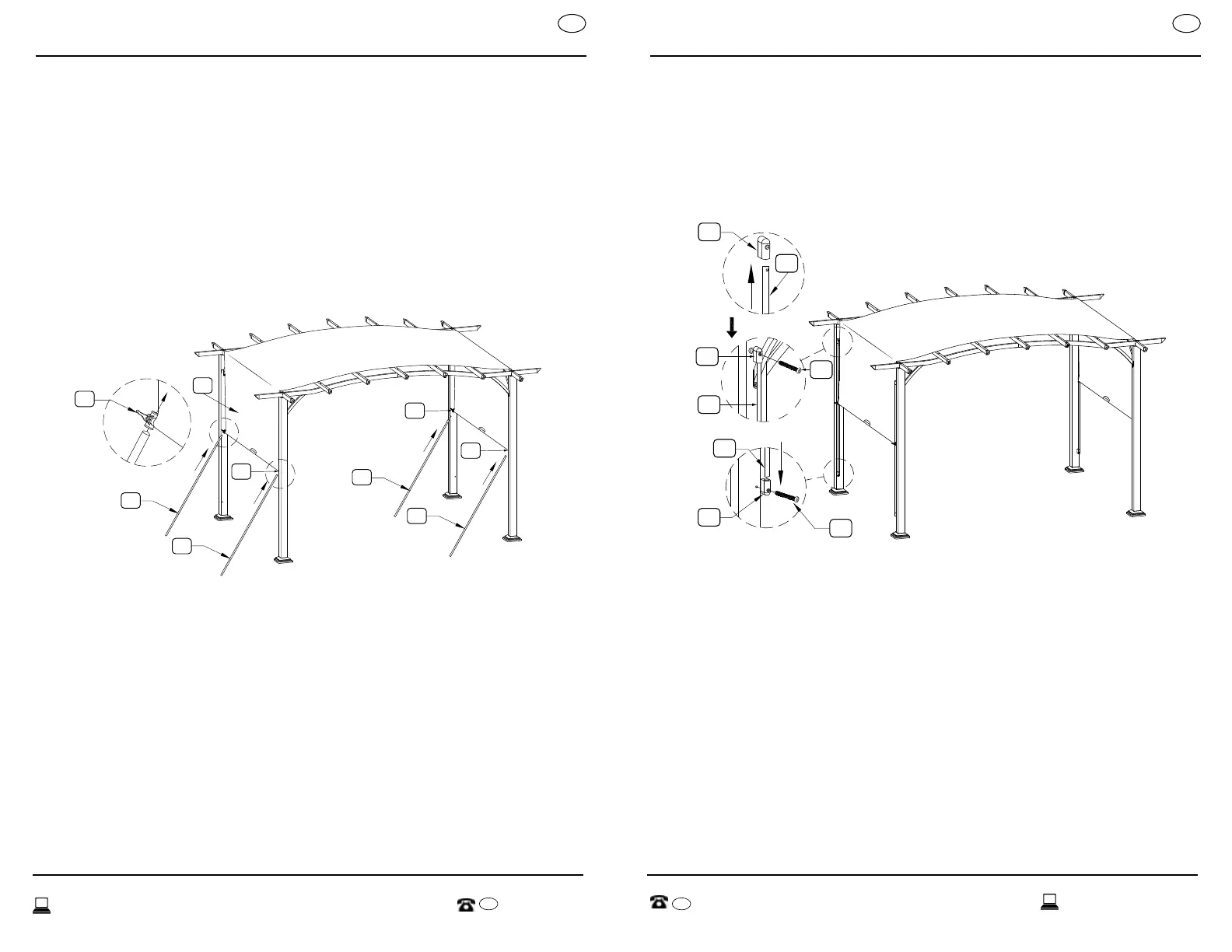
STEP 9:
Insert Slide Bar (M) through latches at the ends of Canopy Weight Bars
(G
1
& G
2
); see Figure 17.
F
F
M
M
M
F
DD
DD
Fig. 18
Fig. 19
Fig. 20
Assembly Instructions
STEP 10:
Insert end of Slide Bar (M) into Slider Bar Connector (F); see Figure 18.
Insert Bolts M6x45 (DD) through Slider Bar Connector (F), through Slider
Bar (M), and into female-bolt insert found near the tops of Poles (A
1
&
A
2
); see Figure 19. Insert Bolts M6x45 (DD) through Slider Bar Connector
(F) and into the female-bolt insert found near the bottoms of Poles (A
1
& A
2
); see Figure 20. When finished, only the top ends of Slide Bars
(M) will be bolted down to Poles (A
1
& A
2
), while the bottom ends
will rest inside of Slide Bar Connectors (F).
*Complete assembly by securely ghtening all screws.


 To Next Page