EasyManua.ls Logo

BelFone Series - User Manual

BelFone Series
52 pages
Print Icon
To Next Page IconTo Next Page
Loading...
1
Notice to the user
Government law prohibits the operation of unlicensed radio transmitters within
the territories under government control.
Illegal operation is punishable by fine or imprisonment or both.
THANK YOU
We are grateful you choose BelFone series professional radio
communications products!
Since 1989, BelFone has been always engaging in research and exploration of
radio communications technologies, In order to lead intelligent technologies in
the industry. We still make every effort to research and design products
according to modern complicated communications environment, and we offer
complete and customized communication solutions to clients. Our products will
satisfy you because of its excellent performance and outstanding
communications strength. No matter what field you are in. You will be Satisfied
with the radio.
This manual is applicable to
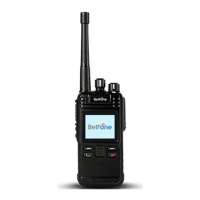
VHF/UHF digital FM transceiver model: BF-TD930
.
ADD: A-15 Huaqiao Economic Development Zone, Shuangyang, Luojiang,
Quanzhou, Fujian, China
Fujian BelFone Communications Technology Co.,Ltd.

Questions and Answers

  • A
    Alex RogersAug 8, 2025
    How to fix BelFone Transceiver that cannot be powered on?
    • R
      Robert PachecoAug 8, 2025
      If your BelFone Transceiver won't power on, try these steps: First, remove the battery and then reattach it. If that doesn't work, recharge or replace the battery.
  • T
    taylormichaelAug 13, 2025
    What to do if I cannot communicate with other members using BelFone Transceiver?
    • P
      paul45Aug 13, 2025
      If you're unable to communicate with other members using your BelFone Transceiver, ensure your TX/RX frequency and signaling are the same as theirs. Also, move closer to the other members. If you are on a digital channel, make sure the device ID of the transmitter and receiver are the same.
  • J
    jill02Aug 19, 2025
    Why is the voice weak or discontinuous on my BelFone Transceiver?
    • V
      vazqueznicholasAug 19, 2025
      If the voice is weak, discontinuous, or totally inactive during receiving on your BelFone Transceiver, try the following: * Increase the volume level. * Turn off the radio and reattach the antenna. * Check the battery voltage, and if it's low, recharge or replace the battery.
  • M
    maciasallisonAug 23, 2025
    How to improve unclear voice on BelFone Transceiver?
    • J
      jose05Aug 23, 2025
      To improve unclear voice quality on your BelFone Transceiver, modify the frequency to avoid interference from other radios using the same frequency. On an analog channel, you can adjust the squelch level or set CTCSS/CDCSS.
  • R
    Ronald Perez Jr.Aug 28, 2025
    What to do if the noise is too loud on BelFone Transceiver?
    • J
      Joseph CruzAug 28, 2025
      If the noise is too loud on your BelFone Transceiver, move closer to other members. Alternatively, move to an open and flat area and restart the radio. Also, stay away from equipment that may cause interference.
  • C
    csmithSep 2, 2025
    Why GPS cannot locate my position on BelFone Transceiver?
    • E
      Elizabeth JamesSep 2, 2025
      If the GPS on your BelFone Transceiver cannot locate your position, move to an open and flat area, and restart the GPS feature.

Summary

RF Exposure Compliance

Safety Precautions

Accessory Installation

Antenna Installation

How to attach and detach the radio's antenna.

Battery Installation

Battery Information

Basic Operation

Radio Controls

Channel and Zone Management

Call Management

Private Calls

How to initiate and manage one-to-one voice communications.

Group and All Calls

Group Calls

Procedures for communicating with multiple users simultaneously.

Button Configuration

Functions and Operations

Contact Management

Adding, editing, and managing contacts for calls and messages.

Scanning Operations

System Settings

Channel Configuration

GPS and System Information

GPS Location Services

Utilizing the radio's GPS for location tracking and data transmission.

Emergency Features

Digital Emergency Alerts

Initiating and managing emergency alerts in digital modes.

Safety Features

Lone Worker and Man Down

Activating safety features for lone workers and man down detection.

Encryption

Networking and Priority Interrupts

Priority Call Interrupts

Interrupting calls based on priority levels for urgent communication.

Time Out Timer (TOT)

Troubleshooting

Technical Specifications

BelFone Series Specifications

General IconGeneral
BrandBelFone
ModelSeries
CategoryTransceiver
LanguageEnglish

Related product manuals