Need help?
Do you have a question about the BELIMED WD 290 and is the answer not in the manual?
Outlines responsibilities like using original parts, maintenance, and validation.
Details warning symbols and their meanings: dangerous voltage, hot surface, caustic substances.
Explains the aim and components of process validation (type, process, routine testing).
Describes the process of logging on using the operating unit, including program selection and password entry.
Explains how to log on using a barcode reader, including program selection and barcode scanning.
Provides caution warnings for self-disinfection and explains why it is necessary.
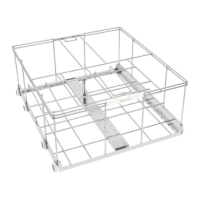
Emphasizes the influence of rack loading on washing outcome and safety precautions.
Provides step-by-step instructions for manually loading racks onto the device, including safety warnings.
Provides safety warnings regarding device panelling, water escape, and emergency stop function.
Explains the location and function of Emergency Stops and the steps to take if a problem occurs.
Outlines steps to resolve and confirm errors during operation, with options to persist or seek support.
States operating company responsibility for maintenance and cleaning, with safety warnings about electricity and contamination.
Details steps for maintaining the lower wash arm, including cleaning nozzles and checking parts.
Explains how to maintain the upper wash arm, including undoing the cap nut and checking components.
Provides instructions for cleaning fine and coarse screens, with warnings about hot heating elements.
Warns that tank heating elements can be very hot and not to operate without screens.
Lists checks for proper device function, including program selection, wash arm rotation, and connections.
Provides a warning about protective gear and instructions to check dosage media quantity.
Lists checks related to rack loading, nozzle clogging, insertion, and pre-treatment.
Explains error messages displayed without process termination, their causes, and remedies.
Describes error displays that terminate the process, emphasizing immediate technical support contact.
Lists checks to perform when the device will not operate, including main switch, power supply, and fuses.

 To Next Page


 General