Need help?
Do you have a question about the Belimo ZTH Series and is the answer not in the manual?
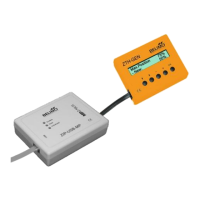
Connect ZIP-USB-MP to computer. Download driver and ZTH-Updater software from Belimo Web.
Device is ready. Check/adjust settings. Affix quick start guide and ZTH-VAV sticker if applicable.
Install USB driver from Belimo Web. Ensure ZIP-USB-MP is connected before starting ZTH-Updater. Check COM Port.
Close conflicting software, press Minus button while connecting, check cable.
Close conflicting software, press Minus button while connecting, check cable.
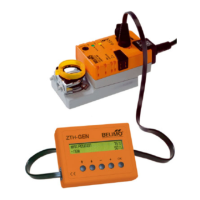
The Belimo ZTH is a versatile service tool designed for the configuration, commissioning, and maintenance of Belimo actuators and VAV controllers. It serves as a crucial interface for technicians, enabling them to interact with and manage the operational parameters of various Belimo devices. The tool facilitates firmware upgrades, ensuring that devices are always running with the latest software versions, which can introduce new features, improve performance, or address known issues.
The primary function of the ZTH is to provide a user-friendly interface for setting up and adjusting Belimo actuators and VAV controllers. It allows for detailed configuration of operational parameters, such as control signals, feedback types, and specific application settings. For actuators, this might include setting up stroke limits, control ranges, or specific application modes. For VAV controllers, it enables the configuration of airflow setpoints, minimum and maximum airflow limits, and various control strategies.
A key capability of the ZTH is its ability to perform firmware upgrades. This process involves connecting the ZTH to a computer running the "ZTH-Updater" software and then linking the ZTH to the target Belimo device. The updater software then transfers the new firmware to the device, ensuring it benefits from the latest enhancements. This upgrade capability is vital for maintaining compatibility with evolving building management systems and for leveraging new functionalities released by Belimo.
The ZTH also acts as a diagnostic tool. It can read out current operational data and status information from connected devices, which is invaluable for troubleshooting and verifying proper operation. This includes checking hardware and software versions, current positions, and error codes, allowing technicians to quickly identify and resolve issues.
The ZTH is designed for ease of use in the field. Its compact and robust design makes it suitable for various working environments. The connection process is straightforward, typically involving a USB connection to a computer for the updater software and a specific connecting cable (RJ12 to RJ12) to link the ZTH to the Belimo device. The "ZIP-USB-MP" level converter is an integral part of this setup, providing automatic MA/MO switching and ensuring reliable communication.
The user interface of the ZTH itself is intuitive, allowing technicians to navigate through menus and adjust settings directly on the device. The "ZTH-Updater" software on the computer provides a graphical interface for managing firmware files and initiating the upgrade process. The software guides the user through steps such as selecting the COM-Port, initiating the update, and verifying the new firmware version on the ZTH's welcome screen.
For specific applications, such as ZTH-VAV adjustment devices, the ZTH can be used to paste over existing lettering with an orange "ZTH-GEN" sticker, indicating its updated functionality or configuration. This attention to detail ensures clear identification of device status in the field.
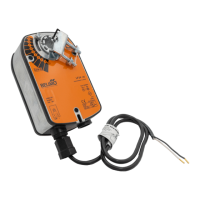
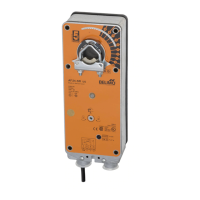
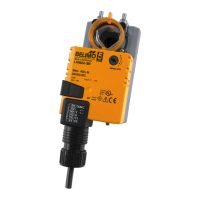
The ZTH supports a wide range of Belimo devices, including service tools for MF, MP, LON, MOD actuators, and VAV controllers, making it a versatile tool for technicians working with diverse Belimo installations. The ability to update firmware for multiple devices by simply repeating the upgrade steps from a certain point streamlines the process for larger projects.
The ZTH itself requires minimal maintenance. Its robust construction is designed for durability in typical field conditions. The primary maintenance aspect involves ensuring that the "ZTH-Updater" software and the device drivers for the "ZIP-USB-MP" are kept up-to-date on the technician's computer. Belimo provides these resources on its website, allowing users to download the latest versions as needed.
Troubleshooting guidance is provided for common issues, such as the ZIP-USB-MP not being recognized or the COM-Port not opening. These solutions typically involve verifying driver installation, checking cable connections, and ensuring no conflicting software is running. This proactive approach to troubleshooting helps minimize downtime and ensures the ZTH remains operational.
The firmware upgrade process itself can be considered a form of maintenance for the connected Belimo devices, as it ensures they are running with the most stable and feature-rich software available. This helps to extend the lifespan of the devices and optimize their performance within the building management system.
Optional accessories, such as quick start guides, can be affixed to the rear of the device, providing readily accessible information for technicians in the field. This practical feature enhances usability and reduces the need to consult external documentation during on-site work.
 General
| Display | LCD |
|---|---|
| Power Supply | 24 VAC/DC |
| Housing Material | Plastic |
| Operating Temperature | -20°C to +60°C |
| Communication | Modbus RTU, BACnet MS/TP |
| Relative Humidity | 5…95% r.H., non-condensing |

 To Next Page