EasyManua.ls Logo

Belkin F9K1103 - User Manual

Belkin F9K1103
48 pages
Print Icon
To Next Page IconTo Next Page
Loading...
User Manual
F9K1103 8820ed00778
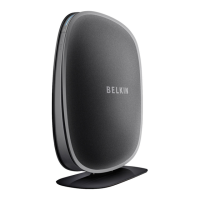
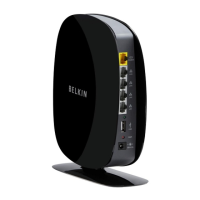
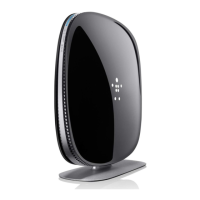
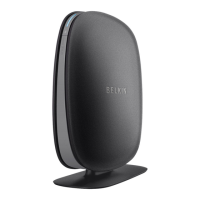
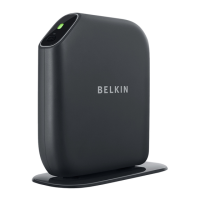
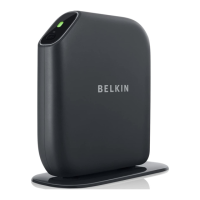
WIRELESS DUAL-BAND N+ ROUTER
PLAY N750 DB
ENGLISH
ENGLISH
FRANÇAIS
DEUTSCH
NEDERLANDS
ESPAÑOL
ITALIANO
PORTUGUÊS
POLSKI







TÜRKÇE

Questions and Answers

  • R
    Rhonda CummingsAug 19, 2025
    What to do if Belkin Setup cannot find my Belkin Wireless Router?
    • J
      John NguyenAug 19, 2025
      If Belkin Setup cannot find your Belkin Wireless Router, ensure the wireless hardware on your computer is turned on (if available). Try connecting your computer to one of the four “wired” ports on the Router with an Ethernet cable. Also, make sure the Router is on, indicated by the front-panel light. If the issue persists, unplug the Router, wait a few seconds, and then plug it back in. You might also temporarily disable any firewall software on your computer before attempting the setup.
  • D
    Donald WolfAug 21, 2025
    Why can't I browse the web after Belkin F9K1103 setup (blinking amber light)?
    • B
      Bradley WilkinsAug 21, 2025
      If Belkin Setup completed installation, but you cannot browse the Web and the light on the front of your Belkin Wireless Router is blinking amber, ensure the Router is connected to your modem with an Ethernet cable via the Router’s one WAN (modem) port. Also, unplug the modem from its power source until it goes dark, then reapply power. Finally, unplug your Router’s power supply, wait 10 seconds, and plug it back in.
  • H
    Hannah PriceAug 23, 2025
    Why can't I browse the web after Belkin F9K1103 Wireless Router setup (solid amber light)?
    • L
      Lauren TrujilloAug 23, 2025
      If Belkin Setup completed installation, but you cannot browse the Web and the light on the front of your Belkin Wireless Router is solid amber, use the troubleshooting suggestions within Belkin Setup. If your ISP requires a user name and password, make sure that you have typed them in correctly. If you have a static connection, your ISP will have assigned you an IP address, subnet mask, and gateway address, and you may need to configure your Router to meet the specific requirements of your ISP.
  • G
    Gregory BakerAug 26, 2025
    How to improve slow wireless network performance on Belkin F9K1103?
    • J
      Jenny GarciaAug 26, 2025
      If you are experiencing slow or inconsistent wireless network performance with your Belkin Wireless Router, a weak signal, or difficulty maintaining a VPN connection, try temporarily moving the computer within 10 feet of the Router to see if range is the issue. Also, changing the wireless channel of your network can improve performance and reliability, depending on local wireless traffic and interference.
  • W
    whernandezAug 28, 2025
    Why is Belkin F9K1103 Wireless Router network name not showing up?
    • K
      Kara PrattAug 28, 2025
      If you can’t connect to the Internet wirelessly and your network name is not listed in Available Networks, verify that your Belkin Wireless Router is on and the front-panel light shows solid blue. If you are far from the Router, you might try moving closer to see if you might have been out of range. Using a computer attached to the Router via a network cable, visit http://router/ and ensure that “Broadcast SSID” is ON.
  • G
    Gabriella GriffinAug 30, 2025
    What to do if network clients can't connect to Belkin F9K1103 Wireless Router?
    • J
      Joseph RiddleAug 30, 2025
      If some of your network clients are unable to connect after installing your new Belkin Wireless Router, you will need to find the network settings on your client, select the network name printed on the card from the list of available networks, and enter the password when prompted to join the wireless network.
  • D
    Douglas MarshallSep 2, 2025
    What to do if Belkin Setup cannot connect my Belkin F9K1103 to the internet?
    • C
      Charles MartinezSep 2, 2025
      If Belkin Setup cannot connect your Belkin Wireless Router to the Internet, use the troubleshooting suggestions within Belkin Setup. If your ISP requires a user name and password, make sure that you have typed them in correctly.
  • J
    Jeremy WagnerSep 4, 2025
    How to set up WPA security on Belkin Wireless Router?
    • A
      Angela KingSep 4, 2025
      To set up WPA security on your Belkin Wireless Router, log in to your Router by visiting http://router/ with your web browser. Click on “Wireless” in the left-hand menu, then click “Security” just below that. Select the “WPA/WPA2” option. Enter a password, which can be from 8–63 characters of your choice, including spaces and punctuation, OR a 64-digit hexadecimal number. Click “Apply Changes” to finish. Your wireless connection is now encrypted.
  • E
    Erika McdonaldSep 6, 2025
    How to set up WEP security on Belkin F9K1103?
    • J
      Jennifer LewisSep 6, 2025
      To set up Wired Equivalent Privacy (WEP) security on your Belkin Wireless Router, log in to your Router by visiting http://router/ with your web browser. Click on “Wireless” in the left-hand menu, then click “Security” just below that. Select the “128-bit WEP” option. You may type in a WEP key manually, or generate one from a passphrase. Click “Apply Changes” to finish. Your wireless activity is now encrypted.
  • B
    Brett BakerSep 9, 2025
    What to do if Belkin Wireless Router setup CD doesn't start?
    • M
      Melissa ShepherdSep 9, 2025
      If the Belkin Setup CD does not automatically start, and Belkin Setup does not appear within 15 seconds, browse to your CD-ROM drive and open the “Belkin Setup” icon. Alternatively, you may visit http://router/ and perform the setup manually.

Summary

Router Setup Process

Physical Connection Steps

Illustrates the physical connections required for router installation.

Software Installation from CD

Details the process of installing the router's setup software from the CD.

Getting to Know Your Router

Technical Details

Technical Features

Lists key technical features like 802.11n, NAT sharing, SPI Firewall, UPnP AV, Gigabit Switch, and USB ports.

Using Your Router

Updating Router Firmware

Provides methods for updating router firmware via system tray or web interface.

Resetting the Router

Explains how to reset the router to its default settings using the reset button or web interface.

Troubleshooting, Support, and Warranty

Troubleshooting Setup and Connectivity Issues

Addresses common problems like setup failure, connectivity issues, and wireless performance.

Belkin F9K1103 Specifications

General IconGeneral
ModelF9K1103
TypeWireless Router
Wireless Frequency Band2.4 GHz
Frequency Band2.4 GHz
WAN Ports1 x 10/100 Mbps
LAN Ports4 x 10/100 Mbps
USBNo
SecurityWPA/WPA2
Wireless StandardIEEE 802.11n
Antennas2
Ports4
Security FeaturesWPA/WPA2

Videos

How to Set Up Belkin N450 (F9K1103) WiFi Router

Related product manuals