EasyManua.ls Logo

Belkin F9L1004 - User Manual

Belkin F9L1004
37 pages
Print Icon
To Next Page IconTo Next Page
Loading...
User Manual
F9L1004 8820xx00894xx Rev. A00
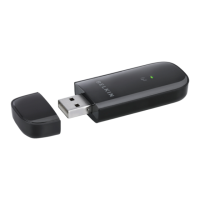
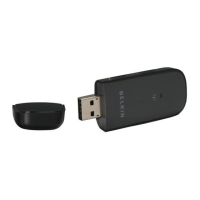
ExtEndEd RangE USB WiRElESS n adaptER
SURF N300 XR
English

Questions and Answers

  • J
    Jennifer RichardsonAug 10, 2025
    What to do if Belkin F9L1004 Link LED is solid but I cannot connect to the Internet?
    • M
      Mary OchoaAug 11, 2025
      If the Link LED on your Belkin Adapter is solid but you cannot connect to the Internet, verify that the WEP, WPA, or WPA2 key settings match. Remember that the key is case-sensitive, and the spelling must be exactly the same on each computer and wireless router (or access point) for the Adapter to connect.
  • L
    Lindsey SuttonAug 17, 2025
    How to improve poor signal strength on Belkin Adapter?
    • S
      seth67Aug 17, 2025
      To improve the signal strength of your Belkin Adapter: - Try changing the wireless channel, as this can improve performance and reliability depending on local wireless traffic and interference. - Limiting the wireless transmit rate can also help improve the maximum wireless range and connection stability.
  • A
    amy86Aug 23, 2025
    Why is Link LED blinking slowly on my Belkin Adapter and I cannot connect to a wireless network?
    • K
      Kelly GuzmanAug 23, 2025
      If the Link LED on your Belkin Adapter is blinking slowly and you cannot connect to a wireless network or the Internet, check that the SSID settings match. Note that the SSID is case-sensitive, and the spelling on each computer must be exactly the same for the Adapter to connect to the wireless router (or access point).
  • N
    Nancy TranAug 28, 2025
    What to do if data transfer is sometimes slow on Belkin Adapter?
    • R
      Richard MejiaAug 28, 2025
      If you are experiencing slow data transfer with your Belkin Adapter, try temporarily moving the computer five to 10 feet away from the wireless router (or access point) to determine if the issue is related to range.
  • A
    Audrey ThomasSep 3, 2025
    What to do if Belkin Adapter Power LED does not come ON?
    • H
      henryheatherSep 3, 2025
      If the Power LED on your Belkin Adapter does not come ON and the Adapter is not working: - Verify that the Adapter is plugged firmly into the USB port of your computer. - Check that the drivers for the Adapter have been installed. - Right-click on the “My Computer” icon on your desktop, choose “Properties”, navigate to the “Device Manager”, and see if your USB Adapter is listed without any errors. If an error is indicated, contact Belkin Technical Support.

Belkin F9L1004 Specifications

General IconGeneral
BrandBelkin
ModelF9L1004
CategoryAdapter
LanguageEnglish

Related product manuals