EasyManua.ls Logo

Belkin F5D9050 - User Manual

Belkin F5D9050
44 pages
Print Icon
To Next Page IconTo Next Page
Loading...
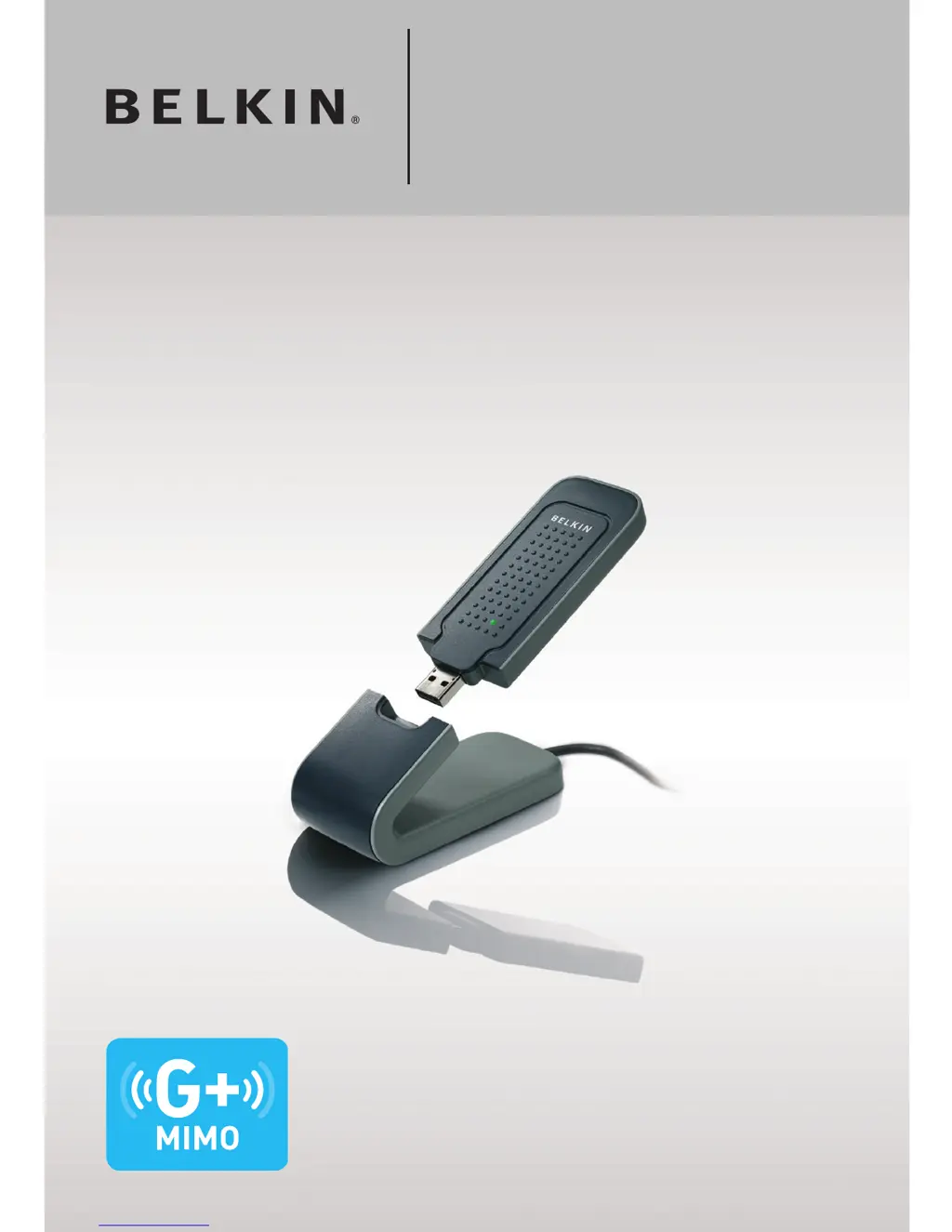
User Manual
F5D9050
Wireless G Plus MIMO
USB Network Adapter

Other manuals for Belkin F5D9050

Questions and Answers

  • L
    Linda FlynnAug 15, 2025
    What to do if Belkin Adapter Power LED does not come ON and Adapter is not working?
    • J
      Jennifer SmithAug 15, 2025
      If the Power LED on your Belkin Adapter does not come on and the adapter is not working, verify that the Adapter is plugged firmly into the USB port of your computer. Also, check to see that the drivers for the Adapter have been installed.
  • C
    Cassandra HaleAug 21, 2025
    What to do if Belkin Adapter's Link LED is solid but I cannot connect to the Internet?
    • C
      Christine BellAug 21, 2025
      If the Link LED on your Belkin Adapter is solid but you can't connect to the Internet, there may be a mismatch between the encryption key settings on your computer and wireless router (or access point). Check the WEP, WPA, or WPA2 key settings to ensure they match.
  • T
    taylorsydneyAug 25, 2025
    What to do if Belkin Adapter does not perform or connection is unstable when computer has a second built-in wireless network card?
    • Y
      yhuffmanAug 25, 2025
      If your Belkin Wireless Adapter isn't performing well or the connection is unstable and your computer has a built-in wireless card, disable the built-in wireless card from your computer under 'Network Adapters' in the Device Manager.
  • R
    Rachel StephensAug 27, 2025
    What to do if Belkin Adapter's Link LED is blinking slowly and I cannot connect to a wireless network or the Internet?
    • D
      Deborah LongAug 27, 2025
      If the Link LED is blinking slowly on your Belkin Adapter and you cannot connect to a wireless network or the Internet, there may be a mismatch between the network name (SSID) settings in your wireless network properties. Check the SSID settings to see if they match.
  • P
    pearsonrachelAug 30, 2025
    Why is my Belkin Adapter signal strength poor?
    • A
      Andrea PaulAug 30, 2025
      If the signal strength of your Belkin Adapter is poor, try temporarily moving the computer closer to the wireless router (or access point), about five to 10 feet away, if possible.
  • K
    Kevin ReedSep 2, 2025
    What to do if Belkin Adapter does not perform or connection is slow when computer has a built-in wired Ethernet card?
    • M
      Mary SilvaSep 3, 2025
      If your Belkin Adapter isn't performing well or the connection is slow and your computer has an active Ethernet card, disable the Ethernet card from your computer under 'Network Adapters' in the Device Manager.
  • R
    Randy TownsendSep 5, 2025
    Why is Belkin Adapter data transfer sometimes slow?
    • J
      julie91Sep 5, 2025
      If data transfer with your Belkin Adapter is sometimes slow, try temporarily moving the computer, if possible, to five to 10 feet away from the wireless router (or access point).
  • T
    Travis MurraySep 8, 2025
    What to do if the name of my wireless network DOES NOT appear in the list of 'Available Networks' using Belkin Adapter?
    • B
      brendaschmidtSep 8, 2025
      If the name of your wireless network does not appear in the list of 'Available Networks' when using your Belkin Adapter, check the SSID settings to see if they match.
  • D
    Daniel ReynoldsSep 12, 2025
    What to do if the Installation CD-ROM does not start Belkin Wireless Networking Utility?
    • T
      Thomas BassSep 12, 2025
      If the Installation CD-ROM does not start the Belkin Wireless Networking Utility, it could be that other applications are interfering with the CD drive. Open your CD-ROM drive by double-clicking on the 'My Computer' icon, then double-click on the CD-ROM drive where the Installation CD has been placed to start the installation.
  • G
    Gabriel KennedyNov 17, 2025
    How to fix Belkin Adapter when I can’t connect to the Internet wirelessly?
    • D
      Dr. Lee Phillips DDSNov 18, 2025
      If you're having trouble connecting to the internet wirelessly using your Belkin Adapter, check the lights on your wireless router. If you have a Belkin Wireless Router, the 'Power' light should be on, the 'Connected' light should be on and not blinking, and the 'WAN' light should be either on or blinking. Also, ensure the router's power cord is plugged in, all cables are connected between the router and the modem, and all the modem’s LEDs are functioning correctly. Try rebooting both the router and the modem. If you are not using a Belkin Wireless Router, consult that router manufacturer’s user guide. Check the SSID settings to see if they match. To check the SSID settings or look for an available network, double-click the Signal Indicator icon to bring up the 'Wireless Networks' screen. ...

Summary

Introduction

Benefits and Advantages of Wireless Networking

Details the advantages of wireless networking and benefits of a home network.

Optimizing Wireless Network Performance

Guides on optimal placement, avoiding interference, and channel selection for best performance.

Overview

Product Features and Specifications

Lists and describes the key features, technical specifications, and requirements of the adapter.

Applications, Advantages, and Package Contents

Details use cases, benefits, and the items included in the product package.

Installing and Setting up the Adapter

Step 1 Install Software

Guides the user through the software installation process for the adapter using the CD-ROM.

Step 2 Insert Hardware

Details how to physically insert the USB Network Adapter into the computer's USB port.

Step 3 Configure Adapter

Explains how to use the Belkin Wireless Networking Utility to configure the adapter and connect.

Using the Belkin Wireless Networking Utility

Accessing the Belkin WNU

Shows how to access the utility via the system tray or start menu and navigate its main screens.

Network Status and Available Networks

Explains how to view network status, available networks, and connection details.

Managing Wireless Network Profiles and Security

Covers managing connection profiles and configuring WEP/WPA security settings for your network.

Advanced Utility Features and Support

Details diagnostic tools, utility options, help resources, and software updates.

Troubleshooting

Connectivity and Internet Access Issues

Diagnoses and resolves problems with connecting to the internet wirelessly, checking router lights and cables.

Network Discovery and Adapter Functionality

Troubleshoots issues with network visibility, installation, and the adapter's power LED status.

Link LED and Performance Problems

Addresses issues related to link LED status, slow data transfer, and poor signal strength.

Configuration and Compatibility Issues

Covers changing wireless channels, transmit rates, managing multiple utilities, and adapter compatibility.

Information

FCC Statement and Regulatory Notices

Provides FCC compliance information, and regulatory notices for Canada and the European Union.

Belkin Product Warranty and Service

Outlines the limited lifetime warranty terms and provides detailed instructions for obtaining customer service.

Belkin F5D9050 Specifications

General IconGeneral
BrandBelkin
ModelF5D9050
CategoryAdapter
LanguageEnglish

Related product manuals