27460_8820-00775_F9K1003_N450_Wireless_N_Router_041811-ok
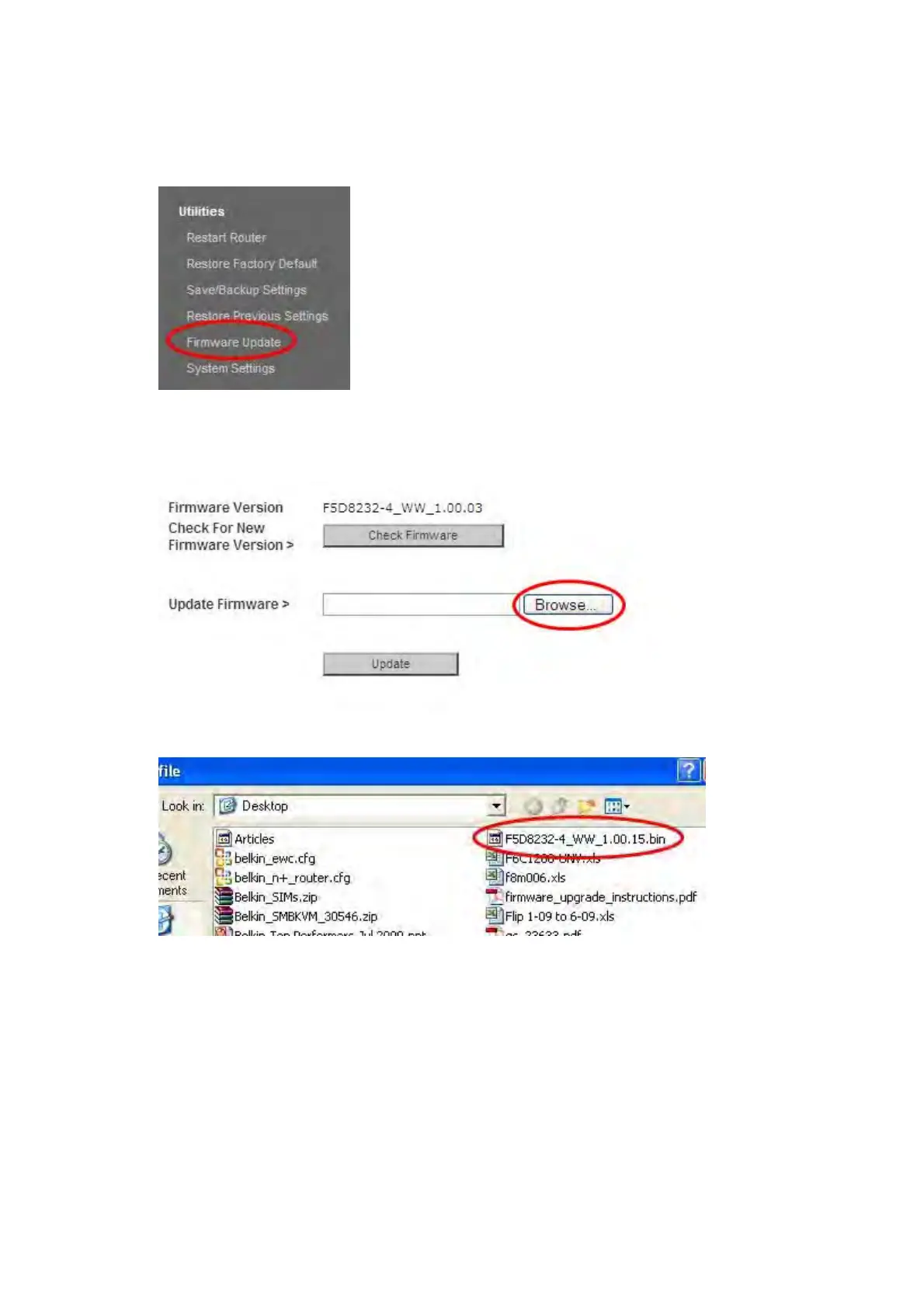
7. Click on “Firmware Update” toward the bottom of the left-hand menu.
8. Click the “Browse” button toward the middle of the screen to search for the file you saved
previously.
Note: The firmware version in the images below is depicted as an example. Your file name
will vary depending on your model and version.
9. Select the firmware file by left-clicking on it and then click the “Open” button in the lower-
right corner of the window. This will take you back into the Router’s interface.



 To Next Page