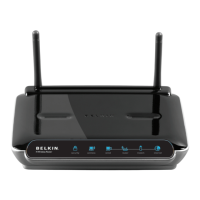
27460_8820-00775_F9K1003_N450_Wireless_N_Router_041811-ok
1) Use the troubleshooting suggestions within Belkin Setup.
2) If your ISP requires a user name and password, make sure that
you have typed in your user name and password correctly.
Some user names require that the ISP’s domain may be at the
end of the name. Example: “myname@myisp.com”. The
“@myisp.com” part of the user name may need to be typed as
well as your user name.
3) If you continue to have no Internet connection, refer to
“Manually Configuring Network Settings” in this manual for an
alternative setup method.
BelkinSetupcompletedinstallation,butIcannotbrowsetheWeb.Thelighton
thefrontofmyRouterisblinkingamber.
1) MakesuretheRouterisconnectedtoyourmodemwithan
EthernetcableviatheRouter’soneWAN(modem)port.
2) Unplugthemodemfromitspowersourceandmakesurethat
itgoesdark.Thenreapplypowertothemodem.
3) UnplugyourRouter’spowersuppl y,wait10seconds,and
plugitbac
kin.ThiswillcausetheRoutertotrytoreestablish
communicationwiththemodem.
BelkinSetupcompletedinstallation,butIcannotbrowsetheWeb.Thelighton
thefrontofmyRouterissolidamber.
1) Use the troubleshooting suggestions within Belkin Setup.
2) If your ISP requires a user name and password, make sure
that you have typed in your user name and password
correctly. Some user names require that the ISP’s domain
may be at the end of the name. Example:
“myname@myisp.com”. The “@myisp.com” part of the
user name may need to be typed as well as your user name.
3) If you have a static connection, your ISP will have assigned
you an IP address, subnet mask, and gateway address.
Please re-run Belkin Setup and enter this information when
a static connection is mentioned.



 To Next Page