27460_8820-00775_F9K1003_N450_Wireless_N_Router_041811-ok
Getting Started
What’s in the Box
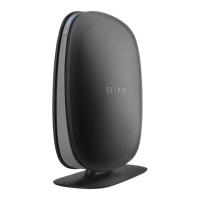
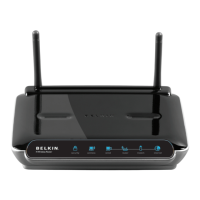
N450 Wireless N+ Router
Ethernetcable(attachedtorouter)
Powersupply(attachedtorouter)
Networkinformationcard(attachedtorouter)
BelkinSetupCDwithUserManual
Initial Setup
WheretoPlaceYourRouter
Forthebestresults,placetheRouternexttoyourmodeminan
openlocationawayfromlargemetalobjectsandmagnetssuchas
thosefoundinspeakers.RaisingtheRouterabovefloorlevelcan
improvethestrengthofyourwirelesssignal.
HowtoSetItUp
[RN150N300N450setup.ai]
1) ConnectyourRouter’sEthernetcabletoyourmodem’s
Ethernetport(onthebackofyourmodem).Thisportmight
belabeleddifferentlyonyourparticularmodem.Ifyouare
addingaRouterforthefirsttime,thisportmaybeconnected
toyourcomputerbyanEthernetca
ble.ItisOKtodisconnect
yourcomputerandplugtheRouterintothemodeminstead.
2) PlugtheRouter’spowersupplyintoawalloutlet.
3) PuttheCDintoyourcomputer.IftheCDdoesn’topen
automatically,pleasebrowsetoyourCDdriveanddouble
clickonth
eBelkinSetupCDicon.
[SCREENSHOTOFSETUPMENUsetupmenu.png]
4) ClicktheSetupiconontheCDmenu.
[SCREENSHOTOFNETWORKINFOCARDSCREENsetup
netinfocard.png]



 To Next Page