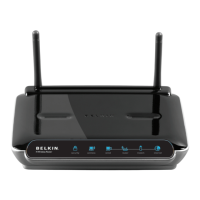
27460_8820-00775_F9K1003_N450_Wireless_N_Router_041811-ok
2) SelectyourBelkinRouterfromthelistofavailablenetworks.
YoucanidentifyyourBelkinRouterbylocatingthenetwork
name(SSID)fromthecardlocatedunderneaththefootof
yourRouter.
3) Enteryournetworkpassword(locatedonyournetwork
informationcard).
Yourwirelessdevicewilltakeafewmomentstoconn
ectto
yournetwork.Iftheconnectionisnotmadethefirsttime,try
thisprocessagain.Ifyoustillhavedifficultyconnectingto
yournetworkaftertryingthisprocessafewtimes,seethe
“Troubleshooting”sectioninthismanualforhelpwith
connectingtoyournetwor k.
Note:Insomeca
sesyoumaybepromptedtoselectthe
securitytype.Itisprintedonthecardforyourconvenience.
UsingtheWPSButton
1) StartWPSPushButtonConnection(WPSPBC)onyour
computerorotherWiFidevicethatyouwouldliketo
connectwirelesslytoyourRouter.Oftentherewillbea
buttonforthispurposeinsoftwarethatcamewiththedevice,
oraphysical“WPS,”“PBC,”or“Security”buttononthedevice
its
elf.
2) Withintwominutes,presstheWPSbuttononyourRouter
andholdfortwoseconds.
TheWPSlight(smalllightaboveWPSbutton)willblinkblue
whileitlistensforyourWiFidevice.Onceaconnectionis
established,thelightwillturnblueandthengoout.Ifa
connectio
nisnotestablished,thelightwillblinkamber.You
mayrepeattheprocesstotryagain.
YoucanrepeatthisprocessforeachWPSenableddeviceyou’d
liketoaddtoyournetwork.
Additional Capabilities
GuestAccess



 To Next Page