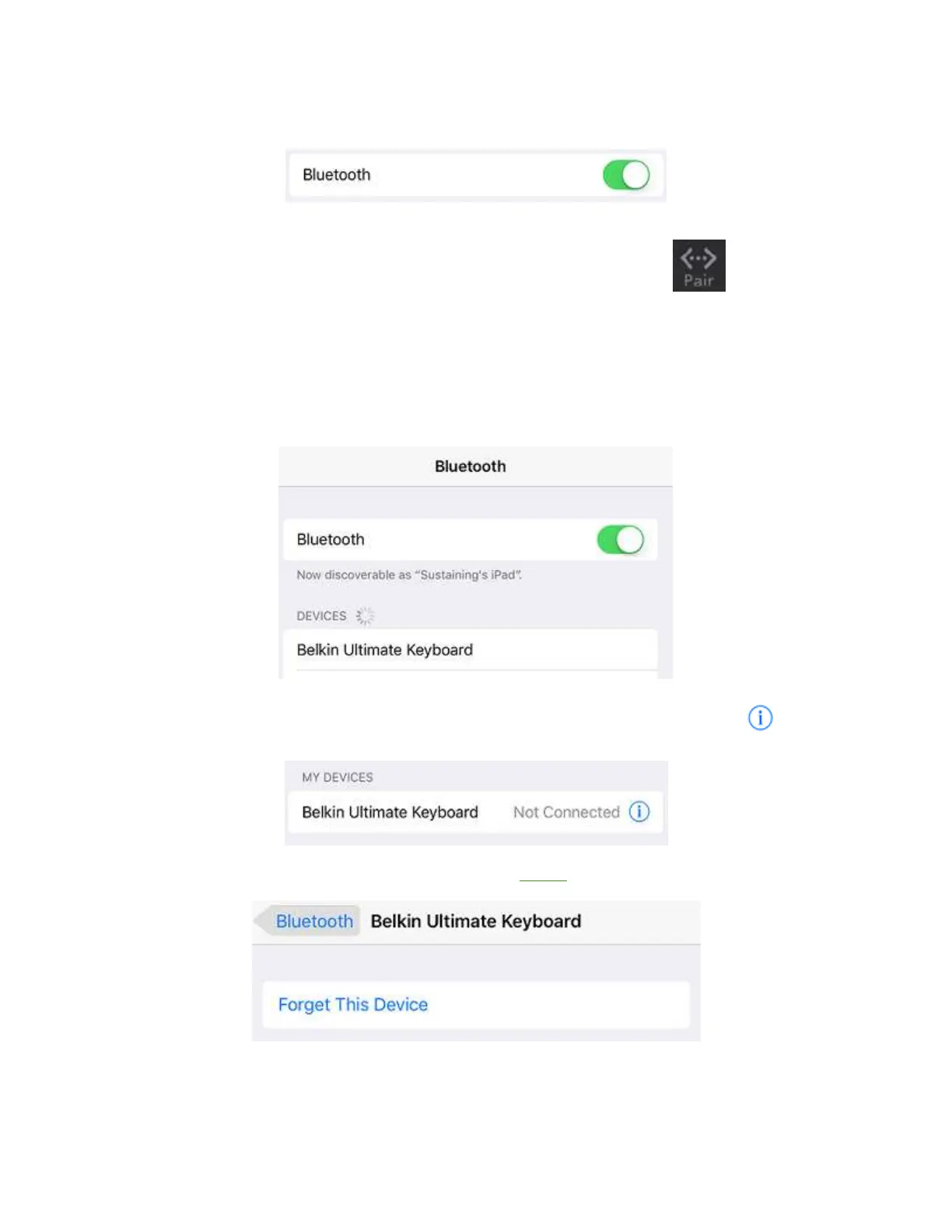
Toggle the Bluetooth button to the ON position.
Step 4:
On your Belkin Keyboard, locate and simultaneously press the Fn and Pair keys.
Step 5:
After pressing the keys, the Belkin Keyboard name will show under DEVICES. Tap Belkin Ultimate
Keyboard to connect.
QUICK TIP: If the name is not on the DEVICES section, try pressing the Fn + Pair keys on your
Belkin Keyboard again.
If your iPad Air 2 shows that your Belkin Ultimate Keyboard is Not Connected, tap the icon.
Tap Forget This Device, tap OK to confirm then repeat Step 4 to pair again.


 To Next Page