Alternate Setup Method
39
section
2
1
3
4
5
6
7
8
9
10
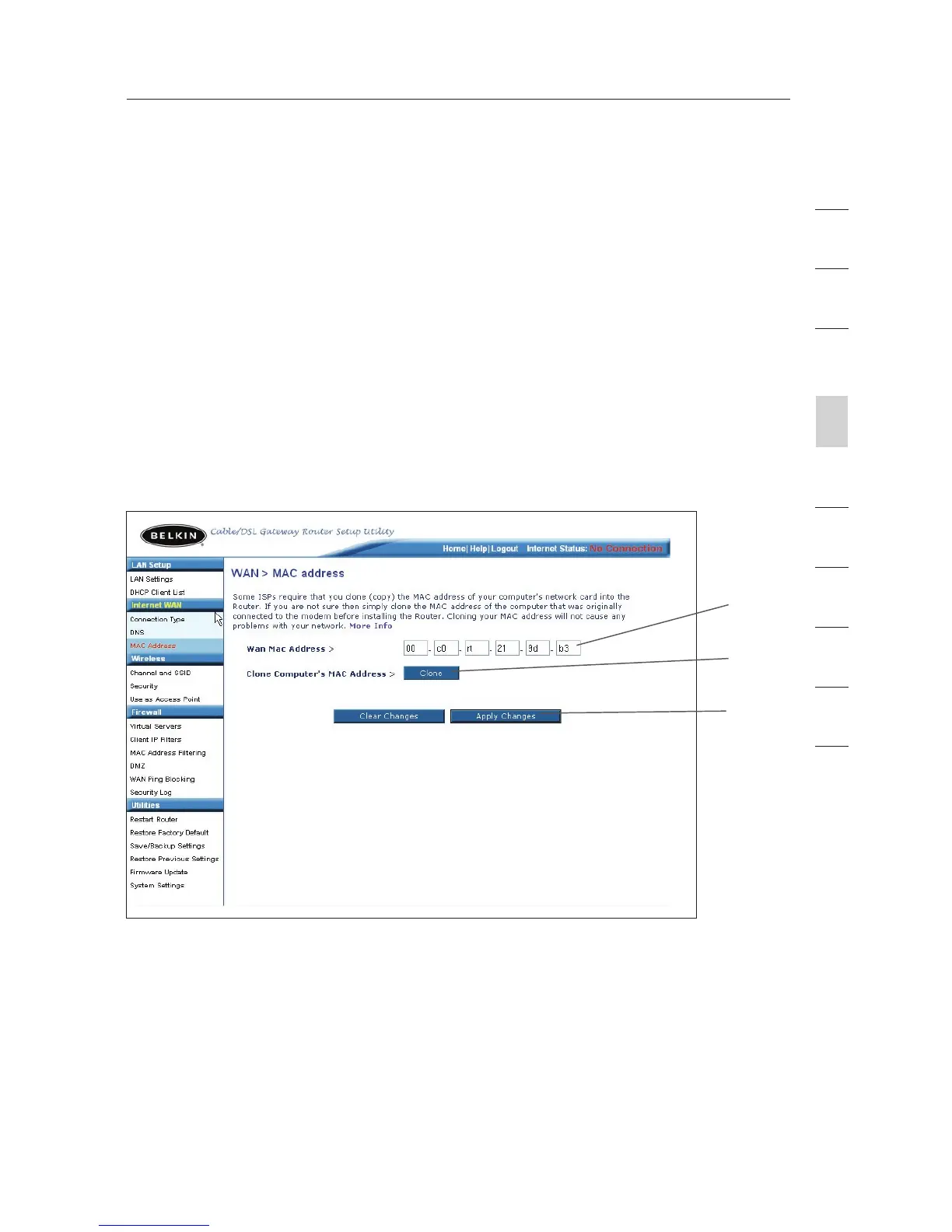
Cloning your MAC Address
To clone your MAC address, make sure that you are using the
computer that was ORIGINALLY CONNECTED to your modem before
the Router was installed. Click the “Clone” button
(1). Click “Apply
Changes” (3). Your MAC address is now cloned to the Router.
Entering a Specific MAC Address
In certain circumstances you may need a specific WAN MAC address.
You can manually enter one in the “MAC Address” page. Type in a
MAC address in the spaces provided (2) and click “Apply Changes”
(3)
to save the changes. The Router’s WAN MAC address will now be
changed to the MAC address you specified.
(1)
(2)
(3)









 To Next Page