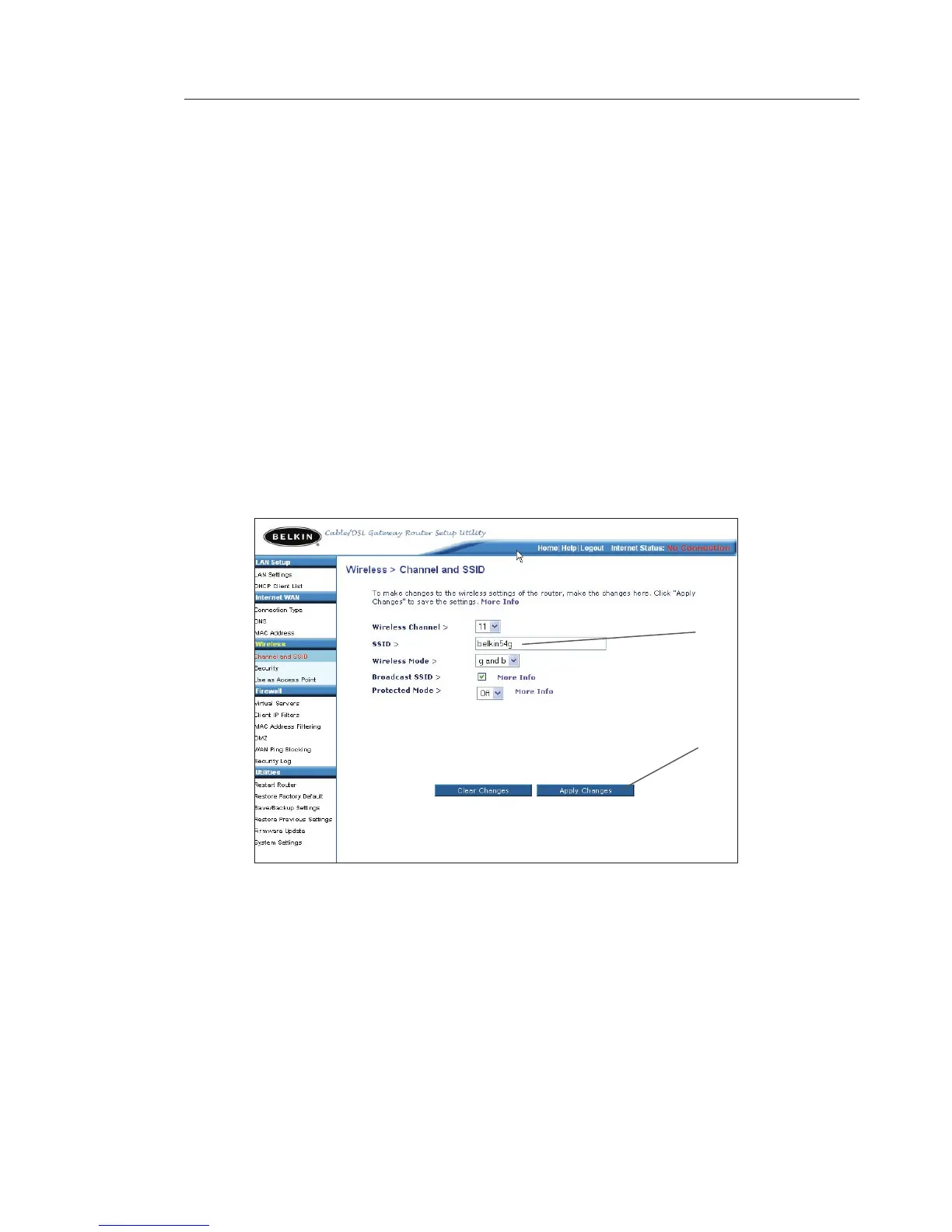
Changing the Wireless Network Name (SSID)
To identify your wireless network, a name called the SSID (Service
Set Identifier) is used. The default SSID of the Router is “belkin54g”.
You can change this to anything you want to or you can leave it
unchanged. If there are other wireless networks operating in your
area, you will want to make sure that your SSID is unique (does not
match that of another wireless network in the area). To change the
SSID, type in the SSID that you want to use in the “SSID” field (1) and
click “Apply Changes” (2). The change is immediate. If you make a
change to the SSID, your wireless-equipped computers may also need
to be reconfigured to connect to your new network name. Refer to the
documentation of your wireless network adapter for information on
making this change.
Using the Wireless Mode Switch
Your Router can operate in three different wireless modes: “g and b”,
“g only”, and “b only”. The different modes are explained below.
(1)
(2)









 To Next Page