Using the Web-Based Advanced User Interface
73
section
2
1
3
4
5
6
7
8
9
10
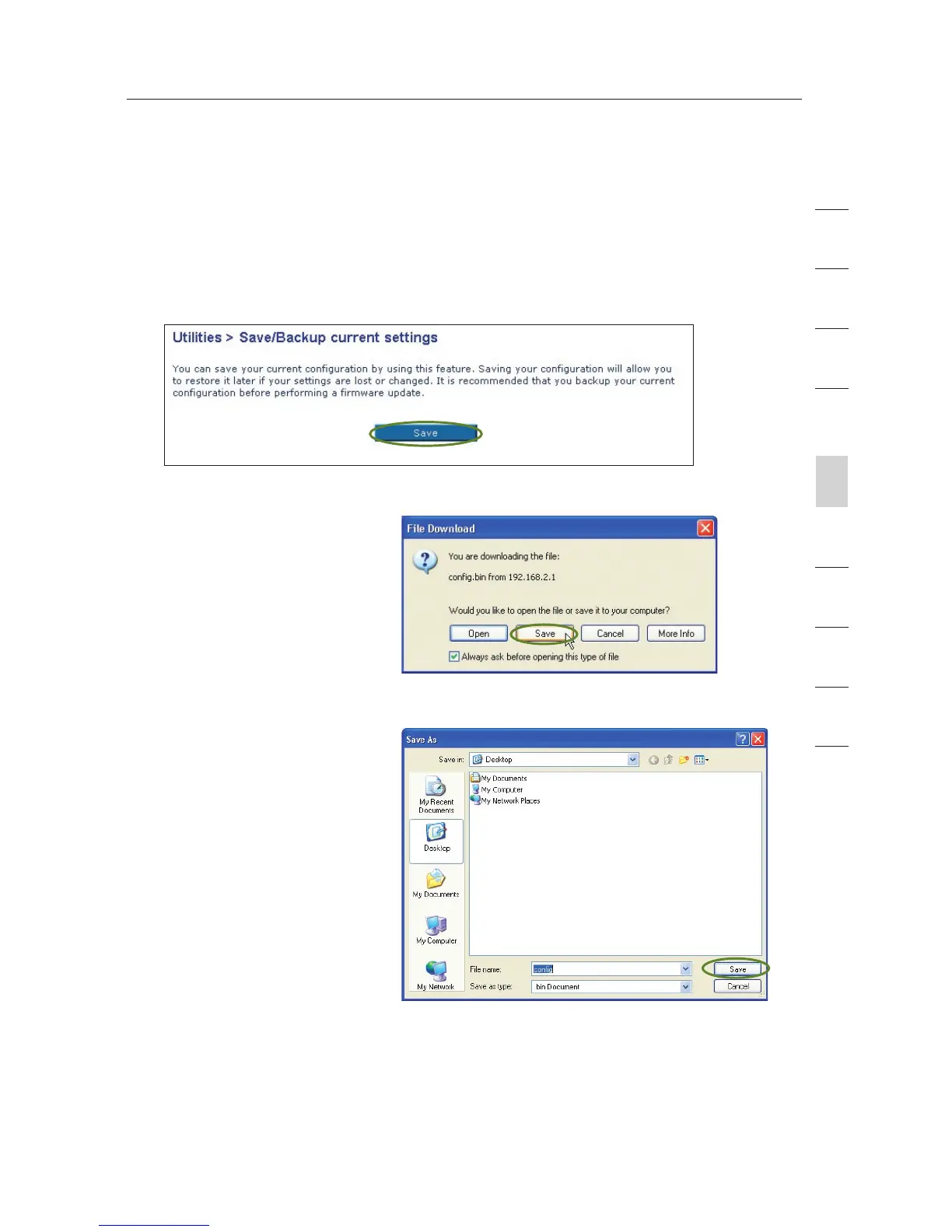
Saving a Current Configuration
You can save your current configuration by using this feature. Saving
your configuration will allow you to restore it later if your settings are
lost or changed. It is recommended that you back up your current
configuration before performing a firmware update.
1. Click “Save”. A window
called “File Download”
will open. Click “Save”.
2. A window will open
that allows you to
select the location
where you want to
save the configuration
file. Select a location.
You can name the file
anything you want, or
use the default name
“Config”. Be sure to
name the file so you
can locate it yourself
later. When you have
selected the location
and name of the file,
click “Save”.









 To Next Page