6
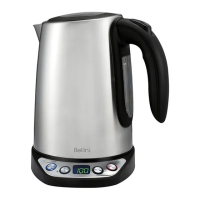
GettingtoKnowYour
VariableTemperature
Kettle
Congratulationsonthepurchaseofyournew
BelliniVariableTemperatureKettle.
BeforeusingyournewBelliniVariable
TemperatureKettleforthersttime,itisextremely
importantthatyoureadandfollowthe
instructionsinthisUseandCare
booklet,evenifyoufeelthatyouarefamiliar
withthistypeofappliance.
Inparticular,pleasepaycloseattentiontothe
sectionentitledIMPORTANTSAFEGUARDS.Finda
safeandconvenientplacetokeepthisbooklet
forfuturereference.
Thisappliancehasbeendesignedtooperate
fromastandarddomesticpoweroutlet.Itisnot
intendedforindustrialorcommercialuse.
HowtoUseYourDigital
Kettle
Beforeusingyournewdigitalkettleforthe
rsttime,carefullyunpacktheapplianceand
removeallthepackagingmaterial.
Fillthekettletothemaximumlevelindicatedby
the“MAX”waterlevelmarkonthewaterLevel
Indicatorandboilthewater.Drainthiswater
thoroughlybeforeusingforthersttimetoensure
thekettleiscompletelyclean.
Operation
1. Removethekettlefromthepowerbase.
2. PresstheLidReleaseButtontoopenthelid.
3. Fillwithwatertothedesiredlevel.Takecare
nottollabovethe“MAX”waterlevelmark
aswatermayejectfromthekettleduring
boiling.DonotUNDER-FILL.Ensurethewater
coverstheminimumlevelontheWaterLevel
Indicator.
4. Closethelidonthekettle.
5. Unwindpowercordfromthepowerbase.
Placethekettlermlyonthebase.
6. Plugthepowercordintoastandard
domesticpoweroutlet.thedisplayindicates
“C”withabeep,Itmeanstheapplianceis
connectedtothepoweroutlet.Afterashing
“C”forapproximately2seconds,thedisplay
willindicatestheactualwatertemperaturein
thekettle.
Note: If the kettle is not sitting on the
base, the display will indicate “E”.
7. PresstheProgram(PROG)buttonuntilyou
havereachedthedesiredsettingwiththe
presettemperature.WhenpressingthePROG
buttonrepeatedly,thetemperaturesetting
ondisplaywillbe40C,60C,80C,90C,100C
and70Cinturn.Thereisanindicatormarkon
thedisplaytoindicateeachsetting.When
thesettingis70C,itisinkeepWarmMode.
Note: The default preset temperature is
100C.
8. InKeepWarmMode,Presstheplus(+)or
minus(-)buttonTochangethetemperature
settingby5degreeincrementsfrom50-95C.
9. Oncethedesiredtemperaturehasbeenset,
presstheOn/OFFbuttontostartoperation
andthePowerIndicatorilluminates.
Note: If the preset temperature is lower
than the actual temperature of water in
the kettle, the appliance will not start to
heat after pressing the ON/OFF button. It
will beep as a reminder.
10.Waterbeginstoheat.
11.TheLEDdisplayindicatesthetemperatureof
thewaterinthekettle.
12.Youcanstoptheheatingatanytimeby
pressingtheON/OFFbuttonduringoperation.
13.Whenwaterreachestheselected
temperature,thekettleautomaticallyshuts
offandtheredpowerindicatorlightturnsoff.
Andabeepwillindicatethatthewaterhas
reachedtheselectedtemperature.
Note: the power indicator light will not
turn off at Keep Warm mode.
14.Liftthekettleoffthebasetopourwater.
15.Returnkettletothebaseoncenished.
16.Tore-boilwaterit’snecessarytowaitseveral
minutesforwatertocool.
17.Emptyandunplugthekettlewhennotinuse.


 To Next Page
 Loading...