Thank you for choosing products from Bellman & Symfon.
The Bellman Visit 868 System consists of a number of radio transmitters and receivers. The transmitters
detect different events in the surrounding area and transmit a radio signal to the receivers. The receivers
pick up this signal and provide indications using light, sound and/or vibration.
The transmitter determines what type of light, sound or vibration should be displayed so that the reason for
the indication is evident.
Read through the entire user manual first and then start to install the system.
Refer to the illustration of the Bellman Visit 868 System on the inside of the cover.
Getting started
Unpacking, installing and testing the unit
1. Open the Battery Cover (8). Connect the telephone flex to the telephone connector (6) and insert the adapter plug in the
telephone socket. Fit one battery, either a 6LR61 alkaline or 6F22 lithium type battery, and close the battery cover.
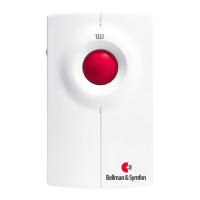
2. Press the Test Button (2). The Bellman Visit 868 Telephone Transmitter lights up the LED (1) to indicate that the unit is
transmitting a radio signal. The Bellman Visit 868 receivers will indicate the Telephone Transmitter.
3. The Bellman Visit 868 Telephone Transmitter can be mounted on the wall either suspended on the wall mount bracket (9)
on the screw supplied or using the self-adhesive Velcro tape. If the Velcro tape is used, the wall on which the transmitter is to
be positioned can be cleaned using the enclosed wet wipe. The telephone transmitter can also be placed on a level surface, e.g.
a table, but you should avoid placing it on the floor.
Function
General
The BE1430 Bellman Visit 868 Telephone Transmitter is a radio transmitter within the Visit 868 System for indoor use,
which recognises ring signals from an analogue telephone system via a plug, which is inserted into the telephone socket. In
addition to using the telephone input, the telephone transmitter can also operate as a multifunction transmitter, either via a
pushbutton or via 2 connectors for an external trigger. All inputs can be detected separately and transmit different signal
patterns to the receivers in the Bellman Visit 868 system depending on which has activated the telephone transmitter. There is
a range of options for connecting the telephone transmitter to various applications.
Radio key
On delivery all Bellman Visit 868 units are tuned to the same Radio Key. If you have a neighbour with a similar system, you
can change to different Radio Keys so that you do not affect each other’s systems. All units in a system must have the same
Radio Key. If you use the Radio Key Switch (5) to change the Radio Key on this transmitter, you must also change all other
units in your Bellman Visit 868 System to the same Radio Key. Refer to the user manual for the relevant unit.


 To Next Page

 General