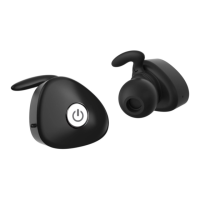
12
Basic Operation
Function Button
Alert Tone/
Voice Prompt
Status
Indicator
Power On Press &
hold 6
seconds
Power On Blue light for 1
second
When you turn on your ear pieces for the first time, the ear
pieces proceeds into pairing mode, i.e. the status indicator
flashes blue and red alternately, you can immediately pair it
with your mobile phone
Power off Press &
hold 4
seconds
Power off Red light for 1
second
Answer/ End
call
Press the MFB once
Volume Up Short press Volume Up button
Volume Down Short press Volume Down button
Music track
forward
Long press Volume Up button for 2 seconds
Music track
backward
Long press Volume Down button for 2
seconds


 To Next Page