12
4.3 Touch screen driver installation
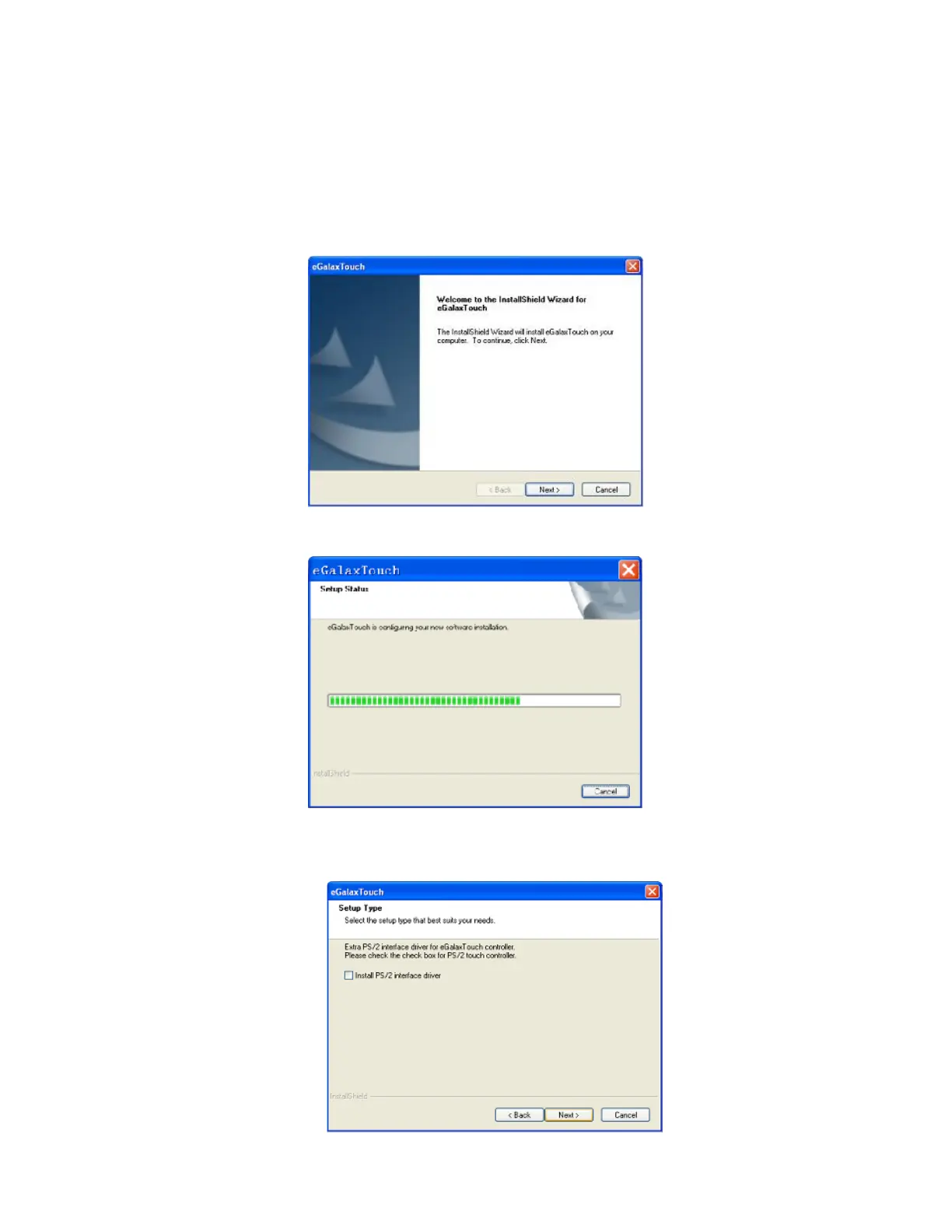
4.3.1 Navigate to the CDROM or installation program directory to find the file
setup.exe. Double-click on “setup.exe” to start installation.
4.3.2 When installation starts, click [Next] to proceed to the next step.
4.3.3 Installation in progress
4.3.4 Uncheck “Install PS/2 interface driver” and click [Next] to continue
installation.


 To Next Page