15 14
HOW TO USE
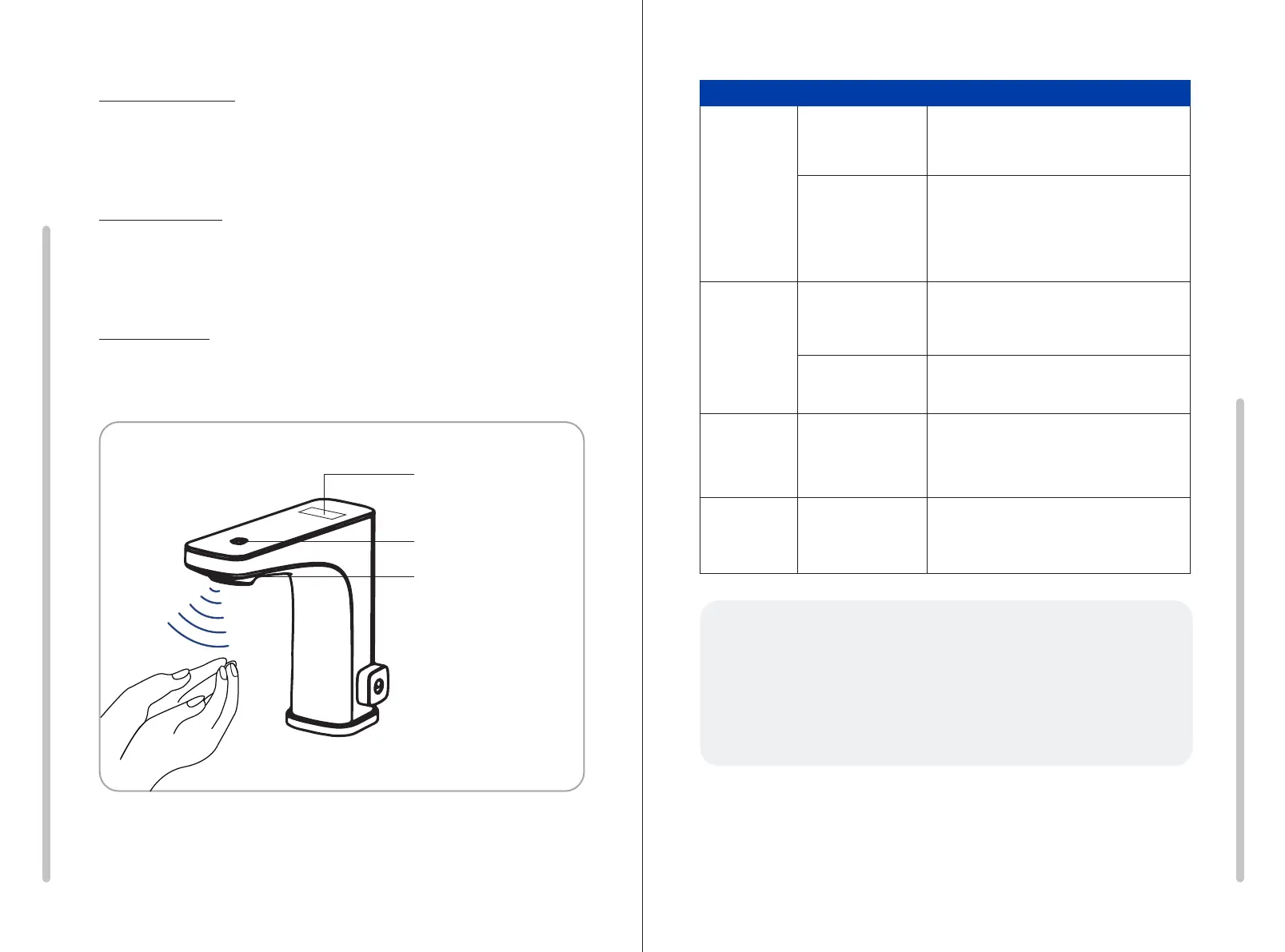
Motion Sensor
Place your hands beneath the motion sensor to activate the flow of water.
The water will automatically turn off when you move your hands away.
Touch Sensor
Tap the sensor to activate the flow of water. Tap again to turn off.
The water will automatically turn off after 3 minutes.
Side Handle
Use the side handle to set the water temperature to your liking.
Motion Sensor
Touch Sensor
LED Temp.
Display
TROUBLESHOOTING GUIDE
Problem Cause Solution
Faucet does
not power on
Power cable
unplugged
Unplug and re-plug the power cord.
Ensure the connection is secure.
Low battery Replace with a new battery of the same
brand. Ensure that the positive and negative
terminals of the battery are properly
installed. (Do not mix with old batteries.)
Sensors not
functioning
Motion Sensor
Obstructed
Wipe the motion sensor clean.
Touch sensor failing. Unplug and re-plug the power cord.
Low water
pressure
Water supply
obstruction
Make sure the water shut-off valve is fully
open and there are no kinked hoses.
Clean the faucet spout.
Water is
leaking
Loose connection or
missing gasket.
Double check all connections are secure
and include a gasket.
Please contact customer support with any questions!
Phone: 847.458.2334
Email: support@biobidet.com
Chat: www.biobidet.com



 To Next Page