29
Confi guring Wingman Advanced Following Distance Alerts (5.4)
Confi guration
No.
Option
Following Distance
Audible Alert (sec.)
Default
Advanced
Following
Distance
(seconds)
Alert 1:
Slow
Alert 2:
Medium
Alert 3:
Fast
1
City — — 0.5
2.8
Highway (>37 mph) 1.5 1.0 0.5
2
City — — 0.5
3.5
Highway (>37 mph) 1.5 1.0 0.5
3
City — 1.5 1.0
2.8
Highway (>37 mph) 2.0 1.5 1.0
4
City — 1.5 1.0
3.5
Highway (>37 mph) 2.0 1.5 1.0
5
City — 1.5 1.0
3.5
Highway (>37 mph) 3.0 2.0 1.0
6
City 3.0 1.5 1.0
3.5
Highway (>37 mph) 3.0 2.0 1.0
7
City — — 0.2
2.8
Highway (>37 mph) — — 0.2
8
See Note
Below
City — — 0.5
1.7
Highway (>37 mph) 1.5 1.0 0.5
9
See Note
Below
City — — 0.5
2.3
Highway (>37 mph) 1.5 1.0 0.5
TABLE 8 - CONFIGURING FOLLOWING DISTANCE ALERTS (FDA).
Note: Confi gurations 8 and 9 are available on select applications only and may not be available on your system.
5.4 CONFIGURING BENDIX
®
WINGMAN
®
ADVANCED
™
FOLLOWING DISTANCE ALERTS
Multiple alert and distance setting strategies, known as Following Distance Alert (FDA) confi gurations, can be chosen using
the Bendix
®
ACom
®
Diagnostics tool. In current versions of ACom software, the service technician will fi nd a selection
box called “Confi guration Number” which gives the service technician the choices shown in Figure 18 and in Table 8.
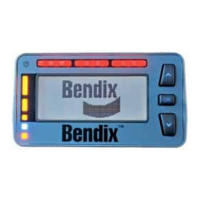
See Appendix B for an example of following distance alerts for systems where a Bendix
®
Driver Interface Unit (DIU) is used.


 To Next Page