61
NOTES
5.0 Other System Features Section
5.1 Reading Bendix
®
Wingman
®
Advanced
™
System Key Indicators 28
5.2 Bendix Wingman Advanced Diagnostic Trouble Code (DTC)
Self Clearing . . . . . . . . . . . . . . . . . . . . . . . . . . . 28
5.3 Following Distance Adjustment Switch (Optional) . . . . . . . . 28
5.4 Confi guring Bendix Wingman Advanced Following Distance
Alerts . . . . . . . . . . . . . . . . . . . . . . . . . . . . . . . 29
5.5 Extracting Bendix Wingman Advanced System Data . . . . . . 30
5.5.1 Data Availability . . . . . . . . . . . . . . . . . . . . . . . . . 30
5.5.2 Data Overview . . . . . . . . . . . . . . . . . . . . . . . . . . 30
5.5.3 Extracting Data and Saving a Report . . . . . . . . . . . . . . 31
Appendix A - Bendix
®
Wingman
®
Advanced
™
Radar Sensor
Mounting and Installation Section. . . . . . . . . . . . . . . . . . 32-33
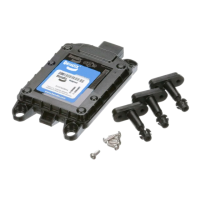
A.1-2 FLR20 Radar Sensor Mounting/Replacement Parts. . . . . . . 32
A.3 FLR20 Radar Sensor Mounting Clearance . . . . . . . . . . . 33
Appendix B - Bendix
®
Wingman
®
Advanced
™
Radar Alignment . 34-39
B1 Radar Alignment Flowchart . . . . . . . . . . . . . . . . . . . 34
B2 Preferred Method: Lateral Alignment Procedure Using DIU. 36
B3 Lateral Alignment Procedure when
Using Bendix
®
ACom
®
Diagnostics . . . . . . . . . . . . . . 37-38
B4 Vertical Alignment . . . . . . . . . . . . . . . . . . . . . . . . 39
Appendix C - Bendix
®
Wingman
®
Advanced
™
Radar Alignment
When Replacing Radar and/or Bracket . . . . . . . . . . . 40-42
Appendix D - Bendix
®
Wingman
®
Advanced
™
Radar
Dynamic Alignment . . . . . . . . . . . . . . . . . . . . . . .43
Appendix E - Troubleshooting Checklist . . . . . . . . . . . . . . 44-45
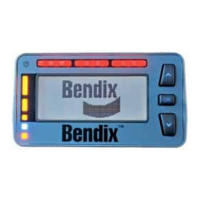
Appendix F - Driver Interface Unit (DIU): Displays and Alerts . . . 46-55
Appendix G - How to Generate, Read and Reset the Bendix
Wingman System Diagnostic Trouble Codes using
Bendix
®
ACom
®
Diagnostics Software . . . . . . . . . . . . 56-58
Appendix H - How to Read Key System Indicators and Reset
Alignment Values . . . . . . . . . . . . . . . . . . . . . . . . .59


 To Next Page