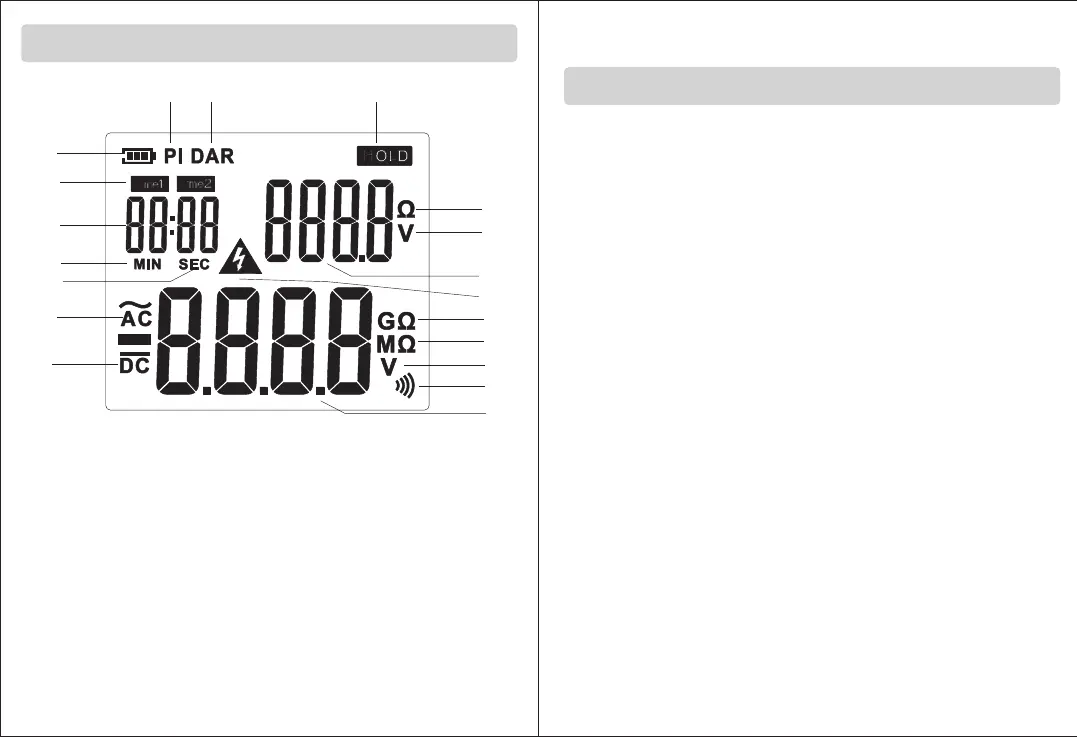
LCD Displays
A
S
R
Q
P
O
N
G
E
F
H
I
J
K
L
B
C
D
M
A. battery power
B. Polarization index measurement
C. Absorption ratio measurement
D. Reading lock
E. resistance unit
F. voltage unit
G. resistance or voltage value
H / I. resistance unit
J. voltage unit
K. beep icon
L. resistance or
voltage value
M. warning icon
N. DC voltage
O. AC voltage
P. second
Q. minute
R. timing value
S. timing icon
2.Operation manual
1.Measurement of insulation resistance
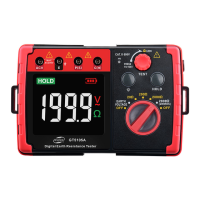
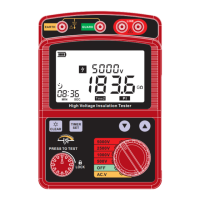
1) Before measurement, be sure to connect first, connecting red
test lead to LINE, connecting black test lead to EARTH, holding
tested object with clip, then start measuring after ensure safety; as
shown below;
2) Turn the knob to the insulation resistance gear, with the
corresponding gear value displaying on the upper right corner of
the screen, and "___" or the last measured resistance value is
displayed below, press TEST button and turn clockwise to lock,
start with high voltage starts, and tart to measure the resistance of
tested object.
3) After measurement starts, the voltage value is displayed on the
upper right corner of LCD, measured time on the upper left corner,
and resistance value of the measured object is displayed on the
lower part. At the same time, warning icon appears, red alarm light
is on, and the buzzer let out "didi" sound to remind users to pay
attention to safety and prevent electric shock danger;)
4) Press HOLD button once to lock the reading with HOLD icon
displayed at the same time. Press HOLD button again for unlocking,
and HOLD icon is no longer displayed; long press HOLD button to
turn beep sound on or off;
5) After measuring resistance value, turn TEST button
counterclockwise and release it. The high voltage is off, with the
measurement and timing stopping; the gear value will be displayed
on the upper right corner, and the resistance reading will be locked;
6) After measurement is completed, twist the knob to OFF to turn off
the meter;
7) Before starting the measurement, press PI / DAR button to switch
polarization index / absorption ratio measurement function, as
following steps.
Measurement
-10- -11-


 To Next Page