EasyManua.ls Logo

Benetech GT5105A - User Manual

Benetech GT5105A
9 pages
Print Icon
To Next Page IconTo Next Page
Loading...
A
1
2
3
4
5
6
A
DOCUMENT NO.: QR-208/A
B C D E
B
C
D E
1
2
3
4
5
6
SCALE
SIZE
DATENAME
APPROVALS
APP. BY
CUSTOMTER
DRAWN BY
CHECKED BY
A4
1. 2021-04-12
2.
3.
VER.A1
SHEET
OF
PART Number:
1 1
GT5105A (BENETECH)
7164105004
GAP
2020.04.20
SHENZHEN JUMAOYUAN SCIENCE AND TECHNOLOGY CO., LTD.
Version: 5105A-EN-01
Digital Earth Resistance Tester
Instruction manual
TEST
HOLD
E
( )
P SACV
( )
C H
HV
PRESS
TO TE ST
CAT.II I 600V
LOCK
MAX
AC2 00V
OFFOFF
2000Ω
(2WIR ES)
2000Ω
200Ω
20Ω
EARTH
GT5105 A
Digital Earth R es istance Test er
VOLTAGE
MODEL: GT5105A
Standard: Q/GMY 0292020
Ω
SAVE
Question and Answer IconNeed help?

Do you have a question about the Benetech GT5105A and is the answer not in the manual?

Summary

Introduction to Digital Earth Resistance Tester

Key Functions

Highlights the instrument's functions including backlight, data holding, and measurement modes.

Technical Specifications

LCD Display Overview

Details the components and indicators displayed on the instrument's LCD screen.

Operation Manual

Preparation Before Measurement

Guidance on checking battery voltage and connecting test leads correctly.

Safety Warning Information

General safety warnings and symbol implications for safe instrument operation.

Measurement Methods

Measurement Caveats and Warnings

Important notes and warnings regarding potential hazards during measurements.

Accurate Measurement Procedure

Detailed steps for performing accurate earth resistance measurements with standard test leads.

Ground Voltage Test Procedure

Instructions for conducting ground voltage measurements.

Ground Resistance Test Procedure

Steps for performing earth resistance tests using different gears.

Advanced Measurement Functions

Data Hold and Saving

How to use the data hold, save, review, and clear functions.

Simple Measurement Method

Procedure for simple earth resistance measurement using a 2-wire method.

Maintenance and Warranty

Battery Replacement and Case Cleaning

Instructions for battery replacement, case cleaning, and general upkeep.

Troubleshooting and Repair

Guidance on contacting support for instrument issues and repair procedures.

Summary

Introduction to Digital Earth Resistance Tester

Key Functions

Highlights the instrument's functions including backlight, data holding, and measurement modes.

Technical Specifications

LCD Display Overview

Details the components and indicators displayed on the instrument's LCD screen.

Operation Manual

Preparation Before Measurement

Guidance on checking battery voltage and connecting test leads correctly.

Safety Warning Information

General safety warnings and symbol implications for safe instrument operation.

Measurement Methods

Measurement Caveats and Warnings

Important notes and warnings regarding potential hazards during measurements.

Accurate Measurement Procedure

Detailed steps for performing accurate earth resistance measurements with standard test leads.

Ground Voltage Test Procedure

Instructions for conducting ground voltage measurements.

Ground Resistance Test Procedure

Steps for performing earth resistance tests using different gears.

Advanced Measurement Functions

Data Hold and Saving

How to use the data hold, save, review, and clear functions.

Simple Measurement Method

Procedure for simple earth resistance measurement using a 2-wire method.

Maintenance and Warranty

Battery Replacement and Case Cleaning

Instructions for battery replacement, case cleaning, and general upkeep.

Troubleshooting and Repair

Guidance on contacting support for instrument issues and repair procedures.

Overview

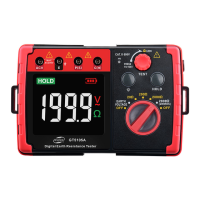
The BENETECH GT5105A is a Digital Earth Resistance Tester designed for measuring grounding resistance of various power facilities wiring, electrical equipment, lightning protection equipment, and other grounding devices. It can also measure ground voltage. The instrument is controlled by an intelligent microcontroller chip, ensuring high accuracy and reliability. However, it is not suitable for harsh outdoor environmental conditions such as rain or lightning.

Functions:

  • Backlight and Battery Detection: The device includes a backlight for improved visibility and a battery detection function to alert users when the battery power is low.
  • Data Holding: It offers a data hold function, allowing users to freeze the current measurement on the display.
  • Measurement Versatility: The GT5105A supports both precise three-wire measurement and simpler two-wire measurement methods.
  • Contact Warning: When measuring ground resistance, if the C or E end of the test lead is not in good contact, a "---- Ω" warning will appear on the LCD.
  • Over Range Indication: "OL" is displayed on the LCD when the measured value exceeds the instrument's range.
  • Safety Structure: The device features double insulation or reinforced insulation for enhanced safety.

Important Technical Specifications:

Measurement Range and Error (at 20°C ± 5°C and ≤75%RH):

  • Ground Resistance:
    • 20Ω: ±(2%+10) accuracy, 0.01Ω resolution
    • 200Ω: ±(2%+3) accuracy, 0.1Ω resolution
    • 2000Ω: ±(2%+3) accuracy, 1Ω resolution
    • 2000Ω (two wires): ±(2%+5) accuracy, 1Ω resolution
  • Ground Voltage:
    • 200V: ±(2%+5) accuracy, 0.1V resolution
  • Auxiliary grounding resistance: 500Ω; Error + 5%; Grounding voltage ≤10V AC.

Application Standards:

  • IEC 61010-1 CAT. III 600V Pollution degree 2
  • CAT. | 5000V Pollution degree 2
  • IEC 61326-1 (EMC standard)
  • IEC 60529 (IP40)

Measurement Method:

  • Ground Voltage: Average response.
  • Ground Resistance: Test signal frequency: about 820Hz; Current: 20Ω about 3.2mA.

Environmental Conditions:

  • Working Environment: Temperature: 5°C ~ 40°C; Relative humidity: ≤80% RH (no fog); Altitude: ≤2000 meters.
  • Storage Conditions: Temperature: -20°C ~ 60°C; Relative humidity: ≤70% RH (no fog).

Power Supply:

  • 9V power supply (6 x 1.5V No. 5 alkaline batteries).

Overload Protection:

  • Ground resistance: 200V AC (10 seconds).
  • Ground voltage: 400V AC (30 seconds).

Insulation Resistance:

  • The insulation resistance between the measurement circuit and case is not less than 20MΩ.

Dimensions:

  • 176mm * 77mm * 110mm.

Usage Features:

Preparation Before Measurement:

  • Battery Check: Before use, set the function selection switch to ground voltage or ground resistance gear. If the battery icon appears, the batteries are low and need replacement.
  • Test Lead Connection: Ensure test lead plugs are fully inserted into the test ends to maintain measurement accuracy.

Accurate Measurement (Three-Wire Method):

  • Setup: Pound P and C ground nails deeply into the ground, aligning them and the equipment to be measured in a straight line, 5 to 10 meters apart. Ensure ground nails are in wet soil; if dry, add water. For concrete areas, two steel plates (25cm*25cm) with wet towels can be used as auxiliary ground nails.
  • Ground Voltage Test: Set the function selection switch to the ground voltage range. Insert test leads into V and E ends (not other ends) and connect to the test point. The LCD will display the ground voltage. Do not press the "TEST" button during this measurement. If the measured value is >10V, turn off relevant electrical equipment and retest after the voltage declines, as high voltage affects ground resistance accuracy.
  • Ground Resistance Test: Rotate the function selection switch to 2000Ω (maximum gear) and press "TEST." The LCD will display the ground resistance. If the value is less than 200Ω, switch to a lower gear (20Ω or 200Ω) for more accurate readings. The status indicator on the "TEST" button lights up when testing.
  • Error Indications: If C or E test leads have poor contact, auxiliary ground resistance is too large (e.g., >32KΩ for 20Ω gear), or the test terminal is open, "---- Ω" will be displayed. Check connections, soil moisture, and auxiliary grounding nail contact. "OL" (over range) will be displayed if the measured resistance exceeds the range of the selected gear (e.g., >32KΩ for 20Ω, >43KΩ for 200Ω, >65KΩ for 2000Ω).

Simple Measurement (Two-Wire Method):

  • This method is used when auxiliary ground nails are not convenient. Exposed low ground resistance points like metal sinks, water pipes, common ground of power supply lines, or building ground terminals can be used as electrodes.
  • Connect the E and P & C ends together.
  • Caution: When using the commercial power system's ground point as a reference, be careful of electrical hazards.

Data Hold Function:

  • Press the "HOLD" key to freeze the current data and display the "HOLD" symbol. Press it again to cancel.

Data Saving:

  • Press the "SAVE" key to save the reading. "F-XX" will display, where XX is the saving number. The device can save up to 20 readings. "FULL" indicates maximum storage.

Data Review:

  • Long press the "SAVE" key to enter review mode. Saved data and their saving numbers will be displayed sequentially. Short press "SAVE/HOLD" to switch between saved data. Long press "SAVE" again to exit. "NULL" indicates no saved data.

Data Clearance:

  • Long press the "HOLD" key until "----" is displayed, then long press the "SAVE" key until "CLr" is displayed, indicating data clearance.

Maintenance Features:

Battery Replacement:

  • If the low voltage indicator appears, replace batteries.
  • Turn off the instrument and remove test leads.
  • Unscrew one screw at the bottom of the battery door and open it.
  • Replace all six used 1.5V No. 5 alkaline batteries, paying attention to polarity.
  • Install the battery door and tighten screws.
  • For long-term storage, remove batteries to prevent leakage and corrosion.

Case Cleaning:

  • Clean the instrument case gently with a wet towel. Avoid alcohol, diluents, or other corrosive substances, especially on the window.

General Maintenance:

  • Prevent the instrument from getting wet. If it does get wet, dry it thoroughly before storage.
  • Do not store the instrument under high temperature, high humidity, or direct sunlight.
  • Use a soft cloth with a small amount of water or neutral detergent to clean the shell; do not use abrasive materials or solvents.

Safety Warnings:

  • DANGER: Do not measure in flammable/explosive environments. Avoid sparks. Do not operate with wet hands or when the instrument is wet. Do not exceed maximum allowable ranges. Do not open the battery cover during measurement. Do not touch exposed wires during testing. Always turn the test knob to "OFF" after measurement.
  • WARNING: The instrument must be operated by trained and qualified technicians. Do not open the housing during testing; refer to professional staff for inspection. Do not replace batteries when the instrument is wet. Ensure all test wires are securely connected. Switch off the device before opening the battery cover. Frequently check for abnormal phenomena (broken wires, cracked casing) and cease operation if found. Do not replace parts or modify the instrument; contact the dealer for repair.
  • CAUTION: Ensure the range switch is in the appropriate position before measurement. Place the measuring selection button in the "OFF" position after use. Remove batteries if not used for a long time to prevent leakage.

Relevant Icons:

  • AC: Alternating Current
  • DC: Direct Current
  • Grounding: Indicates potential danger of electric shock.
  • Double Insulation: Indicates the instrument has double insulation or reinforced insulation.

Special Statement:

  • Used batteries must be disposed of according to local laws.
  • The company is not liable for any derivative results from using this product.
  • The company reserves the right to update and modify design specifications and content without notice.

Benetech GT5105A Specifications

General IconGeneral
BrandBenetech
ModelGT5105A
CategoryTest Equipment
LanguageEnglish