BenQ DC 5530 User’s Manual
English
Using the DC C52018
Date Stamp
[]
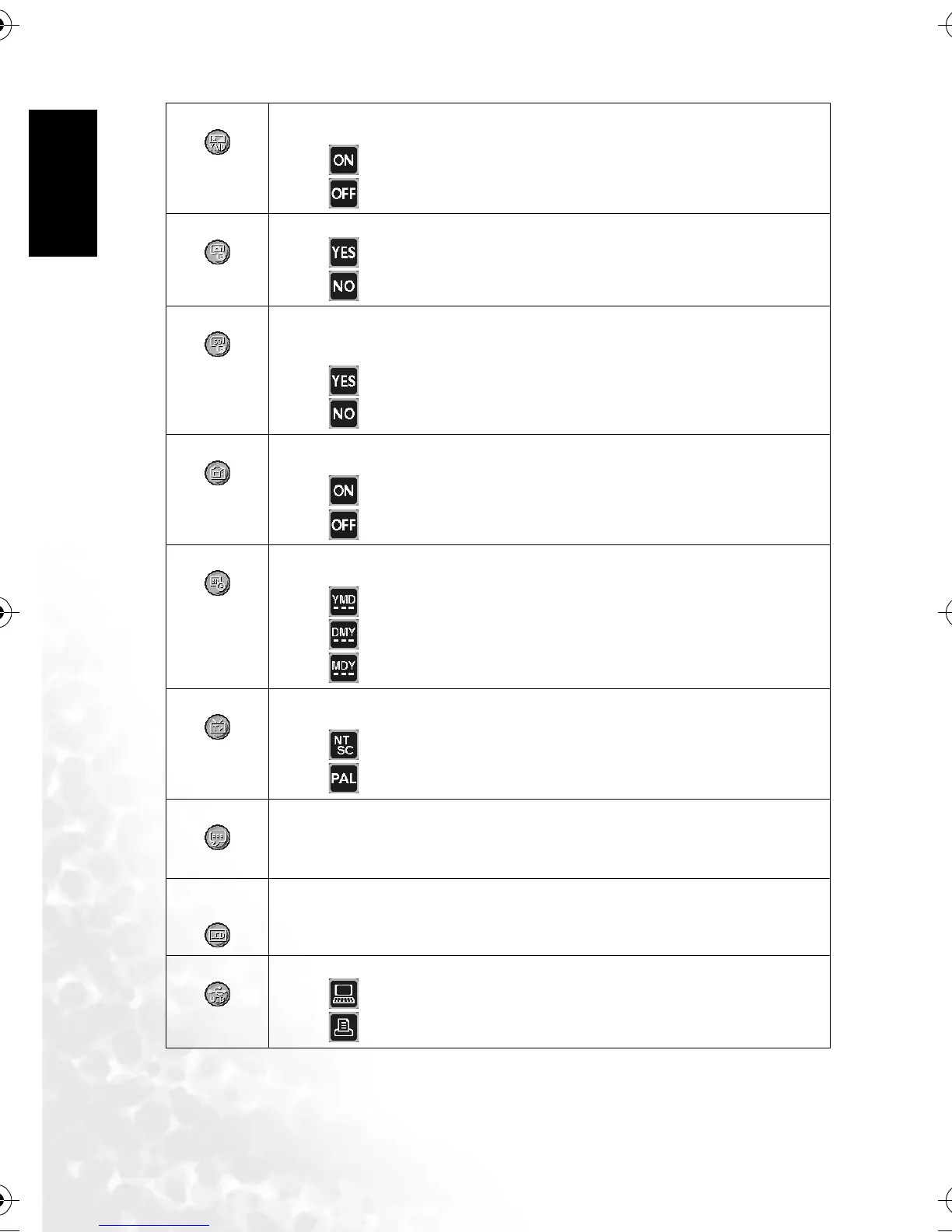
This option allows the date of recording to be printed directly on the still images. This
function must be activated before the image is captured.
–[ ] ON
–[ ] OFF
Format Inner
[]
This option erases all the images stored in the internal memory.
–[ ] YES
–[ ] NO
Format SD
[]
This option reformats the SD memory card loaded in your camera. Protected images are
also erased. The SD memory card cannot be formatted if its write-protect tab is slided to
“LOCK”.
–[ ] YES
–[ ] NO
Quick View
[]
This option allows you to display a photographed image on the LCD monitor immediately
after you have taken a shot.
–[ ] ON
–[ ] OFF
Date/Time
[]
This option sets the date and time. Refer to 3.3.3 “Setting the date and time” on page 6 for
further details.
– [ ] Year / Month / Date
– [ ] Date / Month / Year
– [ ] Month / Date / Year
Video Out
[]
This option sets the video output system of the video equipment that you are going to
connect to the camera.
–[ ] NTSC
–[ ] PAL
Language
[]
This option sets the language that is displayed on the LCD monitor. Refer to 3.3.2 “Choos-
ing the screen language” on page 6 for further details.
English / French / Germany / Spanish / Italian / Traditional Chinese / Simplified Chinese /
Portuguese / Russian
LCD Bright-
ness
[]
This option sets the brightness of the LCD monitor. The adjustment range is from -5 to
+5.
USB
[]
This option allows you to choose one of the following modes for further settings.
–[ ] PC
– [ ] Printer
DC_C520_UM.book Page 18 Monday, July 4, 2005 4:40 PM



 To Next Page