8 How to assemble your monitor hardware
2. Connect the PC video cable
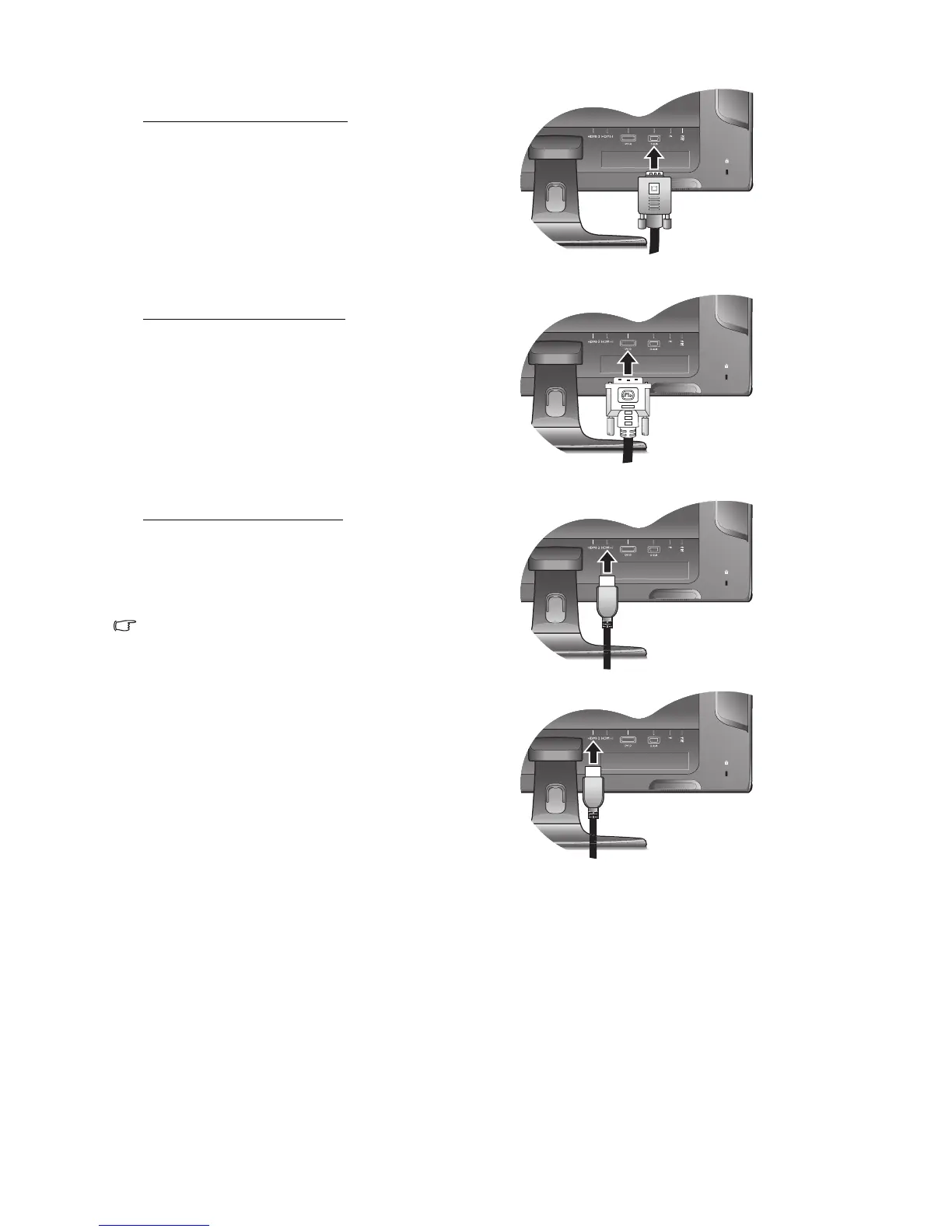
To Connect the D-Sub Cable
Connect the plug of the D-Sub cable (at the end without
the ferrite filter) to the monitor video socket. Connect the
other end of the cable (at the end with the ferrite filter) to
the computer video socket.
Tighten all finger screws to prevent the plugs from
accidently falling out during use.
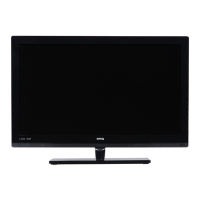
To Connect the DVI-D Cable
Connect the plug of the DVI-D cable (at the end without
the ferrite filter) to the monitor video socket. Connect the
other end of the cable (at the end with the ferrite filter) to
the computer video socket.
Tighten all finger screws to prevent the plugs from
accidently falling out during use.
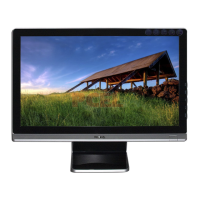
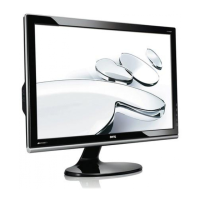
To Connect the HDMI Cable
Connect the plug of the HDMI cable to one of the two
HDMI ports on the monitor.
Connect the other end of the cable to the HDMI port of a
digital output device.
The video cable included in your package and the socket
illustrations on the right may vary depending on the LCD
model.



 To Next Page