29 Operation (under Launcher source)
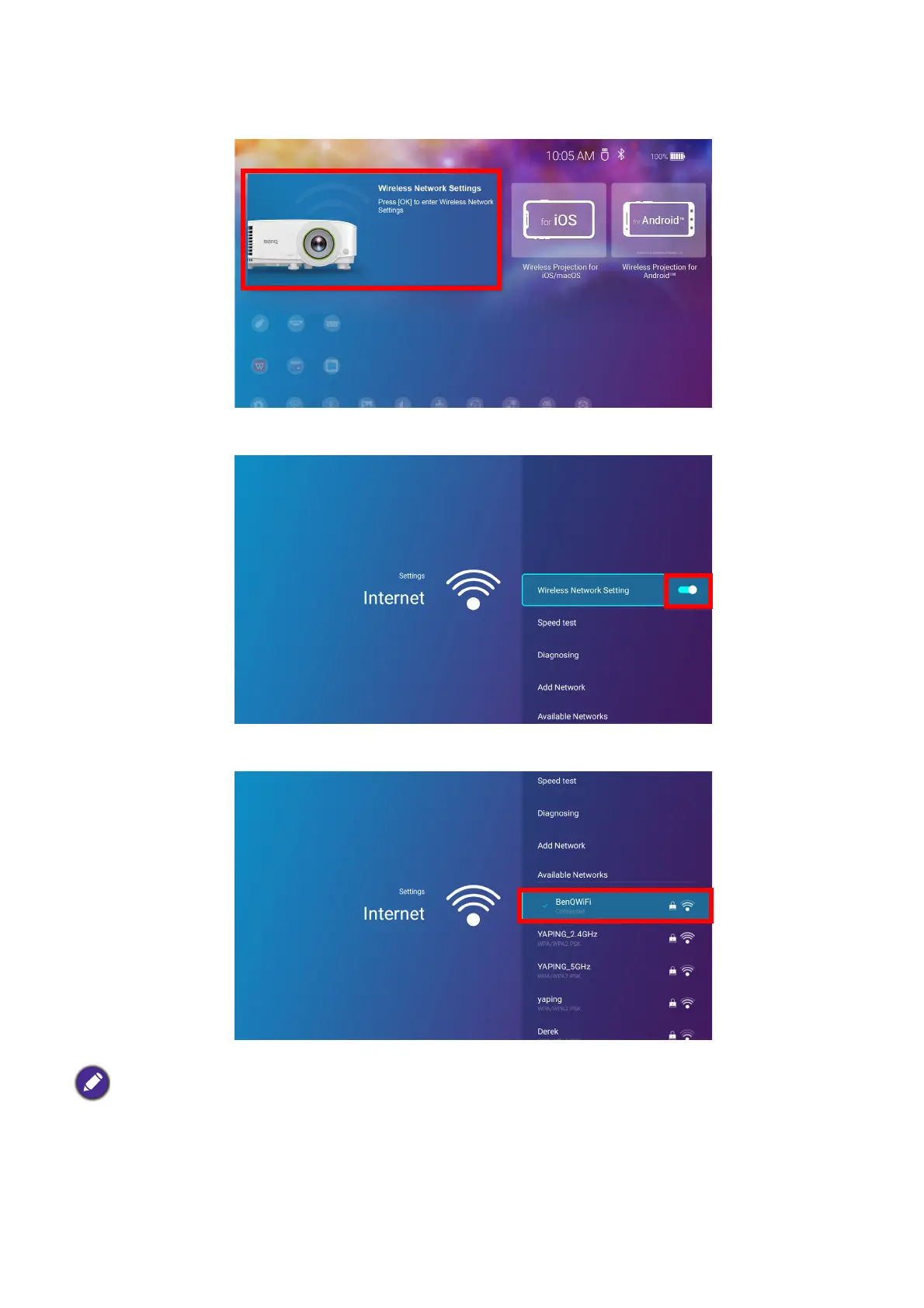
3. On the home screen of the BenQ Launcher interface, select Wireless Network Settings and
press OK to access the wireless settings menu.
4. Select Wireless Network Settings and press OK to enable.
5. Select the SSID for the wireless AP you want to connect to and press OK.
• To connect to a hidden wireless network select Add A Network and enter the SSID, security setting, and
password for the network.
• The list of available wireless networks will be refreshed every 10 seconds. If the desired SSID is not listed please
wait for refreshing to complete.












 To Next Page