Need help?
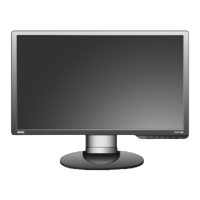
Do you have a question about the BenQ G2222HDL and is the answer not in the manual?
Overview of the monitor's front panel and controls.
Overview of the monitor's rear panel connections and ports.
Procedure for installing monitor drivers on a new computer system.
Steps for updating monitor drivers on a computer with existing drivers.
Identifies and explains the function of each button on the monitor's control panel.
Explains how monitor buttons function as direct shortcuts to specific settings.
Details how to navigate and use the On-Screen Display (OSD) main menu.
Addresses common issues and provides solutions for image problems and connectivity.
 General
| Screen Size | 21.5 inches |
|---|---|
| Resolution | 1920 x 1080 |
| Panel Type | TN |
| Brightness | 250 cd/m² |
| Contrast Ratio | 1000:1 |
| Response Time | 5 ms |
| Aspect Ratio | 16:9 |
| Viewing Angle (Horizontal) | 170 degrees |
| Viewing Angle (Vertical) | 160 degrees |
| Connectivity | VGA, DVI-D |
| Input Connectors | VGA, DVI |

 To Next Page