This document serves as an installation guide for controlling BenQ projectors, specifically models LU950, LU951, and LU951ST, via RS232 commands from a computer. It outlines the necessary connection procedures, communication settings, and provides a comprehensive table of RS232 commands for various projector functions.
Function Description:
The primary function of this guide is to enable users to remotely control their BenQ projector using RS232 commands sent from a computer. This allows for integration into control systems, automation of projector operations, and advanced configuration beyond the on-screen display (OSD) menu. The control can be established through a direct RS232 serial port connection, a Local Area Network (LAN) connection, or via HDBaseT.
Important Technical Specifications:
RS232 Serial Port Connection:
- Wire Arrangement: The guide provides a detailed wire arrangement table for a crossover cable, specifying the color and corresponding pin numbers (P1 to P2) for each wire.
- Pin 1: Black (P1) to Pin 1 (P2)
- Pin 2: Brown (P1) to Pin 3 (P2)
- Pin 3: Red (P1) to Pin 2 (P2)
- Pin 4: Orange (P1) to Pin 4 (P2)
- Pin 5: Yellow (P1) to Pin 5 (P2)
- Pin 6: Green (P1) to Pin 6 (P2)
- Pin 7: Blue (P1) to Pin 7 (P2)
- Pin 8: Purple (P1) to Pin 8 (P2)
- Pin 9: Gray (P1) to Pin 9 (P2)
- Case: Drain wire (P1) to Case (P2)
- RS232 Pin Assignment (D-Sub 9 pin):
- Pin 1: NC (No Connection)
- Pin 2: RXD (Receive Data)
- Pin 3: TXD (Transmit Data)
- Pin 4: NC
- Pin 5: GND (Ground)
- Pin 6: NC
- Pin 7: RTS (Request To Send)
- Pin 8: CTS (Clear To Send)
- Pin 9: NC
- Communication Settings (Serial Port):
- Baud Rate: Supports 9600, 14400, 19200, 38400, 57600, 115200 bps. (Note: HDBaseT is limited to 9600bps).
- Data Length: 8 bit
- Parity Check: None
- Stop Bit: 1 bit
- Flow Control: None
LAN Connection:
- TCP Port: 8000
- Requires the projector and computer to be on the same network.
HDBaseT Connection:
- Uses a D-Sub 9 pin for RS232 control and an RJ45 port for the HDBaseT connection.
- Baud rate is limited to 9600bps.
Usage Features:
Control Categories: The RS232 command table covers a wide range of projector functions, categorized for ease of use:
- Power Control: Commands to power the projector on/off and check its power status.
*pow=on# (Power On)*pow=off# (Power Off)*pow=?# (Read Power Status)
- Source Selection: Commands to switch between various input sources.
*sour=RGB# (COMPUTER/YPbPr)*sour=hdmi# (HDMI(MHL))*sour=hdbaset# (HDBaseT)
- Audio Control: Commands to manage audio settings, including volume and mute.
*mute=on# (Mute On)*vol=+# (Volume +)*vol=value# (Set Volume Level)
- Picture Mode: Commands to select different picture modes for various content types.
*appmod=preset# (Presentation)*appmod=srgb# (sRGB)*appmod=bright# (Bright)
- Picture Setting: Detailed control over image parameters like contrast, brightness, color, and sharpness.
*con=+# (Contrast +)*bri=+# (Brightness +)*color=+# (Color +)*sharp=+# (Sharpness +)
- Operation Settings: Commands for aspect ratio, digital zoom, brilliant color, and projector position.
*asp=4:3# (Aspect 4:3)*zoomI# (Digital Zoom In)*BC=on# (Brilliant color on)*pp=FT# (Projector Position-Front Table)
- Baud Rate: Commands to set the baud rate for serial communication.
*baud=9600# (Set Baud Rate to 9600)*baud=115200# (Set Baud Rate to 115200)
- Lamp Control: Commands related to lamp modes and status.
*lampm=lnor# (Normal mode)*lampm=eco# (Eco mode)*lampm=seco# (SmartEco mode)
- Miscellaneous: Commands for blank screen, freeze function, menu control, and 3D settings.
*blank=on# (Blank On)*freeze=on# (Freeze On)*menu=on# (Menu On)*3d=off# (3D Sync Off)
- Remote Receiver: Commands to configure the remote receiver.
*rr=fr# (Receiver-front+rear)
- Installation: Commands for lens memory.
*lensload=m1# (Load Lens memory 1)*lensreset=center# (Reset Lens to center)
Command Structure:
- All commands start and end with
<CR> (Carriage Return).
- Commands are case-insensitive (uppercase, lowercase, or mixed are accepted).
- The
YES column in the command table indicates if the command is supported by the LU951 model.
- Read Commands: Many functions include a "Read" command (e.g.,
*pow=?#) to query the current status of a setting.
Error Handling:
The projector provides feedback for command errors:
- Illegal format: If the command format is incorrect.
- Unsupported item: If the command is not valid for the specific projector model.
- Block item: If a command cannot be executed under current conditions.
Maintenance Features:
- Service Mode: The guide mentions a "Service mode enable for error report" command (
*error=enable#) and "Error code report" (*error=report#), which are likely used for diagnostic and troubleshooting purposes.
- FAN Speed and Temperature Monitoring: Commands are available to read the speed of up to 8 fans and monitor up to 3 temperature sensors (
*fan1=?#, *tmp1=?#). This allows for remote monitoring of the projector's internal health and thermal performance.
- LED Indicator Status: A command to read the status of the LED indicator (
*led=?#) is also provided, which can be useful for remote diagnostics.

 Need help?
 General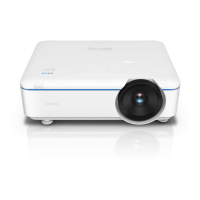

 To Next Page