14 Positioning your projector
MW612
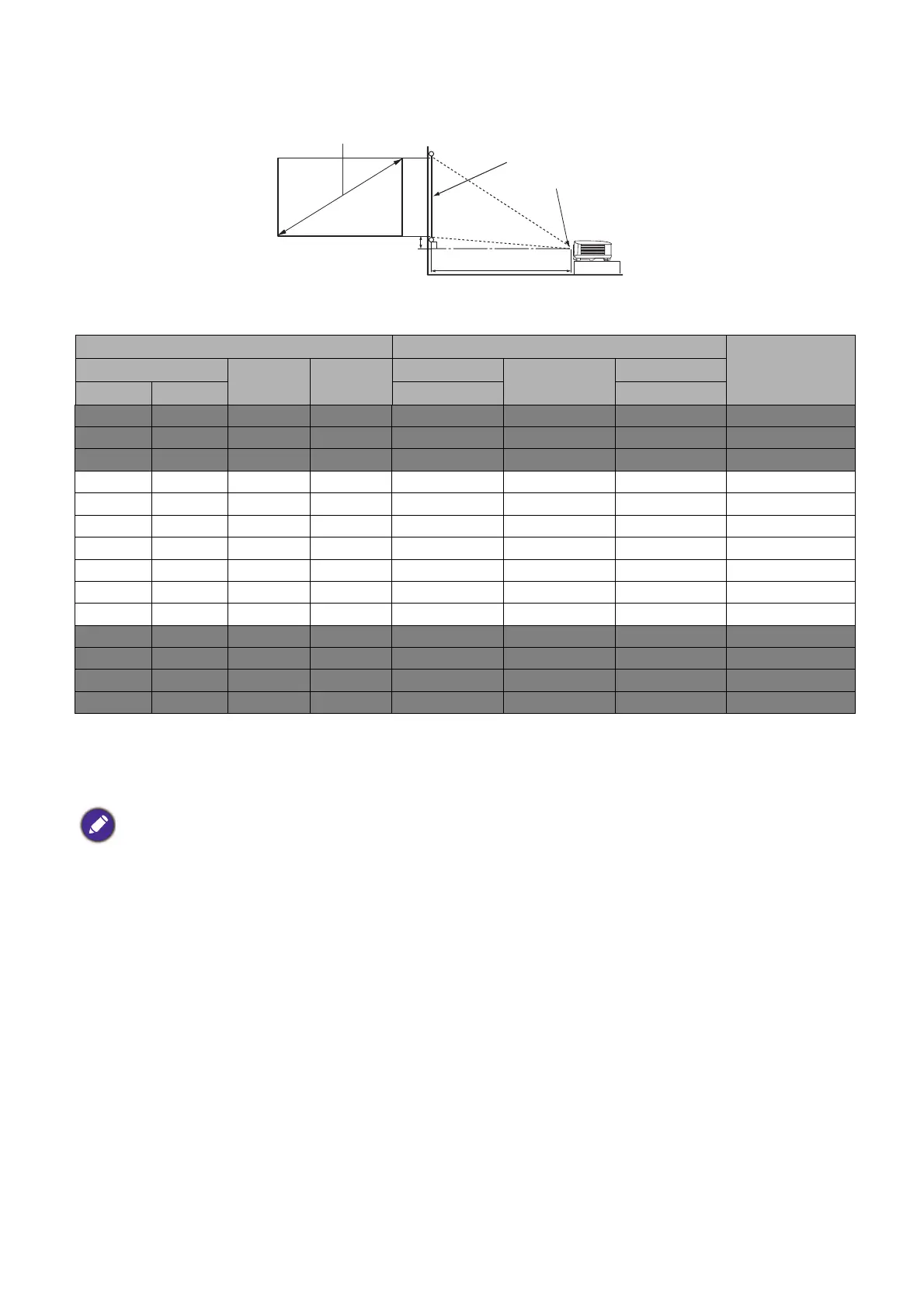
• The screen aspect ratio is 16:10 and the projected picture is in a 16:10 aspect ratio
For example, if you are using a 120-inch screen, the recommended projection distance is 4200 mm.
If your measured projection distance is 6300 mm, the closest match in the "Projection distance (mm)"
column is 6300 mm. Looking across this row shows that a 180'' (about 4.6 m) screen is required.
Mounting the projector
If you intend to mount your projector, we strongly recommend that you use a proper fitting BenQ
projector mounting kit and that you ensure it is securely and safely installed.
If you use a non-BenQ brand projector mounting kit, there is a safety risk that the projector may fall
down due to an improper attachment through the use of the wrong gauge or length screws.
Before mounting the projector
• Purchase a BenQ projector mounting kit from the place you purchased your BenQ projector.
• BenQ recommends that you also purchase a separate Kensington lock compatible security cable and
attach it securely to both the Kensington lock slot on the projector and the base of the mounting
Screen size Projection distance (mm)
Offset (mm)Diagonal
H (mm) W (mm)
Min distance
Average
Max distance
Inch mm (max. zoom) (min. zoom)
35 889 471 754 1168 1225 1282 0
40 1016 538 862 1335 1400 1465 0
50 1270 673 1077 1669 1750 1831 0
60 1524 808 1292 2003 2100 2197 0
80 2032 1077 1723 2671 2800 2929 0
100 2540 1346 2154 3339 3500 3662 0
120 3048 1615 2585 4006 4200 4394 0
140 3556 1885 3015 4674 4900 5126 0
160 4064 2154 3446 5342 5600 5859 0
180 4572 2423 3877 6009 6300 6591 0
200 5080 2692 4308 6677 7000 7323 0
220 5588 2962 4739 7345 7700 8056 0
250 6350 3365 5385 8346 8750 9154 0
300 7620 4039 6462 10016 10500 10985 0
• To optimize your projection quality, we suggest you do the projection within non-gray area.
• All measurements are approximate and may vary from the actual sizes.
BenQ recommends that if you intend to permanently install the projector, you should physically test the
projection size and distance using the actual projector in situ before you permanently install it, so as to make
allowance for this projector's optical characteristics. This will help you determine the exact mounting position so
that it best suits your installation location.
H
W
Projection distance
Center of lens
Screen
16:10 Screen diagonal
Offset



 To Next Page