28 Menu operation
Display
Advanced
Color Settings
Wall Color
Corrects the projected picture’s color when the projection surface such as a
painted wall which may not be white, the Wall Color feature can help correct the
projected picture’s colors to prevent possible color difference between the source
and projected pictures. There are several precalibrated colors to choose from:
Light Yellow, Pink, Light Green, Blue, and Blackboard.
Reset Picture
Returns all of the adjustments you’ve made for the Picture menu to the factory
preset values.
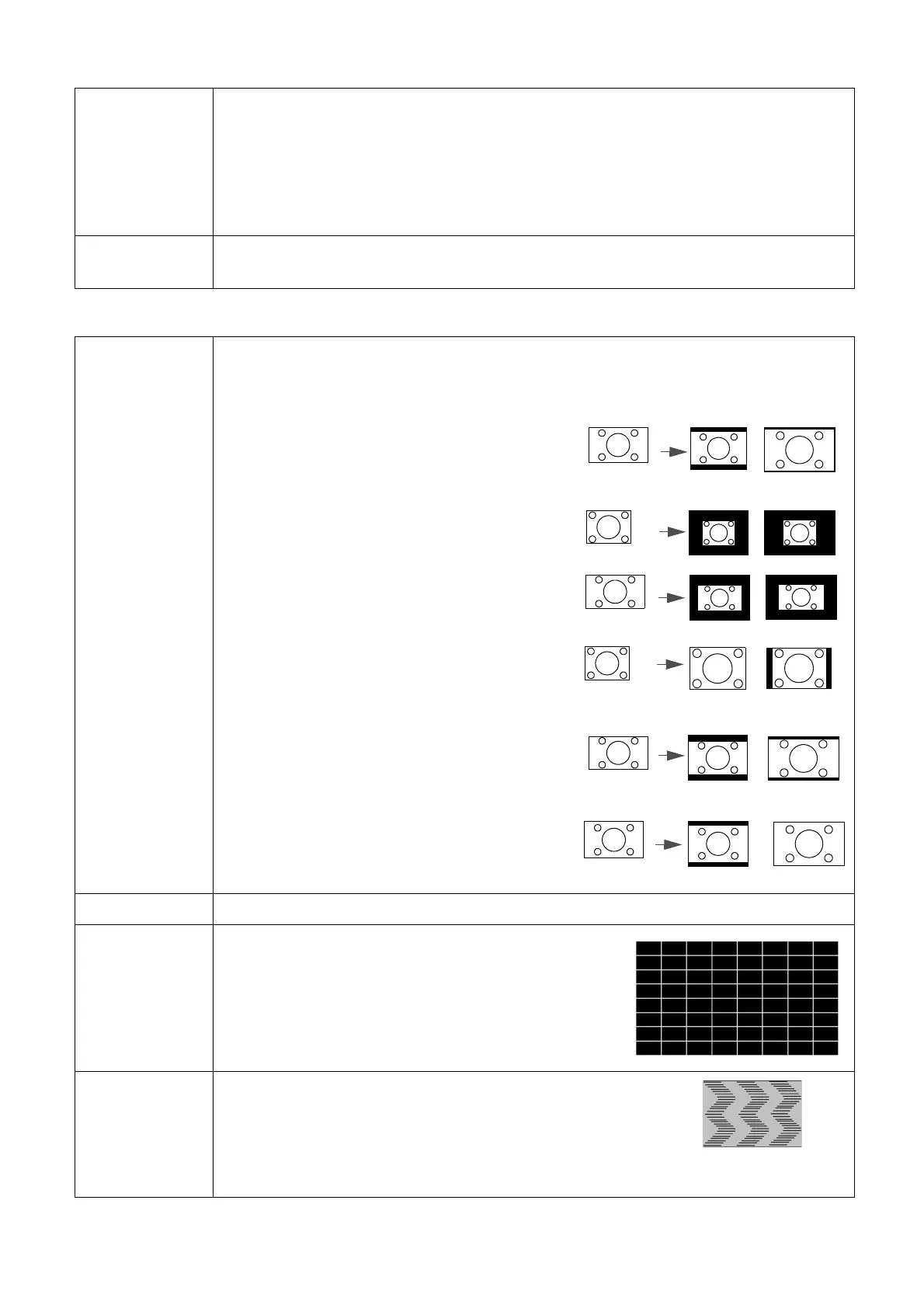
Aspect Ratio
There are several options to set the image's aspect ratio depending on your input
signal source.
• Auto: Scales an image proportionally to fit the
projector's native resolution in its horizontal
or vertical width.
• Real: Projects an image as its original
resolution and resizes it to fit within the
display area. For input signals with lower
resolutions, the projected image will be
displayed in its original size.
• 4:3: Scales an image so that it is displayed in
the center of the screen with a 4:3 aspect
ratio.
• 16:9: Scales an image so that it is displayed in
the center of the screen with a 16:9 aspect
ratio.
• 16:10: Scales an image so that it is displayed in
the center of the screen with a 16:10 aspect
ratio.
Keystone Corrects any keystoning of the image. See Correcting keystone on page 16.
Test Pattern
Adjusts the image size and focus and check that the
projected image is free from distortion.
PC &
Component
YPbPr Tuning
• Phase: Adjusts the clock phase to reduce image
distortion. This function is only available when a PC
signal (analog RGB) or YPbPr signal is selected.
• H. Size: Adjusts the horizontal width of the image.
This function is only available when a PC signal (analog RGB) is selected.
15:9 picture
(MS610/
MX611)
(MW612)



 To Next Page