Operation40
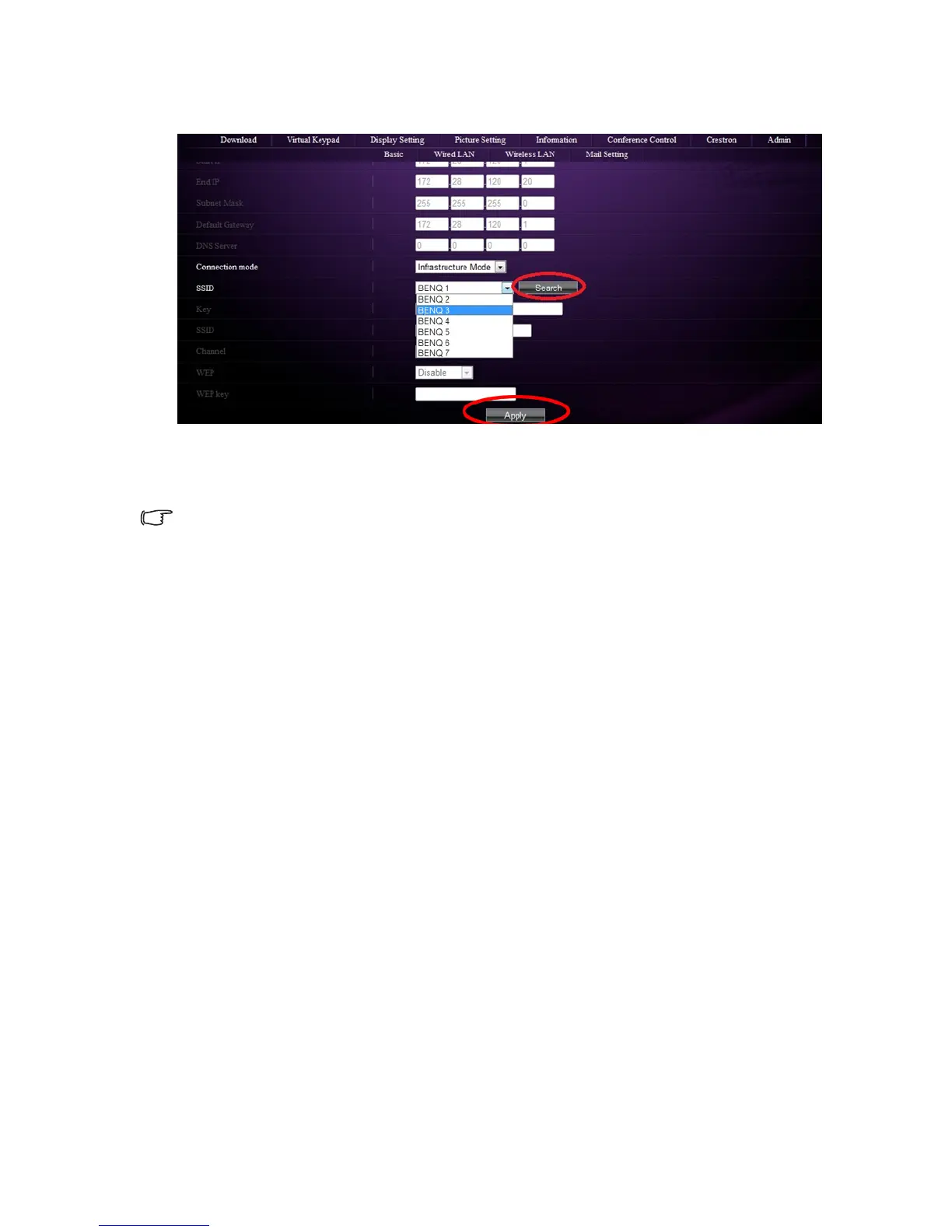
4. Click Search in the SSID row to list all the available wireless access points. Click the
desired SSID in the Search result list and click Apply.
5. Disconnect the RJ45 cable from the computer.
6. Select the same SSID from your computer.
7. Open QPresenter and search for the correct projector and click Connect.
• See "Using QPresenter" on page 49 for how to connect the projector.
• There are more wireless settings available on the Projector Network display System >
Admin > Wireless LAN page.
• If you need more information about AP and Infrastructure modes, please refer to user
documentations for Wireless Routers which are usually available on 3C stores.



 To Next Page