EasyManua.ls Logo

BenQ ScreenBar Halo - User Manual

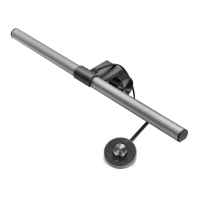
BenQ ScreenBar Halo
44 pages
Print Icon
To Next Page IconTo Next Page
Loading...
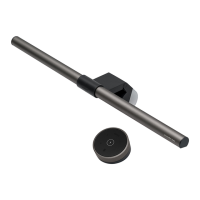
ScreenBar Halo (CR20_C)
ScreenBar Halo Controller (CR20_C
Controller)
BenQ.com
© 2023 BenQ Corporation.
All rights reserved. Rights of modification reserved.
P/N: 4J.W4301.001
4J.W4201.001
User Guide

Questions and Answers

  • K
    kelly88Jul 27, 2025
    Why does my BenQ ScreenBar Halo Lighting Equipment light flash?
    • T
      Tracy CareyJul 27, 2025
      The BenQ Lighting Equipment might be flashing because the power supply is insufficient (less than 5V). To resolve this, connect the lamp to a different USB port that provides a 5V output voltage.

Summary

Package Contents

Safety Warnings

Assembly

How to Use

Turning On;Off and Light Modes

Controls lamp power and cycles through light modes.

Auto Dimming Mode

Automatically adjusts brightness and color temperature based on ambient light.

Adjusting Brightness and Color Temperature

Controls lamp brightness and color temperature.

Color Temperature Control

My Favorite Mode

Pairing and Connecting Multiple ScreenBar Halos

Maintenance and Troubleshooting

Specifications

Declaration of Conformity

FCC Statement

Federal Communication Commission Interference Statement

Details compliance with FCC rules for digital devices.

Industry Canada Statement

BenQ ScreenBar Halo Specifications

General IconGeneral
TypeMonitor Light
Color Temperature2700K - 6500K
Brightness LevelsAdjustable
ControlWireless Controller
Power Input5V/1A
Light SourceLED
Power Consumption5W
Power SupplyUSB
CompatibilityMost Monitors
FeaturesAuto Dimming
CRI95
Power SourceUSB

Related product manuals