EasyManua.ls Logo

BenQ ScreenBar Plus - User Manual

BenQ ScreenBar Plus
14 pages
Print Icon
To Next Page IconTo Next Page
Loading...
ScreenBar Plus (AR17_C)
BenQ.com
© 2020 BenQ Corporation.
All rights reserved. Rights of modification reserved.
P/N: 4J.W4301.001
4J.W4201.001

Questions and Answers

  • R
    Ronald TuckerJul 29, 2025
    What to do if BenQ ScreenBar Plus doesn't turn on and the Auto Dimmer Mode indicator is blinking?
    • J
      Jeanette WilliamsJul 29, 2025
      If your BenQ Lighting Equipment doesn't turn on and the Auto Dimmer Mode indicator is blinking, it may be due to insufficient power voltage. To resolve this, connect the lamp to another USB port that provides a 5V output voltage.
  • M
    Monica AllenAug 12, 2025
    What to do if BenQ Home Lighting lamp doesn't turn on and Auto Dimmer Mode indicator is blinking?
    • T
      Tiffany KellerAug 12, 2025
      If your BenQ Home Lighting lamp doesn't turn on and the Auto Dimmer Mode indicator is blinking, the lamp may not be getting enough power. To fix this, try connecting the lamp to a different USB port that provides a 5V output voltage.

Summary

Installation Guide

Package Contents Check

Verify all package contents are present and undamaged before proceeding with setup.

Mounting the Lamp

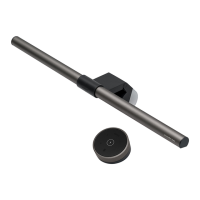
Securely attach the lamp with its clip to the monitor frame, ensuring a snug fit.

Connecting Power

Connect the provided USB power cable to the lamp and a suitable USB port.

Safety Precautions

General Safety Warnings

Follow essential safety guidelines to prevent damage, fire hazards, and ensure proper operation.

Usage and Handling Cautions

Avoid humid environments, outdoor use, and disassembly; handle with care.

Operating the Lamp

Powering On;Off

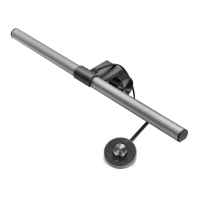
Turn the lamp on or off by pressing the controller knob.

Auto Dimmer Mode

Activate auto dimmer for automatic brightness and color temperature adjustment.

Brightness Adjustment

Adjust brightness levels using the controller knob, with 15 distinct levels available.

Color Temperature Adjustment

Select from 8 color temperature settings to suit ambient lighting and preference.

Maintenance and Troubleshooting

Cleaning Instructions

Clean the lamp casing with a soft, lint-free cloth and mild detergent.

Troubleshooting Power Issues

Address issues like insufficient power or blinking indicators by checking connections.

Product Specifications

Technical Details

View key specifications including model, power input, consumption, and dimensions.

BenQ ScreenBar Plus Specifications

General IconGeneral
Power SupplyUSB
Brightness AdjustmentYes
Light SourceLED
Power Consumption5W
Auto-DimmingYes
TypeLED Monitor Light Bar
Color Temperature2700K-6500K
Compatibility0.4" to 1.2" thick monitors
Power Input5V, 1A
MaterialAluminum alloy
FeaturesAuto-dimming, space-saving
BrightnessUp to 500 lux
Control MethodDial Controller

Related product manuals