42 Maintenance
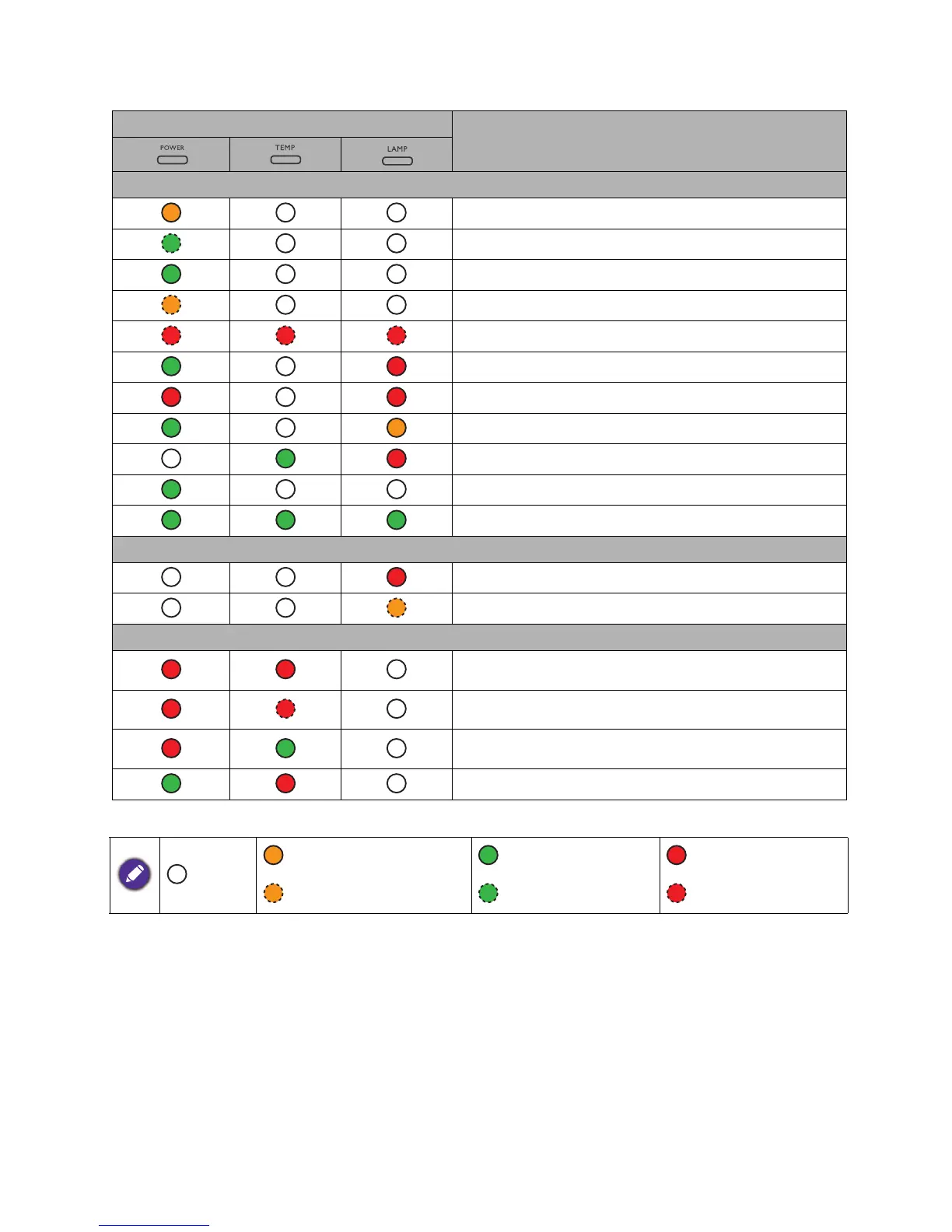
Indicators
Light
Status & Description
Power events
Stand-by mode
Powering up
Normal operation
Normal power-down cooling
Download
Color wheel start failed
Scaler reset fail (video projector only)
Lamp/light source life exhausted
Lamp door is not closed
Burn-in ON
Burn-in OFF
Lamp events
Lamp/light source error in normal operation
Lamp/light source is not lit up
Thermal events
Fan 1 error (the actual fan speed is outside the desired
speed)
Fan 2 error (the actual fan speed is outside the desired
speed)
Fan 3 error (the actual fan speed is outside the desired
speed)
Temperature 1 error (over limited temperature)
: Off
: Orange On : Green On : Red On
: Orange Flashing : Green Flashing : Red Flashing



 To Next Page