13 Positioning your projector
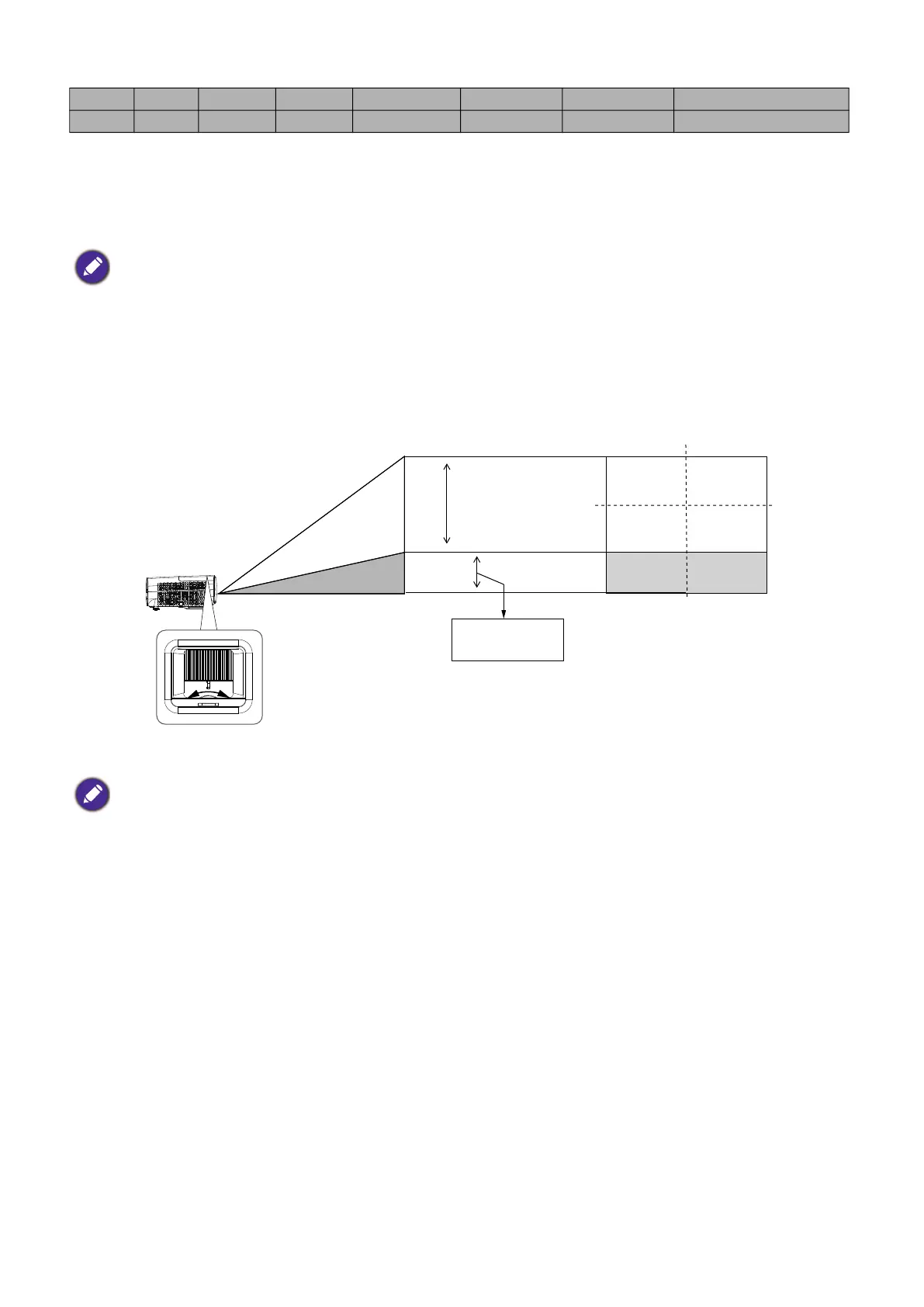
For example, if you are using a 120-inch screen, the recommended projection distance is 3454 mm.
If your measured projection distance is 5000 mm, the closest match in the "Distance from screen (mm)"
column is 5180 mm. Looking across this row shows that a 180'' (about 4.6 m) screen is required. The
projected image will be slightly higher/lower than the lens centerline with 125 mm vertical offset.
Shifting the projection lens
Mounting the projector
If you intend to mount your projector, we strongly recommend that you use a proper fitting BenQ
projector mounting kit and that you ensure it is securely and safely installed.
If you use a non-BenQ brand projector mounting kit, there is a safety risk that the projector may fall
down due to an improper attachment through the use of the wrong gauge or length screws.
Before mounting the projector
• Purchase a BenQ projector mounting kit from the place you purchased your BenQ projector.
• BenQ recommends that you also purchase a separate Kensington lock compatible security cable and
attach it securely to both the Kensington lock slot on the projector and the base of the mounting
bracket. This will perform the secondary role of restraining the projector should its attachment to the
mounting bracket become loose.
• Ask your dealer to install the projector for you. Installing the projector on your own may cause it to
fall and result in injury.
290 7366 3611 6420 7255 8346 9437 0 - 361
300 7620 3736 6641 7505 8634 9763 0 - 374
• All measurements are approximate and may vary from the actual sizes.
BenQ recommends that if you intend to permanently install the projector, you should physically test the
projection size and distance using the actual projector in situ before you permanently install it, so as to make
allowance for this projector's optical characteristics. This will help you determine the exact mounting position so
that it best suits your installation location.
• To optimize your projection quality, we suggest doing the projection by following the values in the non-gray cells.
• The values in the gray cells are for reference only.
• Please stop turning the adjustment knob when you hear a clicking sound indicating the knob has reached its limit.
Over-turning the knob may cause damage.
Desk-front
projection



 To Next Page