EasyManua.ls Logo

BenQ WDRT8192 - User Manual

BenQ WDRT8192
29 pages
Print Icon
To Next Page IconTo Next Page
Loading...
WDRT8192
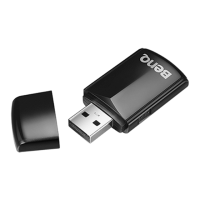
Wireless Dongle
Quick Start Guide

Other manuals for BenQ WDRT8192

Question and Answer IconNeed help?

Do you have a question about the BenQ WDRT8192 and is the answer not in the manual?

Summary

Wireless Dongle Setup and Operation

Connecting the Dongle and Projector

Connect the wireless dongle to the projector's USB port and select the display option.

Installing BenQ EZ QPresenter Software

Step-by-step guide for downloading and installing the EZ QPresenter software.

Initiating Wireless Projection

How to connect to the wireless access point and start the projection session.

Troubleshooting and Frequently Asked Questions

Addressing Common Performance Issues

Explains CPU usage, projection failures, and slow frame rates with solutions.

System Requirements and Specifications

Wireless Display System Requirements

Outlines the hardware and software requirements for wireless display functionality.

BenQ Wi-Fi Dongle Specifications

Details the technical specifications of the wireless dongle, including standards and data rates.

Safety, Compliance, and Disposal Information

Battery Handling and Safety

Important precautions and safety notices regarding battery installation and disposal.

FCC Compliance Statement

US FCC regulations, radiation exposure limits, and installation guidelines.

Canadian IC Statement

Statement of compliance with Canadian Industry (IC) regulations.

UK Plug Requirements

Details regarding the UK mains plug, fuse rating, and replacement procedures.

CE Declaration of Conformity

Confirmation of the device's compliance with relevant European Union directives.

WEEE Disposal Guidelines

European Union guidelines for the disposal of electronic waste.

RF Compliance Statements

Regulatory compliance for RF modules in Korea (KCC) and Japan (VCCI).

Summary

Wireless Dongle Setup and Operation

Connecting the Dongle and Projector

Connect the wireless dongle to the projector's USB port and select the display option.

Installing BenQ EZ QPresenter Software

Step-by-step guide for downloading and installing the EZ QPresenter software.

Initiating Wireless Projection

How to connect to the wireless access point and start the projection session.

Troubleshooting and Frequently Asked Questions

Addressing Common Performance Issues

Explains CPU usage, projection failures, and slow frame rates with solutions.

System Requirements and Specifications

Wireless Display System Requirements

Outlines the hardware and software requirements for wireless display functionality.

BenQ Wi-Fi Dongle Specifications

Details the technical specifications of the wireless dongle, including standards and data rates.

Safety, Compliance, and Disposal Information

Battery Handling and Safety

Important precautions and safety notices regarding battery installation and disposal.

FCC Compliance Statement

US FCC regulations, radiation exposure limits, and installation guidelines.

Canadian IC Statement

Statement of compliance with Canadian Industry (IC) regulations.

UK Plug Requirements

Details regarding the UK mains plug, fuse rating, and replacement procedures.

CE Declaration of Conformity

Confirmation of the device's compliance with relevant European Union directives.

WEEE Disposal Guidelines

European Union guidelines for the disposal of electronic waste.

RF Compliance Statements

Regulatory compliance for RF modules in Korea (KCC) and Japan (VCCI).

BenQ WDRT8192 Specifications

General IconGeneral
BrandBenQ
ModelWDRT8192
CategoryComputer Hardware
LanguageEnglish

Related product manuals