11 How to assemble your monitor hardware
Adjusting the monitor stand height
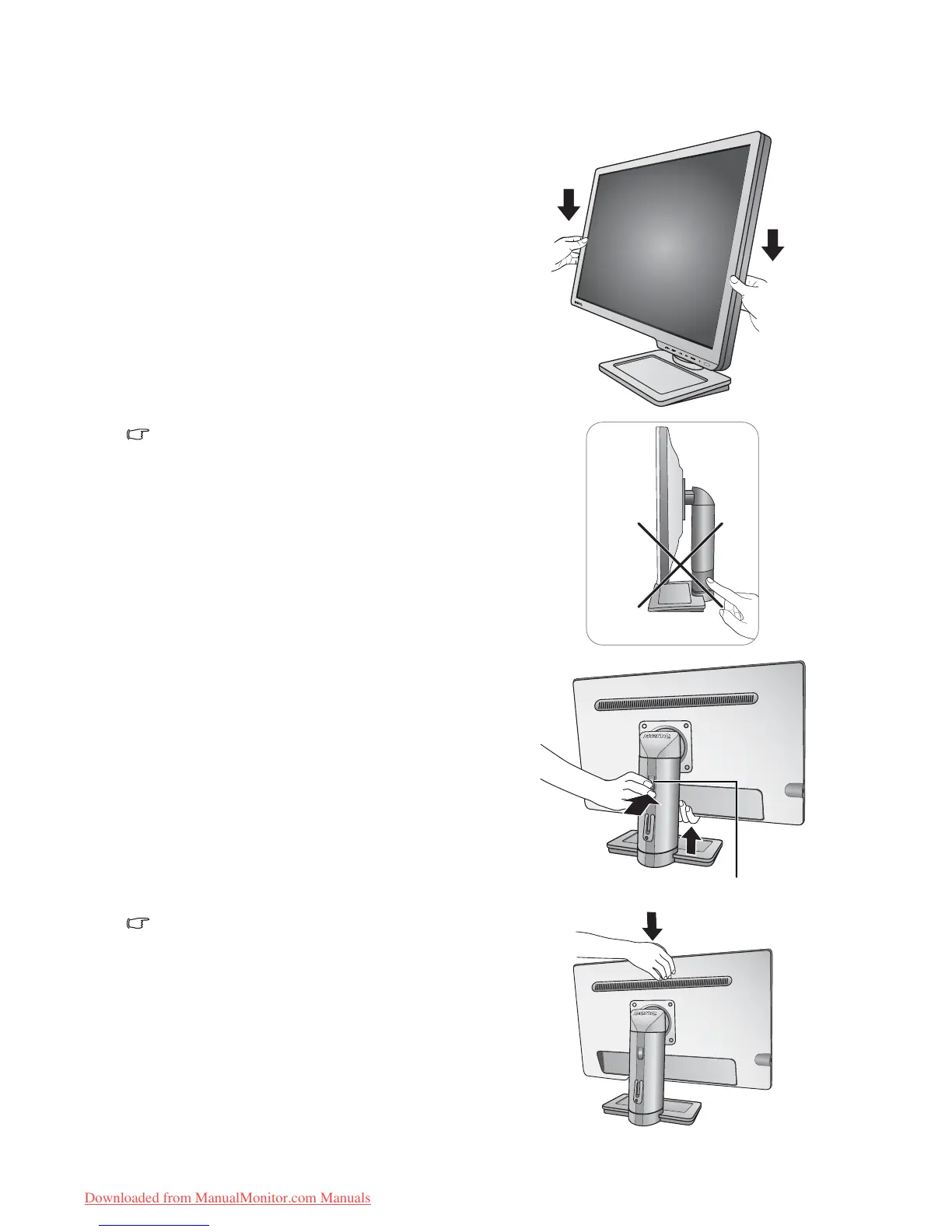
If you prefer to lower the monitor stand height, pull the
monitor downward while holding both left and right
sides of the monitor.
Avoid placing hands near the bottom of the monitor
stand as the descending stand might cause personal
injuries. Keep children out of reach of the monitor while
performing this operation.
To extend the monitor stand to a higher position, press
the lower part of the height release on the stand while
holding the bottom of the monitor at the same time. And
pull the stand and the monitor upward together to the
desired height.
If the height release in the proceeding operation cannot
be pressed down, press the top of the monitor once as
illustrated on the right before you proceed.



 To Next Page
 Loading...