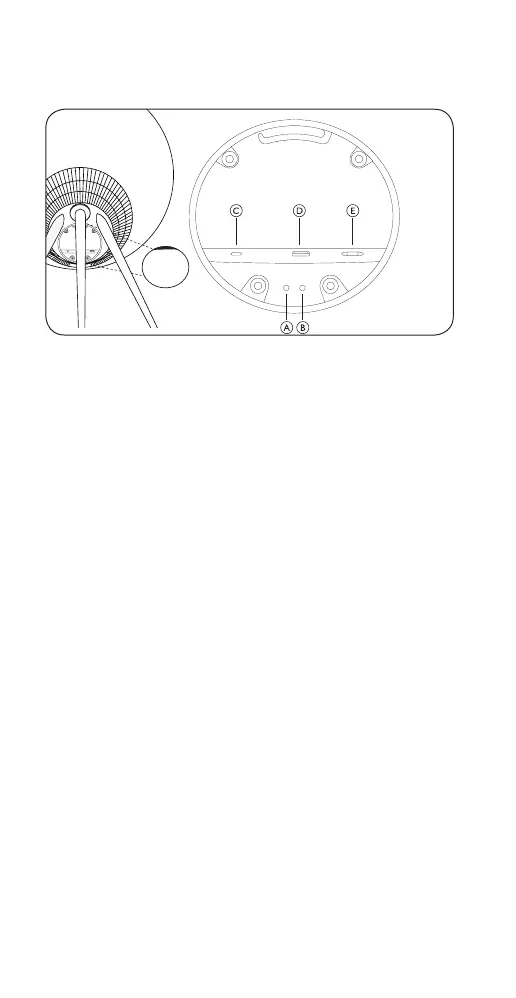
BUTTONS AND CONNECTIONS
A: Microphone on/o
B: Wi-Fi setup/Factory reset
Wi-Fi – press and hold for 2 seconds to connect to a new
network – audible feedback indicates successful setup,
and the product light indicator turns solid white.
Factory reset – press and hold for 8 seconds to reset to
factory settings and await audible feedback. The speaker
restarts. Once the product indicator flashes white,
Beosound A9 is ready for first-time setup.
C: USB-C – for service and connection of external sources,
use the enclosed mini-jack adaptor
D: Ethernet – for wired network connection
E: Power – for enclosed mains cable.
12


 To Next Page