HYDRONIC UNIT
8
Quick start
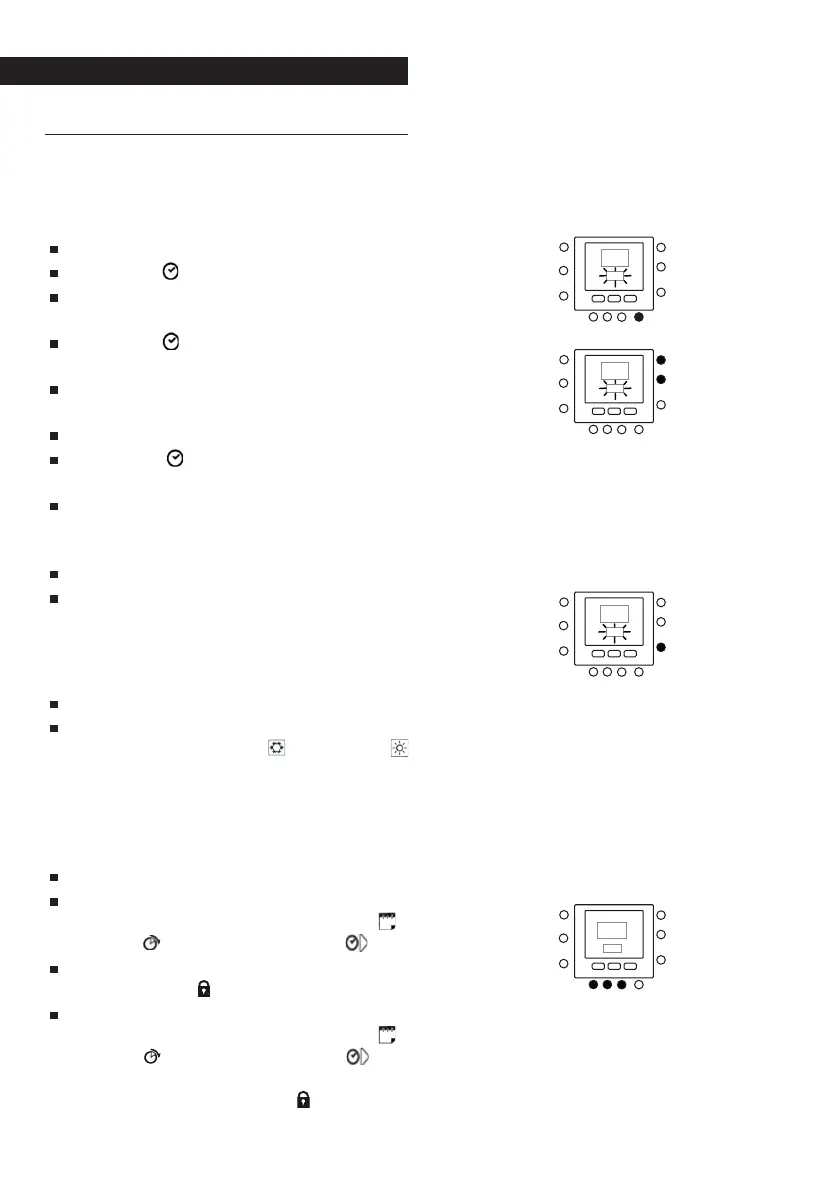
Setting the time and date
You need to set the time and date be-
fore using any of the Control panel set-
tings.
Open the flap.
Press the (
) key.
Press the UP or DOWNkeys to set the
hour. Stop at the correct hour.
Press the (
) key again and the min-
utes will start flashing on the display
Press the UP or DOWN to set the min-
utes.
Stop at the correct number.
Press the (
) key again and the day
will start flashing on the display
Press the UP or DOWN to set the day (7
numbers corresponding to each day
of the week are displayed).
Stop at the correct number.
Press the OK key and/or close the
flap.
Season setting
To change the season setting.
Open the flap.
Press the MODE key to select the de-
sired mode: Summer (
) or Winter (
).
Keypad lock
To lock all the control panel keys and
functions.
Open the flap.
Press and hold down the following
three keys for 3 seconds: DAYS (
),
PERIOD (
) and PERIOD START ( ).
All the keys are disabled and the
padlock icon (
) is displayed.
To unlock the keypad, press the fol-
lowing three keys again: DAYS (
),
PERIOD ( ) and PERIOD START ( ) si-
multaneously for 3 seconds. The pad-
lock icon will disappear ( ).



 To Next Page