Need help?
Do you have a question about the Berger & Schroter 32134 and is the answer not in the manual?
Ensures safe operation by qualified individuals only.
Details risks associated with damage, external power, and environmental conditions.
Advises against dropping, impact, squeezing, and chemical exposure.
Provides instructions for handling a broken LCD screen and liquid contact.
Guides on proper placement, orientation, and storage to prevent damage.
Lists key capabilities like 4K video, 0.3s trigger, night vision, and Wi-Fi.
Specifies minimum hardware and OS for connecting the camera to a PC.
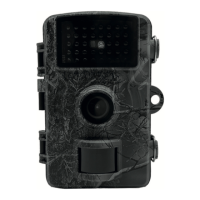
Illustrates the front and back views of the camera with labeled components.
Explains the function of each physical key on the camera.
Instructions for inserting and formatting the SD card for camera operation.
Details on how to insert AA batteries correctly, including polarity.
Guide on powering the camera using an external DC adapter.
Steps to connect the camera to a computer for file transfer.
Methods for mounting the camera using straps or holders for optimal placement.
Covers the sequence for powering the camera on, off, and switching modes.
Explains the display elements and indicators in photo mode.
Explains the display elements and indicators in video mode.
Procedure for testing photos and videos to ensure proper camera function.
Steps to set up and activate the camera's automatic monitoring and shooting.
Selects the camera's operational mode (Photo, Video, Photo & Video).
Sets the image resolution for photos taken by the camera.
Configures the number of photos taken in a rapid sequence.
Sets the video recording resolution for quality and storage.
Defines the duration for video recordings.
Enables continuous recording by overwriting the oldest files when storage is full.
Sets the waiting time between motion detections to conserve battery.
Adjusts the sensitivity of the motion sensor for accurate detection.
Controls the intensity of the infrared illuminator for night vision.
Sets specific time windows for the camera's active monitoring.
Configures time-lapse photography to compress long periods into short videos.
Sets the resolution for videos created from time-lapse sequences.
Allows selection of the display language for the camera interface.
Sets the system time and date for accurate file stamping.
Assigns a unique serial number for camera identification.
Selects the unit for displaying ambient temperature (°C or °F).
Enables or disables the audible feedback for button presses.
Controls whether audio is recorded along with video.
Configures whether date and time are stamped on photos and videos.
Sets a password to protect the camera from unauthorized access.
Allows changing the camera's Wi-Fi network name.
Sets or changes the password for Wi-Fi connectivity.
Configures the camera to automatically turn off Wi-Fi after a set idle period.
Erases all data from the SD card, preparing it for reuse.
Restores the camera to its original factory default settings.
Displays the current firmware version and potentially allows for upgrades.
Instructions on how to browse and play back recorded photos and videos.
Steps to delete a single selected photo or video file.
Guides on how to erase all media files stored on the camera.
Enables an automatic slideshow of photos stored on the camera.
Protects selected files from accidental deletion.
Removes write protection from files, allowing them to be deleted.
Instructions for downloading and installing the mobile application.
Steps to establish a Wi-Fi connection between the app and the camera.
Overview of basic functions and controls within the mobile app.
 General
| Image sensor | CMOS, Max. 13 MP, Maximum 30 MP (Software-Interpolation) |
|---|---|
| Lens | F: 2, 5 f = 8, 7 mm |
| Photo | Format: JPEG 30M/20M/16M/8M/13M/8M/5M/3M |
| Storage | Support SD/SDHC Card, Max. to 128GB |
| Trigger time | 0, 3s |
| PIR sensitivity | adjustable |
| PIR distance | 0 ~ 20M |
| PIR angle | 90° |
| PIR delay | 5S ~ 60min |
| Working modes | Photo/Video/ Photo&Video /Timelapse |
| Video length | Optional 3s ~ 10min |
| IR Leds /PCS | 850nm/40pcs, adjustable brightness |
| Screen | 2.0'' TFT-LCD |
| Video | Video Format: AVI 4K/2.7K/1080P/720P/VGA |
| Language | English/French/German/Japanese/ Spanish/Italian/ Chinese/Czech |
| Microphone | Yes, Built-in |
| Speaker | Yes, Built-in |
| Temperature detection | Yes |
| Waterproof level | IP66 |
| Working voltage | DC 6V |
| External power supply | DC 6V / 2.0A |
| wifi | Yes, support connect with Mobile WIFI |
| Bluetooth | Yes, support connect with Mobile |
| Battery type | 4 / 8pcs AA (Nr. 5) Batteries |
| Stand-by time | About 6 months (8pcs AA batteries) |
 Weight and Dimensions
| Dimension | 150 (L) × 112 (W) × 66 (H) mm |
|---|---|
| Weight | 285 ± 5 g (exclude batteries) |

 To Next Page